







Question: Write a MATLAB script that declares the variable sentence. Copy the following string and save it in sentence: sentence = 'askdnfoaerhhelloaskldfnoasdfworldasdkofnwrIameprngeqwrobo tapasng' Use the function
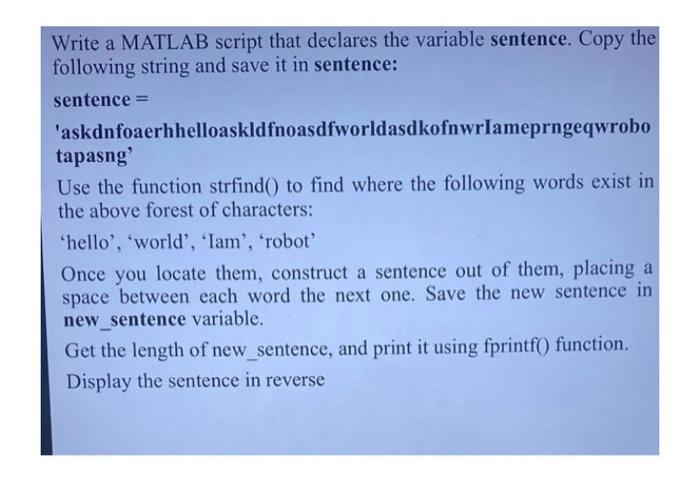
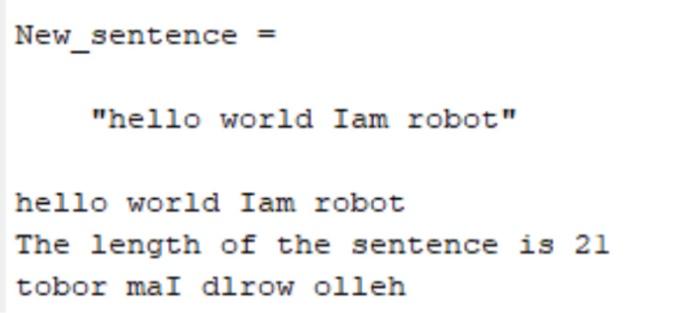
Write a MATLAB script that declares the variable sentence. Copy the following string and save it in sentence: sentence = 'askdnfoaerhhelloaskldfnoasdfworldasdkofnwrIameprngeqwrobo tapasng' Use the function strfind() to find where the following words exist in the above forest of characters: 'hello', 'world', 'Iam', 'robot' Once you locate them, construct a sentence out of them, placing a space between each word the next one. Save the new sentence in new_sentence variable. Get the length of new_sentence, and print it using fprintf() function. Display the sentence in reverse New_sentence = "hello world Iam robot" hello world Iam robot The length of the sentence is 21 tobor maI dlrow olleh
Step by Step Solution
There are 3 Steps involved in it

Get step-by-step solutions from verified subject matter experts
 Study Help