







Question: Write a menu-driven program (crypto.py) that will be simulating the encryption and decryption mechanism using rotation (see below Background section). The program should initially welcome
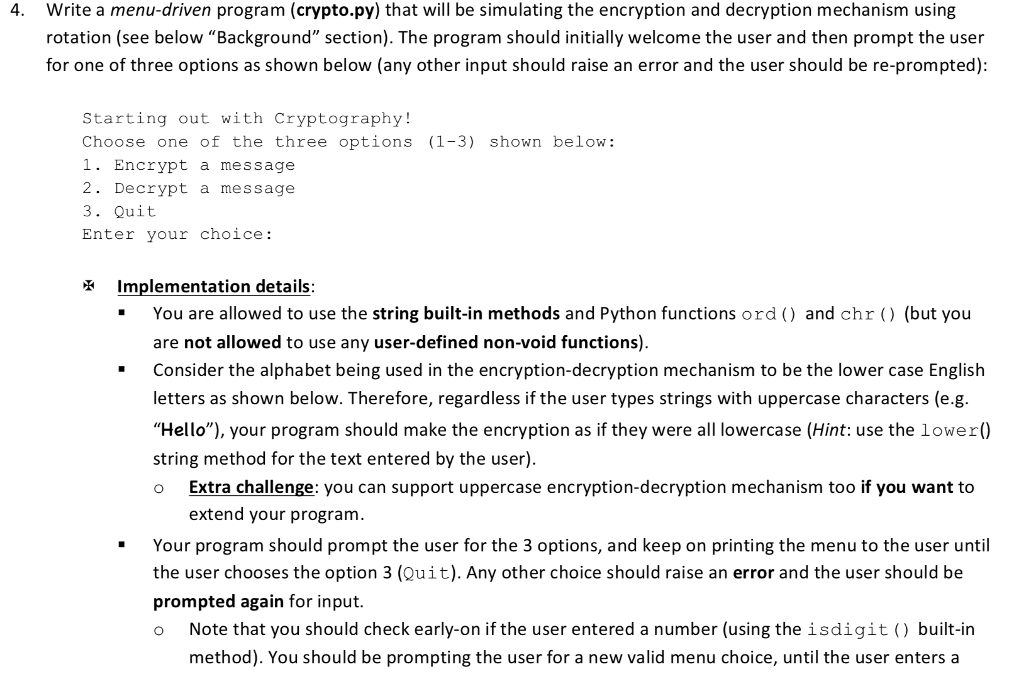
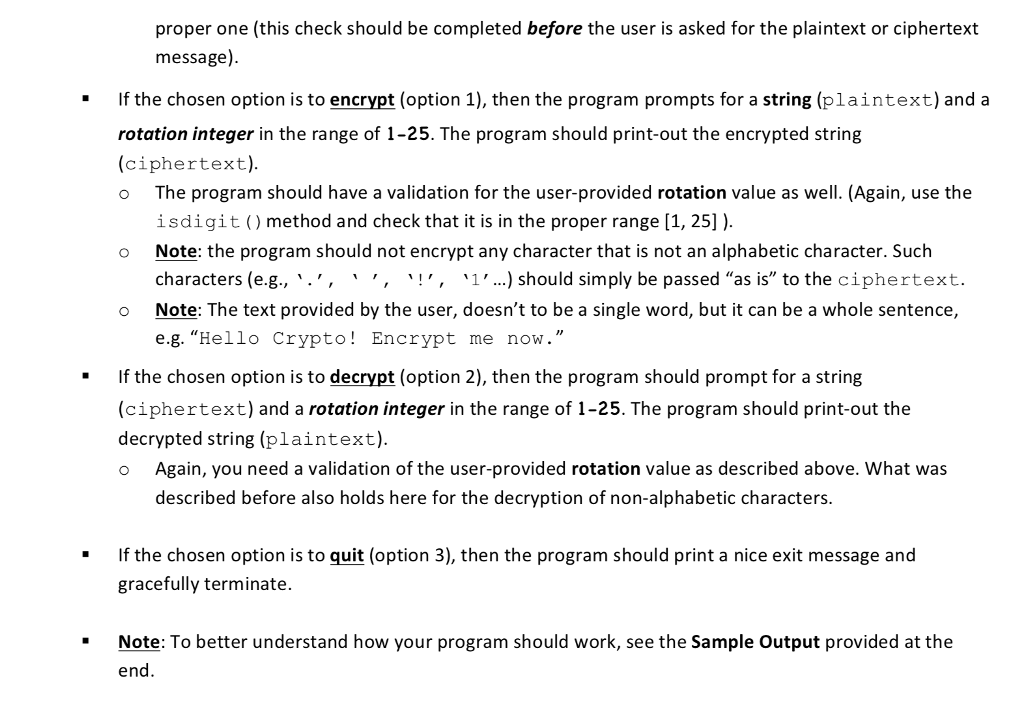
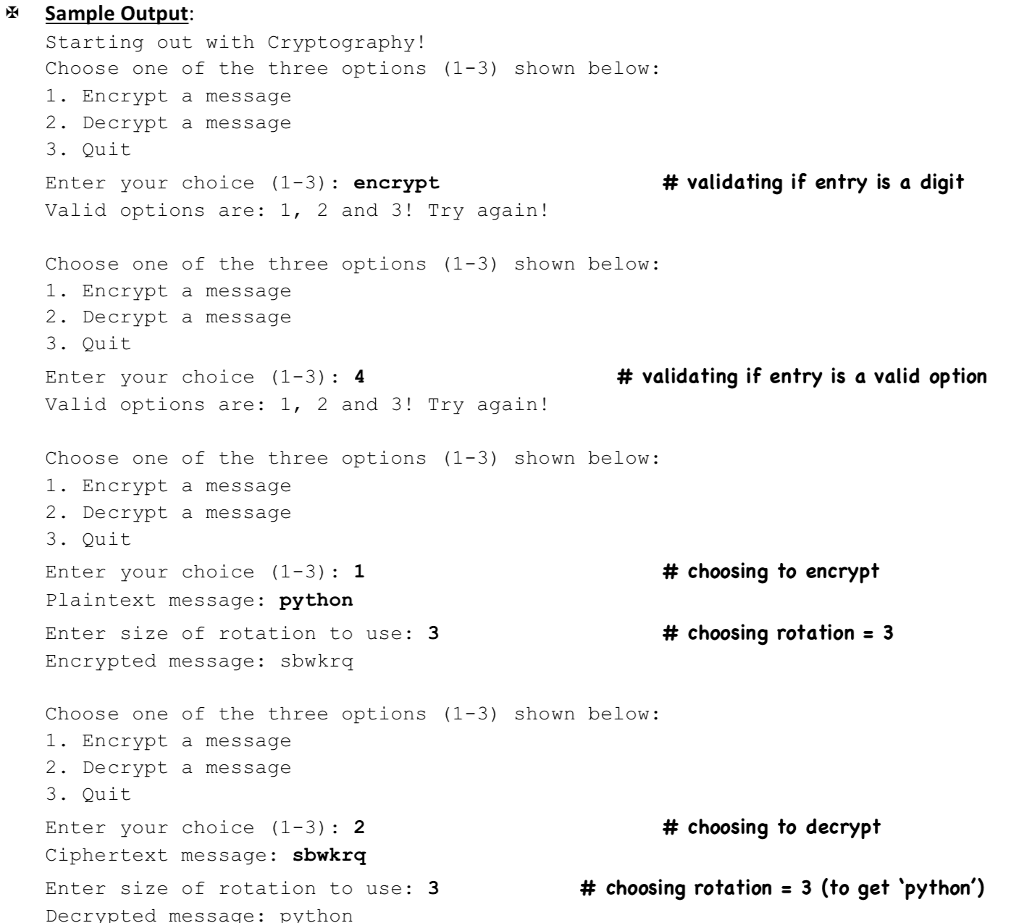
Write a menu-driven program (crypto.py) that will be simulating the encryption and decryption mechanism using rotation (see below "Background" section). The program should initially welcome the user and then prompt the user for one of three options as shown below (any other input should raise an error and the user should be re-prompted): 4. Starting out with Cryptography! Choose one of the three options (1-3) shown below: 1. Encrypt a message 2. Decrypt a message 3. Quit Enter your choice: X Implementation details You are allowed to use the string built-in methods and Python functions ord) and chr (but you are not allowed to use any user-defined non-void functions). Consider the alphabet being used in the encryption-decryption mechanism to be the lower case English letters as shown below. Therefore, regardless if the user types strings with uppercase characters (e.g. "Hello"), your program should make the encryption as if they were all lowercase (Hint: use the lower0 string method for the text entered by the user) o Extra challenge: you can support uppercase encryption-decryption mechanism too if you want to extend your program. Your program should prompt the user for the 3 options, and keep on printing the menu to the user until the user chooses the option 3 (Quit). Any other choice should raise an error and the user should be prompted again for input. o Note that you should check early-on if the user entered a number (using the isdigit) built-in method). You should be prompting the user for a new valid menu choice, until the user enters a
Step by Step Solution
There are 3 Steps involved in it

Get step-by-step solutions from verified subject matter experts
 Study Help