







Question: Write a program called Sliding Puzzle.java which creates a solvable sliding puzzle e using Java GUI. The input to be entered by the user is
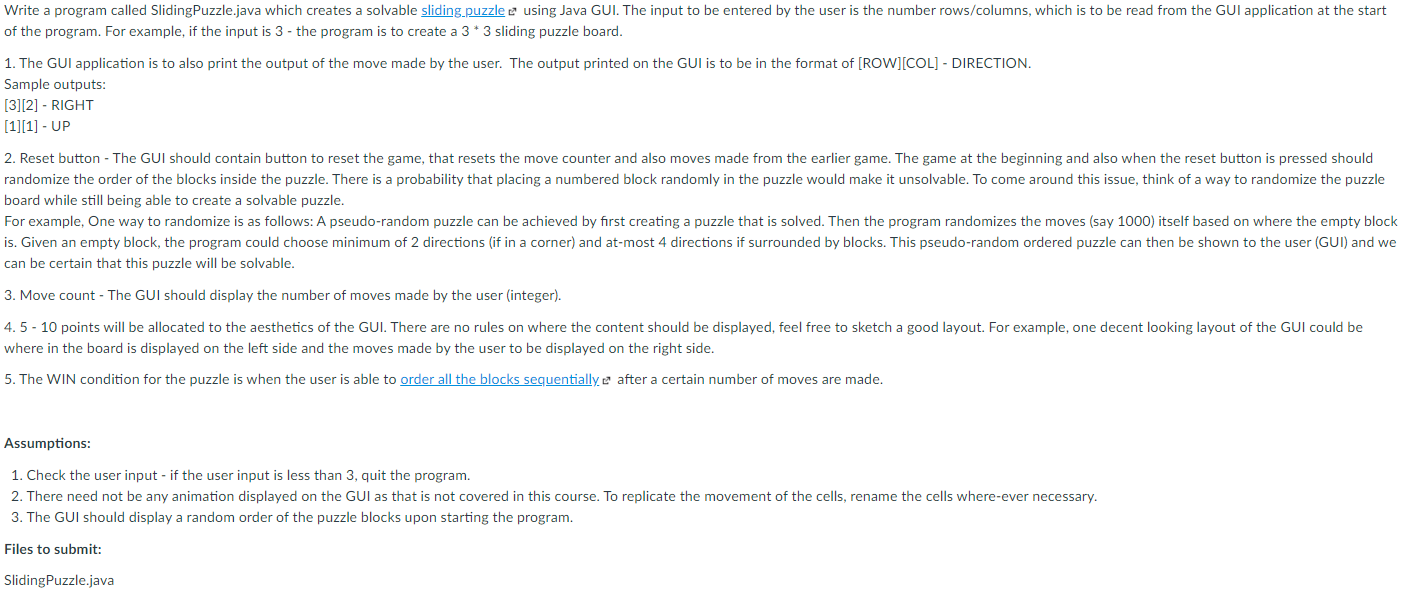
Write a program called Sliding Puzzle.java which creates a solvable sliding puzzle e using Java GUI. The input to be entered by the user is the number rows/columns, which is to be read from the GUI application at the start of the program. For example, if the input is 3 - the program is to create a 3* 3 sliding puzzle board. 1. The GUI application is to also print the output of the move made by the user. The output printed on the GUI is to be in the format of [ROW][COL] - DIRECTION. Sample outputs: [3][2] - RIGHT [1][1] - UP 2. Reset button - The GUI should contain button to reset the game, that resets the move counter and also moves made from the earlier game. The game at the beginning and also when the reset button is pressed should randomize the order of the blocks inside the puzzle. There is a probability that placing a numbered block randomly in the puzzle would make it unsolvable. To come around this issue, think of a way to randomize the puzzle board while still being able to create a solvable puzzle. For example, One way to randomize is as follows: A pseudo-random puzzle can be achieved by first creating a puzzle that is solved. Then the program randomizes the moves (say 1000) itself based on where the empty block is. Given an empty block, the program could choose minimum of 2 directions (if in a corner) and at-most 4 directions if surrounded by blocks. This pseudo-random ordered puzzle can then be shown to the user (GUI) and we can be certain that this puzzle will be solvable. 3. Move count - The GUI should display the number of moves made by the user integer). 4.5 - 10 points will be allocated to the aesthetics of the GUI. There are no rules on where the content should be displayed, feel free to sketch a good layout. For example, one decent looking layout of the GUI could be where in the board is displayed on the left side and the moves made by the user to be displayed on the right side. 5. The WIN condition for the puzzle is when the user is able to order all the blocks sequentially e after a certain number of moves are made. Assumptions: 1. Check the user input- if the user input is less than 3, quit the program. 2. There need not be any animation displayed on the GUI as that is not covered in this course. To replicate the movement of the cells, rename the cells where-ever necessary. 3. The GUI should display a random order of the puzzle blocks upon starting the program. Files to submit: Sliding Puzzle.java Write a program called Sliding Puzzle.java which creates a sliding puzzle 2 using Java GUI. The input to be entered by the user is the number rows/columns, which is to be read from the GUI application at the start of the program. For example, if the input is 3 - the program is to create a 3 * 3 sliding puzzle board. 1. The GUI application is to also print the output of the move made by the user. The output printed on the GUI is to be in the format of [ROW][COL] - DIRECTION. Sample outputs: [3] [2] - RIGHT [1][1] - UP 2. Reset button - The GUI should contain button to reset the game, that resets the move counter and also moves made from the earlier game. 3. Move count - The GUI should display the number of moves made by the user integer). 4.5 - 10 points will be allocated to the aesthetics of the GUI. There are no rules on where the content should be displayed, feel free to sketch a good layout. For example, one decent looking layout of the GUI could be where in the board is displayed on the left side and the moves made by the user to be displayed on the right side. Assumptions: 1. Check the user input - if the user input is less than 3, quit the program. 2. There need not be any animation displayed on the GUI as that is not covered in this course. To replicate the movement of the cells, rename the cells where-ever necessary. 3. The GUI should display a random order of the puzzle blocks upon starting the program. Files to submit: Sliding Puzzle.java Write a program called Sliding Puzzle.java which creates a solvable sliding puzzle e using Java GUI. The input to be entered by the user is the number rows/columns, which is to be read from the GUI application at the start of the program. For example, if the input is 3 - the program is to create a 3* 3 sliding puzzle board. 1. The GUI application is to also print the output of the move made by the user. The output printed on the GUI is to be in the format of [ROW][COL] - DIRECTION. Sample outputs: [3][2] - RIGHT [1][1] - UP 2. Reset button - The GUI should contain button to reset the game, that resets the move counter and also moves made from the earlier game. The game at the beginning and also when the reset button is pressed should randomize the order of the blocks inside the puzzle. There is a probability that placing a numbered block randomly in the puzzle would make it unsolvable. To come around this issue, think of a way to randomize the puzzle board while still being able to create a solvable puzzle. For example, One way to randomize is as follows: A pseudo-random puzzle can be achieved by first creating a puzzle that is solved. Then the program randomizes the moves (say 1000) itself based on where the empty block is. Given an empty block, the program could choose minimum of 2 directions (if in a corner) and at-most 4 directions if surrounded by blocks. This pseudo-random ordered puzzle can then be shown to the user (GUI) and we can be certain that this puzzle will be solvable. 3. Move count - The GUI should display the number of moves made by the user integer). 4.5 - 10 points will be allocated to the aesthetics of the GUI. There are no rules on where the content should be displayed, feel free to sketch a good layout. For example, one decent looking layout of the GUI could be where in the board is displayed on the left side and the moves made by the user to be displayed on the right side. 5. The WIN condition for the puzzle is when the user is able to order all the blocks sequentially e after a certain number of moves are made. Assumptions: 1. Check the user input- if the user input is less than 3, quit the program. 2. There need not be any animation displayed on the GUI as that is not covered in this course. To replicate the movement of the cells, rename the cells where-ever necessary. 3. The GUI should display a random order of the puzzle blocks upon starting the program. Files to submit: Sliding Puzzle.java Write a program called Sliding Puzzle.java which creates a sliding puzzle 2 using Java GUI. The input to be entered by the user is the number rows/columns, which is to be read from the GUI application at the start of the program. For example, if the input is 3 - the program is to create a 3 * 3 sliding puzzle board. 1. The GUI application is to also print the output of the move made by the user. The output printed on the GUI is to be in the format of [ROW][COL] - DIRECTION. Sample outputs: [3] [2] - RIGHT [1][1] - UP 2. Reset button - The GUI should contain button to reset the game, that resets the move counter and also moves made from the earlier game. 3. Move count - The GUI should display the number of moves made by the user integer). 4.5 - 10 points will be allocated to the aesthetics of the GUI. There are no rules on where the content should be displayed, feel free to sketch a good layout. For example, one decent looking layout of the GUI could be where in the board is displayed on the left side and the moves made by the user to be displayed on the right side. Assumptions: 1. Check the user input - if the user input is less than 3, quit the program. 2. There need not be any animation displayed on the GUI as that is not covered in this course. To replicate the movement of the cells, rename the cells where-ever necessary. 3. The GUI should display a random order of the puzzle blocks upon starting the program. Files to submit: Sliding Puzzle.java
Step by Step Solution
There are 3 Steps involved in it

Get step-by-step solutions from verified subject matter experts
 Study Help