







Question: Write a program in C using Stdio.h NOT IOStream. This is for Visual studios 2012. stdio.h!!!!!! Write a program that reads data from an input
Write a program in C using Stdio.h NOT IOStream. This is for Visual studios 2012. stdio.h!!!!!! 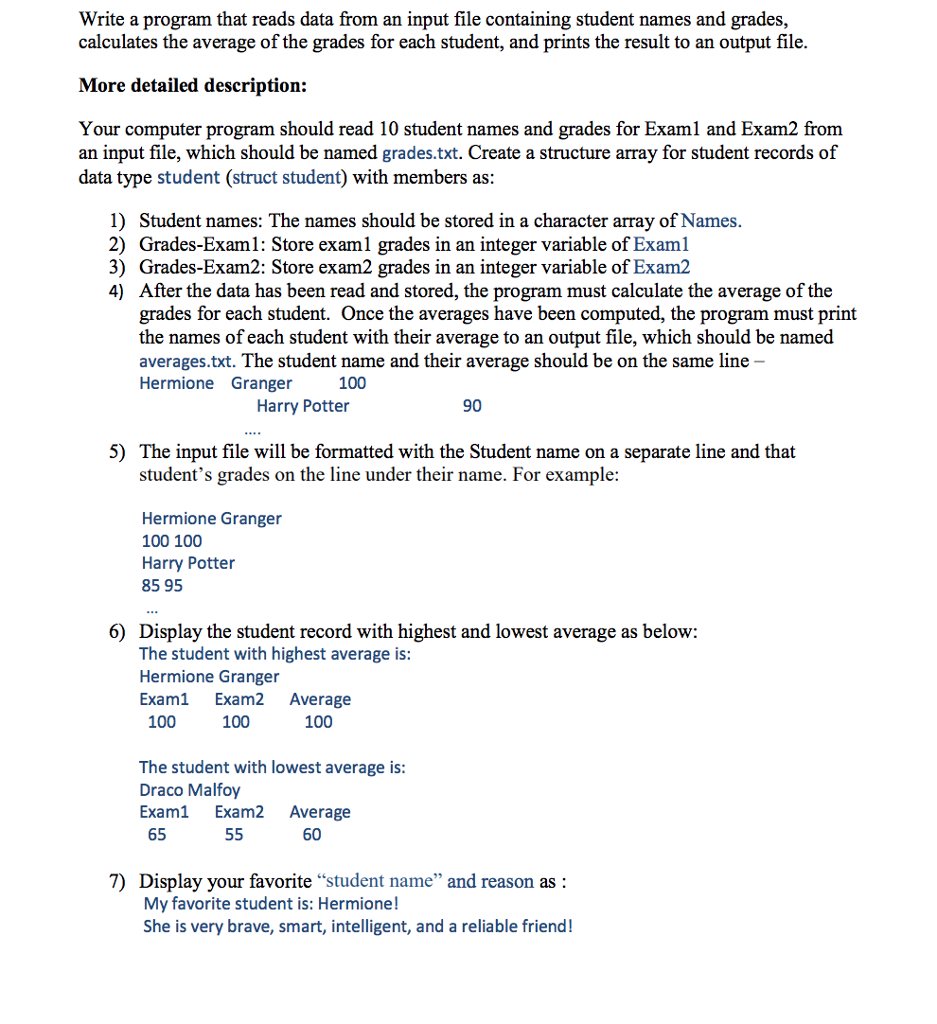
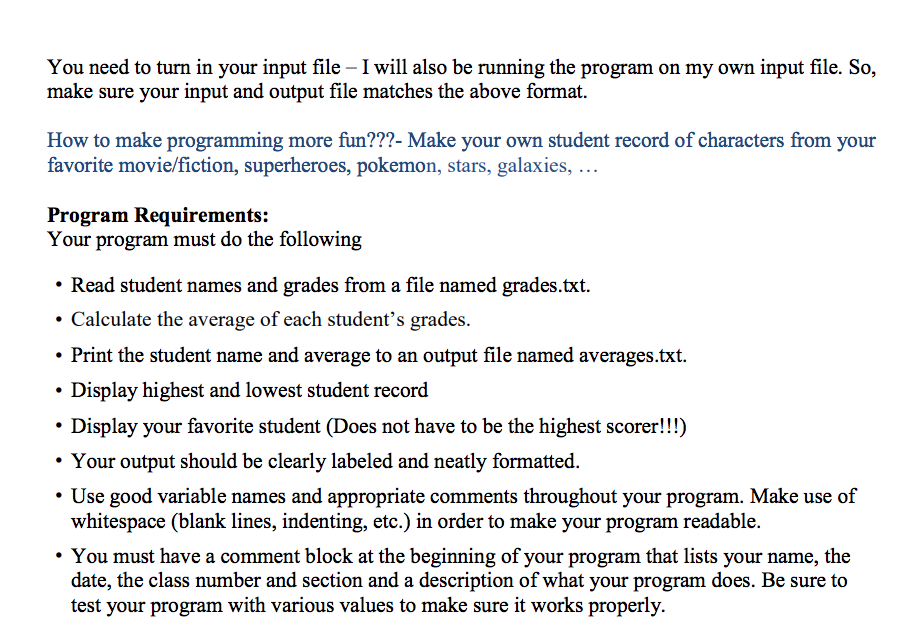
Write a program that reads data from an input file containing student names and grades calculates the average of the grades for each student, and prints the result to an output file. More detailed description: Your computer program should read 10 student names and grades for Examl and Exam2 from an input file, which should be named grades.txt. Create a structure array for student records of data type student (struct student) with members as 1) Student names: The names should be stored in a character array of Names. 2) Grades-Examl: Store examl grades in an integer variable of Examl 3) Grades-Exam2: Store exam2 grades in an integer variable of Exam2 4) After the data has been read and stored, the program must calculate the average of the grades for each student. Once the averages have been computed, the program must print the names of each student with their average to an output file, which should be named averages.txt. The student name and their average should be on the same line Hermione Granger 100 Harry Potter 90 5) The input file will be formatted with the Student name on a separate line and that student's grades on the line under their name. For example: Hermione Granger 100 100 Harry Potter 85 95 6) Display the student record with highest and lowest average as below: The student with highest average is: Hermione Granger Exam1 Exam2 Average 100 100 100 The student with lowest average is Draco Malfoy Exam1 Exam2 Average 65 60 7) Display your favorite "student name" and reason as: My favorite student is: Hermione! She is very brave, smart, intelligent, and a reliable friend
Step by Step Solution
There are 3 Steps involved in it

Get step-by-step solutions from verified subject matter experts
 Study Help