







Question: Write a program in VS C++ 2017 to convert a signed floating-point number to its binary equivalent using the 14-bit format shown in class.
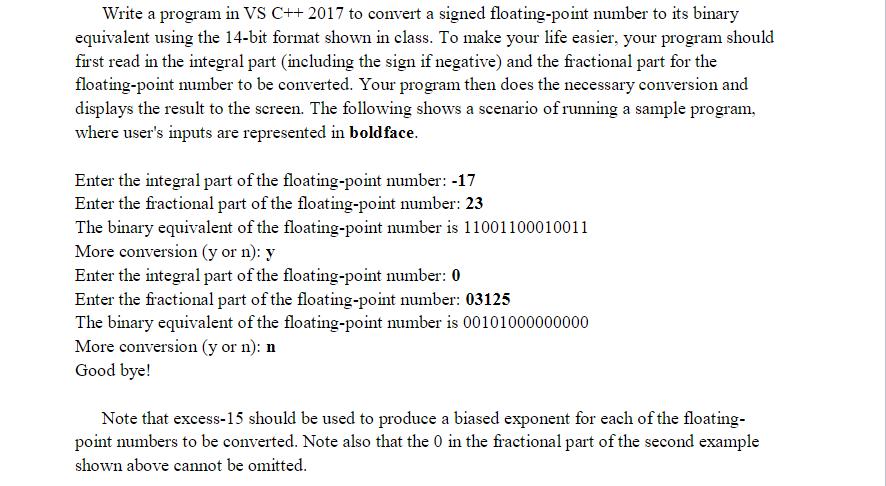
Write a program in VS C++ 2017 to convert a signed floating-point number to its binary equivalent using the 14-bit format shown in class. To make your life easier, your program should first read in the integral part (including the sign if negative) and the fractional part for the floating-point number to be converted. Your program then does the necessary conversion and displays the result to the screen. The following shows a scenario of running a sample program, where user's inputs are represented in boldface. Enter the integral part of the floating-point number: -17 Enter the fractional part of the floating-point number: 23 The binary equivalent of the floating-point number is 11001100010011 More conversion (y or n): y Enter the integral part of the floating-point number: 0 Enter the fractional part of the floating-point number: 03125 The binary equivalent of the floating-point number is 00101000000000 More conversion (y or n): n Good bye! Note that excess-15 should be used to produce a biased exponent for each of the floating- point numbers to be converted. Note also that the 0 in the fractional part of the second example shown above cannot be omitted.
Step by Step Solution
3.36 Rating (146 Votes )
There are 3 Steps involved in it
Heres a C program that fulfills your requirements include iostream include cmath using namespace std ... View full answer

Get step-by-step solutions from verified subject matter experts
 Study Help