







Question: Write a program that computes square roots in Python. oximatin uar Users of pocket calculators or Python's math module do not have to think about
Write a program that computes square roots in Python.
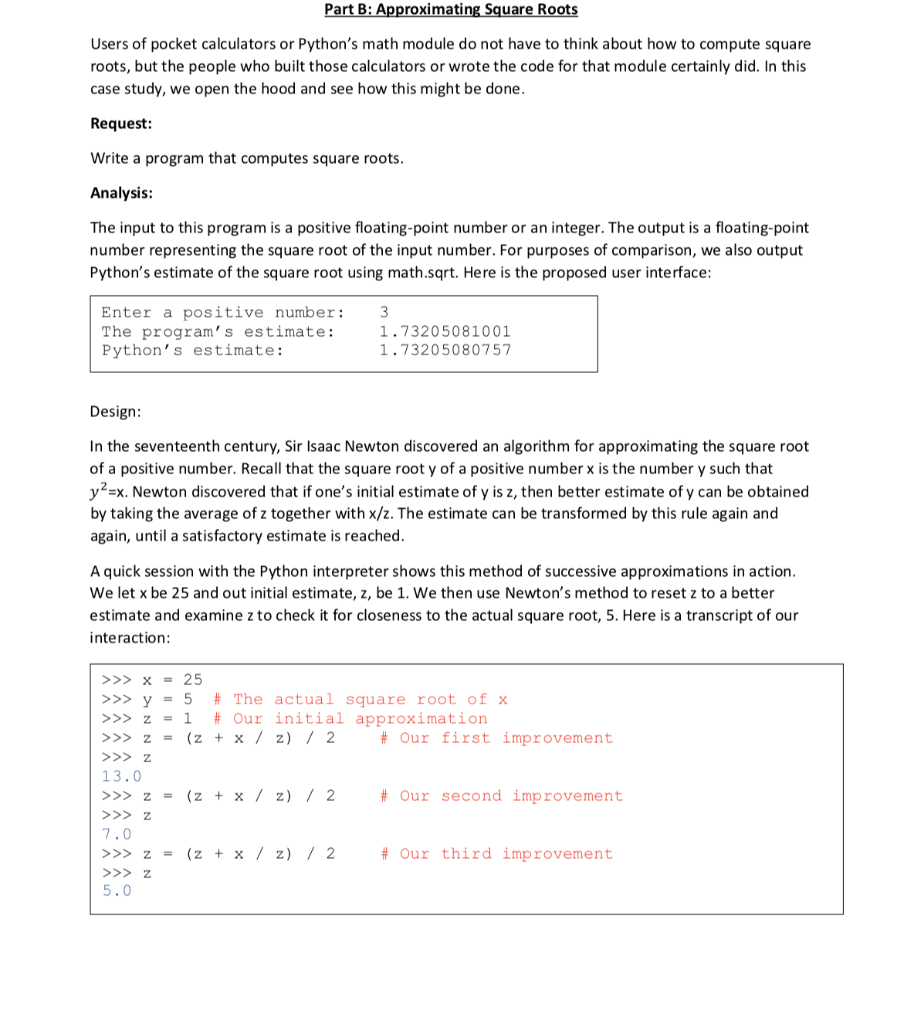
oximatin uar Users of pocket calculators or Python's math module do not have to think about how to compute square roots, but the people who built those calculators or wrote the code for that module certainly did. In this case study, we open the hood and see how this might be done Request Write a program that computes square roots Analysis The input to this program is a positive floating-point number or an integer. The output is a floating-point number representing the square root of the input number. For purposes of comparison, we also output Python's estimate of the square root using math.sqrt. Here is the proposed user interface Enter a positive number: The program' s estimate Python' s estimate: 3 1.73205081001 1.73205080757 Design In the seventeenth century, Sir Isaac Newton discovered an algorithm for approximating the square root of a positive number. Recall that the square root y of a positive number x is the number y such that y2EX, Newton discovered that if one's initial estimate of y is z, then better estimate of y can be obtained by taking the average of z together with x/z. The estimate can be transformed by this rule again and again, until a satisfactory estimate is reached. A quick session with the Python interpreter shows this method of successive approximations in action We let x be 25 and out initial estimate, z, be 1. We then use Newton's method to reset z to a better estimate and examine z to check it for closeness to the actual square root, 5. Here is a transcript of our interaction > 25 >>> y - 5 # The actual square root of x >>> z 1 # Our initial approximation >z-(z+ x / z) / 2 # Our first improvement 13.0 z-(z x / z) 2 # Our second improvement z-(z x / z) /2 # Our third improvement
Step by Step Solution
There are 3 Steps involved in it

Get step-by-step solutions from verified subject matter experts
 Study Help