







Question: Write a program that uses a structure to store the following inventory information in a file: Item description Quantity on hand Wholesale cost Retail cost
Write a program that uses a structure to store the following inventory information in a file: Item description
Quantity on hand
Wholesale cost
Retail cost
Data added to inventory
The inventory record is designed with a struct structure like:
struct Invtry
{
char desc[31]; int qty; double wholeSale; double retail; char date[11];
};
The program should have a menu that allows the user to perform the following tasks:
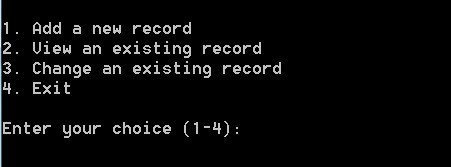
In the insertion function, addRecord(), quantity, cost and price should be a positive value.
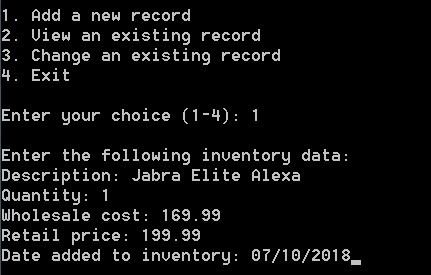
In the query function, viewRecord(), user enters the record number of the item. The number implies the record order in the file. 0 indicates the first record in the file, 1 is the second record, 2 is the third record, and so on. The query function displays a queried record like following:
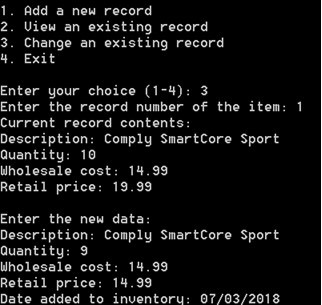
The change function, changeRecord() receives a record number of the item changed and display the current information of the item. Then it receives new information for the change from user and replaces the current record with the new record.
#include#include using namespace std; // Declaration of Invtry structure const int DESC_LEN = 31; const int DATE_LEN = 11; struct Invtry { char desc[DESC_LEN]; int qty; double wholeSale; double retail; char date[DATE_LEN]; }; // Function Prototypes void addRecord(); void viewRecord(); void changeRecord(); fstream inventory; int main() { int choice; do { // Display menu cout > //FILL // Write the inventory record to the file //FILL // Check if successs if ( ) //FILL cout > recNum; // FILL - Locate the corresponding record in the file. // Check if success when seeking if ( ) //FILL { cout 1. Add a new record 2. Uiew an existing record 3. Change an existing record 4. Exit Enter your choice (1-4)
Step by Step Solution
There are 3 Steps involved in it

Get step-by-step solutions from verified subject matter experts
 Study Help