







Question: Write a RegX expression to capture these expressions: - REPLACE/INSERT should be Group1 - table name (first word after TABLE) should be Group1 - list
Write a RegX expression to capture these expressions:
- REPLACE/INSERT should be Group1
- table name (first word after TABLE) should be Group1
- list in first set of parenthesis should be Group3
- list in second set of parenthesis should be Group4
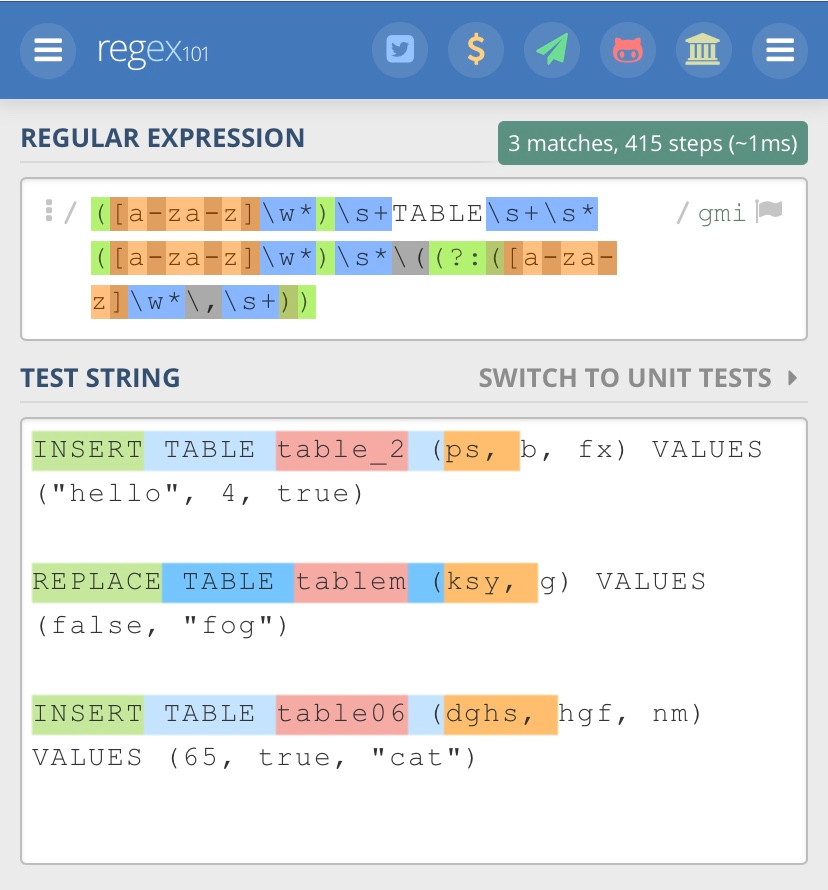
Group4 should be what is circled below (excluding the parenthesis):
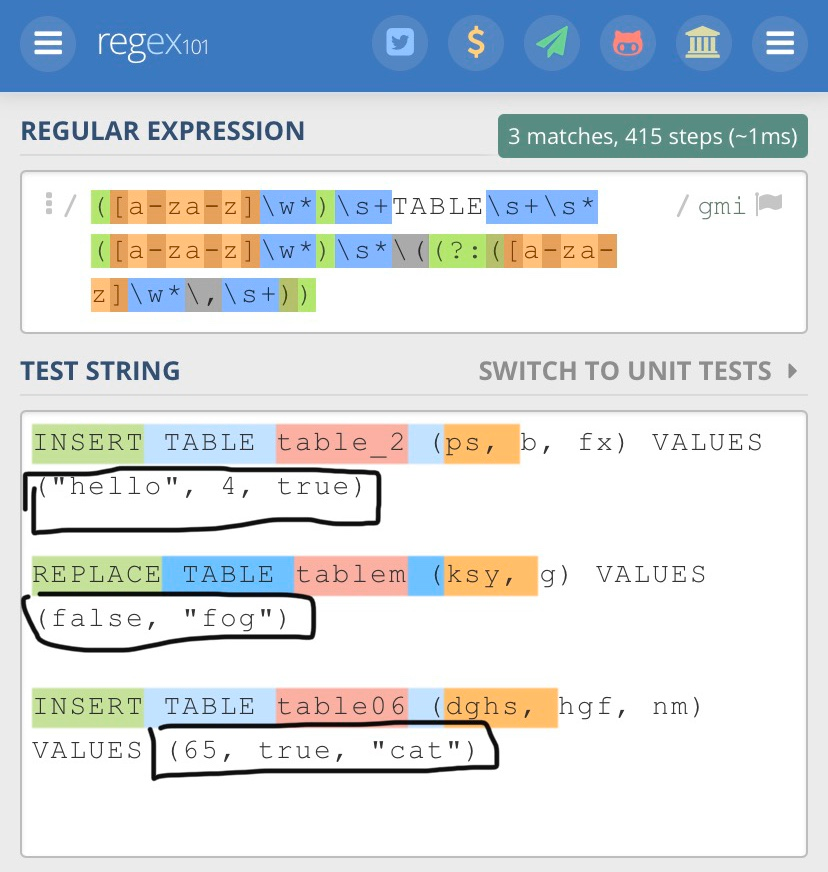
Group3 should be what is circled below (excluding the parenthesis):
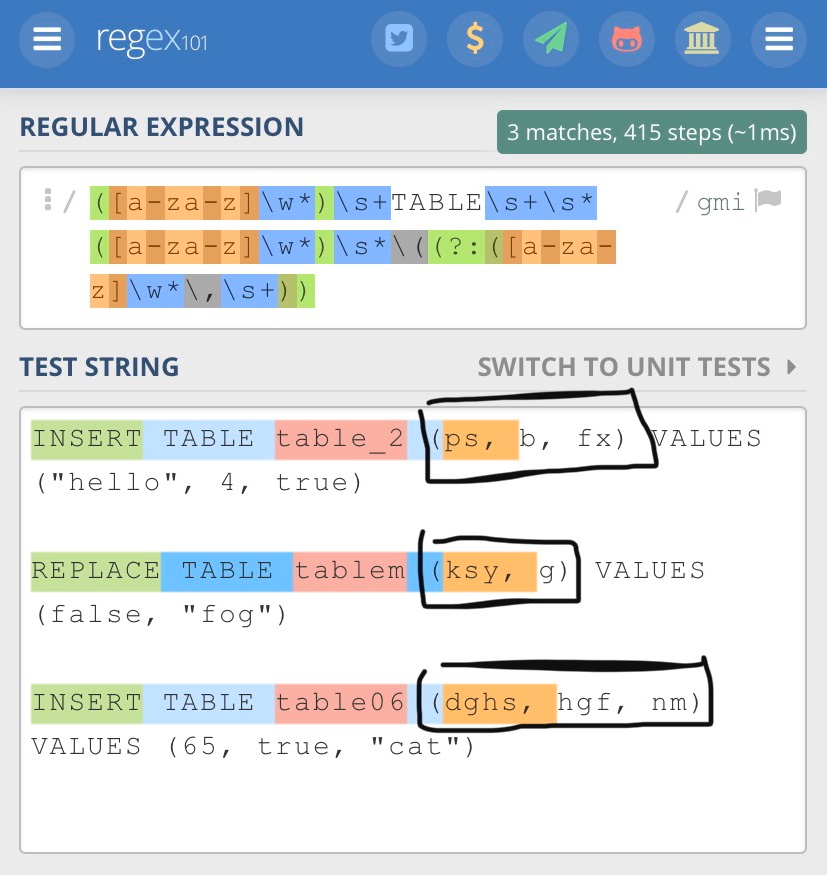
You can use the equation I have made so far, just wondering how to capture the commas and how to repeat it over until it identifies the ending parenthesis symbol ( ")" ).
e regex101 0 $ 1 III REGULAR EXPRESSION 3 matches, 415 steps (~1ms) / gmi 1 / ([a-za-z] \w*) \s+TABLE\s+\s* ([a-za-z] \w*) \s*\((?:([a-za- z] \w*\, \s+)) TEST STRING SWITCH TO UNIT TESTS INSERT TABLE table_2 (ps, b, fx) VALUES ("hello", 4, true) REPLACE TABLE tablem (ksy, g) VALUES (false, "fog") INSERT TABLE table06 (dghs, hgf, nm) VALUES (65, true, "cat") = regexio y $ 4. DI REGULAR EXPRESSION 3 matches, 415 steps (~1ms) /gmi 1/([a-za-z] \w*) \s+TABLE\s+\s* ([a-za-z]\w*) \s* ((?: ([a-za- z]\w*\, \s+)) TEST STRING SWITCH TO UNIT TESTS INSERT TABLE table_2 (ps, b, fx) VALUES "hello", 4, true) REPLACE TABLE tablem (ksy, g) VALUES ((false, "fog") INSERT TABLE table06 (dghs, hgf, nm) VALUES (65, true, "cat") = regex 101 REGULAR EXPRESSION 3 matches, 415 steps (~1ms) ([a-za-z]\w* ) \s+TABLES+\s* /gmi ([a-za-z] \w*) \s* \((?: ([a-za- Z]\w*\,\s+)) TEST STRING SWITCH TO UNIT TESTS INSERT TABLE table_2 |(ps, b, fx) VALUES ("hello", 4, true) REPLACE TABLE tablem VALUES (false, "fog") INSERT TABLE table 06 |(dghs, hgf, nm) VALUES (65, true, "cat")
Step by Step Solution
There are 3 Steps involved in it

Get step-by-step solutions from verified subject matter experts
 Study Help