





Question: Write a shell script (printPIDinfo.sh) which will take a list of process id's (pids) as numbers and using the information in the files in the
 Write a shell script (printPIDinfo.sh) which will take a list of

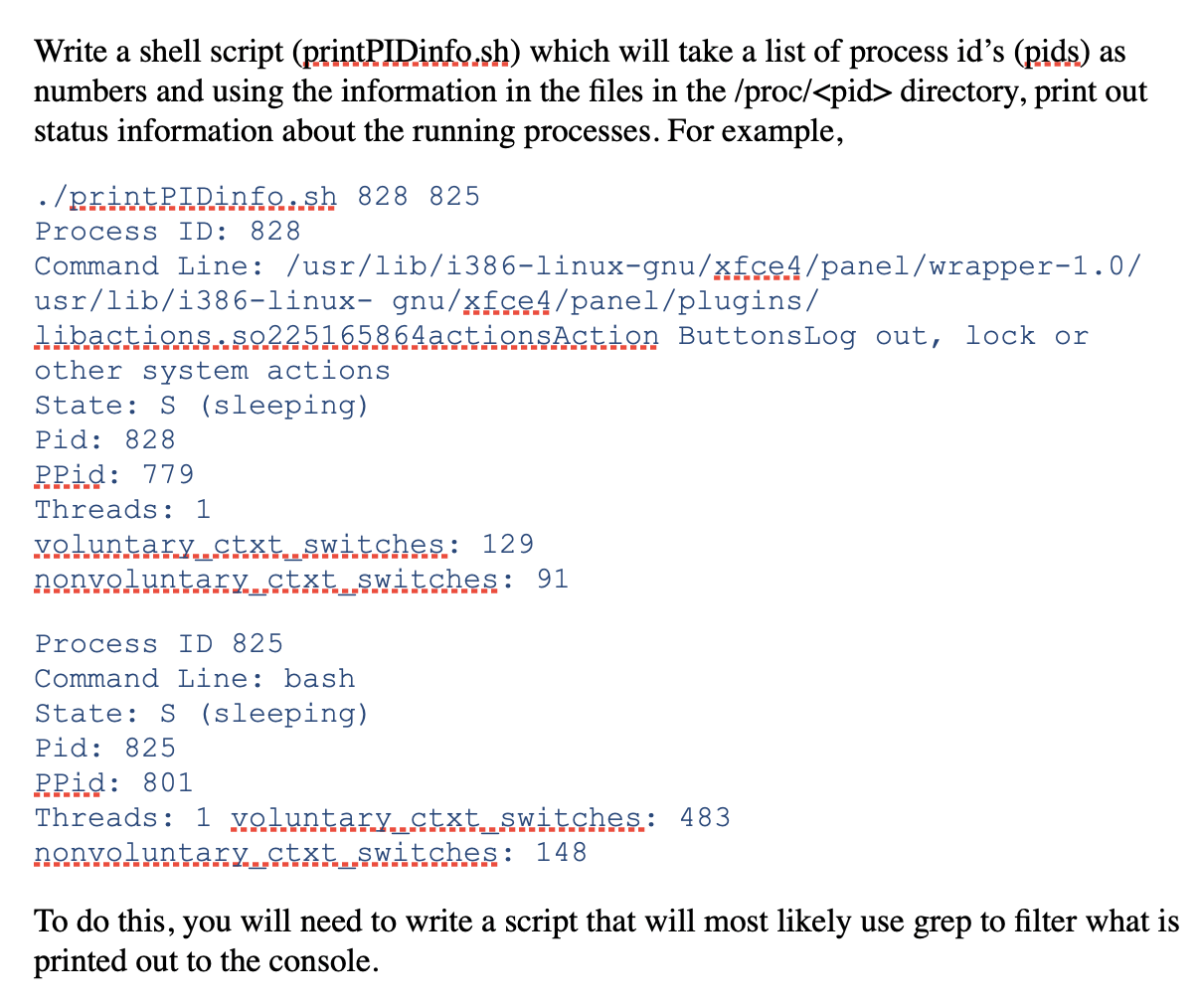
Write a shell script (printPIDinfo.sh) which will take a list of process id's (pids) as numbers and using the information in the files in the /proc/ directory, print out status information about the running processes. For example, ./printPIDinfo.sh 828 825 Process ID: 828 Command Line: /usr/lib/i386-linux-gnu/xfce4/panel/wrapper-1.0/ usr/lib/i386-linux- gnu/xfce4/panel/plugins/ libactions.S0225165864actionsAction ButtonsLog out, lock or other system actions State: S (sleeping) Pid: 828 Prid: 779 Threads: 1 voluntary..ctxt switches.: 129 nonvoluntary...ctxt switches: 91 Process ID 825 Command Line: bash State: S (sleeping) Pid: 825 PPid: 801 Threads: 1 voluntary...ctxt.switches: 483 nonvoluntary_ctxt switches: 148 To do this, you will need to write a script that will most likely use grep to filter what is printed out to the console. Write a shell script (printPIDinfo.sh) which will take a list of process id's (pids) as numbers and using the information in the files in the /proc/ directory, print out status information about the running processes. For example, ./printPIDinfo.sh 828 825 Process ID: 828 Command Line: /usr/lib/i386-linux-gnu/xfce4/panel/wrapper-1.0/ usr/lib/i386-linux- gnu/xfce4/panel/plugins/ libactions.S0225165864actionsAction ButtonsLog out, lock or other system actions State: S (sleeping) Pid: 828 Prid: 779 Threads: 1 voluntary..ctxt switches.: 129 nonvoluntary...ctxt switches: 91 Process ID 825 Command Line: bash State: S (sleeping) Pid: 825 PPid: 801 Threads: 1 voluntary...ctxt.switches: 483 nonvoluntary_ctxt switches: 148 To do this, you will need to write a script that will most likely use grep to filter what is printed out to the console

Step by Step Solution

There are 3 Steps involved in it

1 Expert Approved Answer
Step: 1 Unlock blur-text-image
Question Has Been Solved by an Expert!

Get step-by-step solutions from verified subject matter experts

Step: 2 Unlock
Step: 3 Unlock

Students Have Also Explored These Related Databases Questions!