







Question: write a simple calculator. The user inputs the expression to be evaluated using the following format: Operand#1 operation Operand#2 (without spaces.) For example 123+321
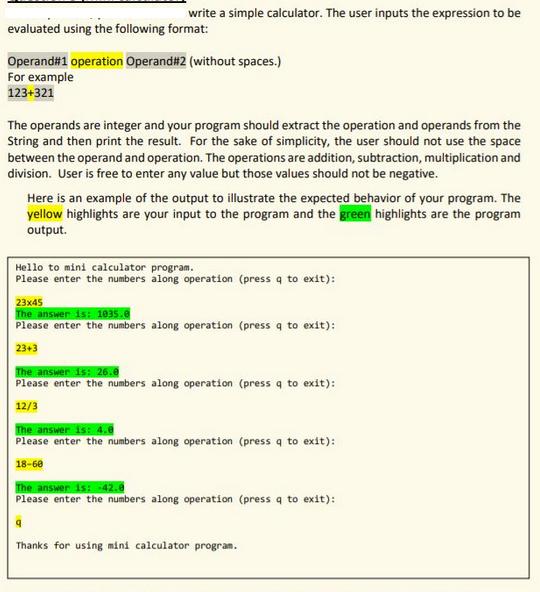
write a simple calculator. The user inputs the expression to be evaluated using the following format: Operand#1 operation Operand#2 (without spaces.) For example 123+321 The operands are integer and your program should extract the operation and operands from the String and then print the result. For the sake of simplicity, the user should not use the space between the operand and operation. The operations are addition, subtraction, multiplication and division. User is free to enter any value but those values should not be negative. Here is an example of the output to illustrate the expected behavior of your program. The yellow highlights are your input to the program and the green highlights are the program output. Hello to mini calculator program. Please enter the numbers along operation (press q to exit): 23x45 The answer is: 1035.0 Please enter the numbers along operation (press q to exit): 23+3 The answer is: 26.0 Please enter the numbers along operation (press q to exit): 12/3 The answer is: 4.0 Please enter the numbers along operation (press q to exit): 18-60 The answer is: -42.8 Please enter the numbers along operation (press q to exit): Thanks for using mini calculator program.
Step by Step Solution
There are 3 Steps involved in it
The C code with output for the calculator is as follows executed on Ubu... View full answer

Get step-by-step solutions from verified subject matter experts
 Study Help