







Question: Write a simulation that simulates balls being fired from the bottom center of the screen at some angle that ranges between 70 and 110 degrees.
Write a simulation that simulates balls being fired from the bottom center of the screen at some angle that ranges between 70 and 110 degrees. Some force like Earth's Gravity should act on these balls so that they eventually fall down. Each time the user hits the space bar a new ball is fired.
*use the skeleton code below*
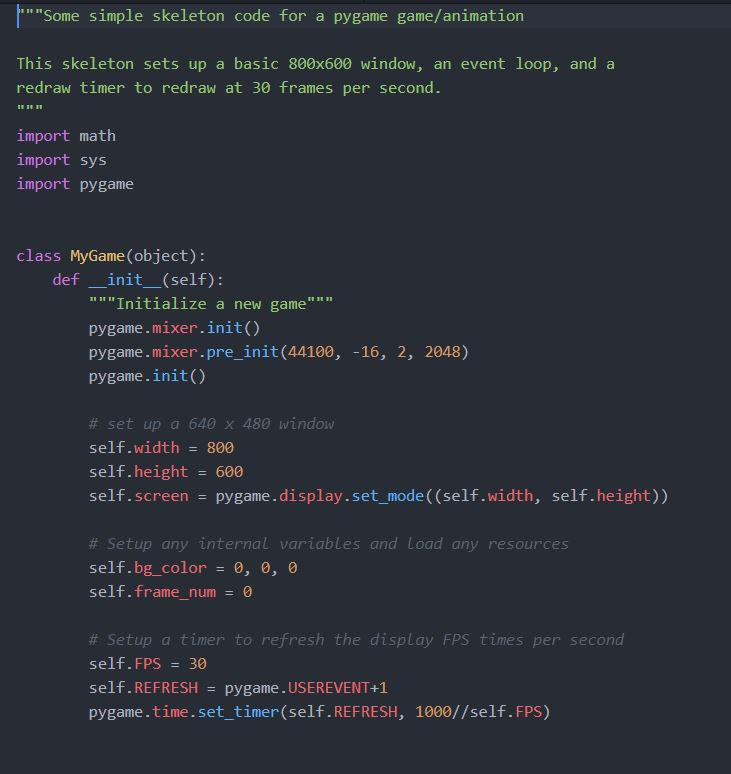
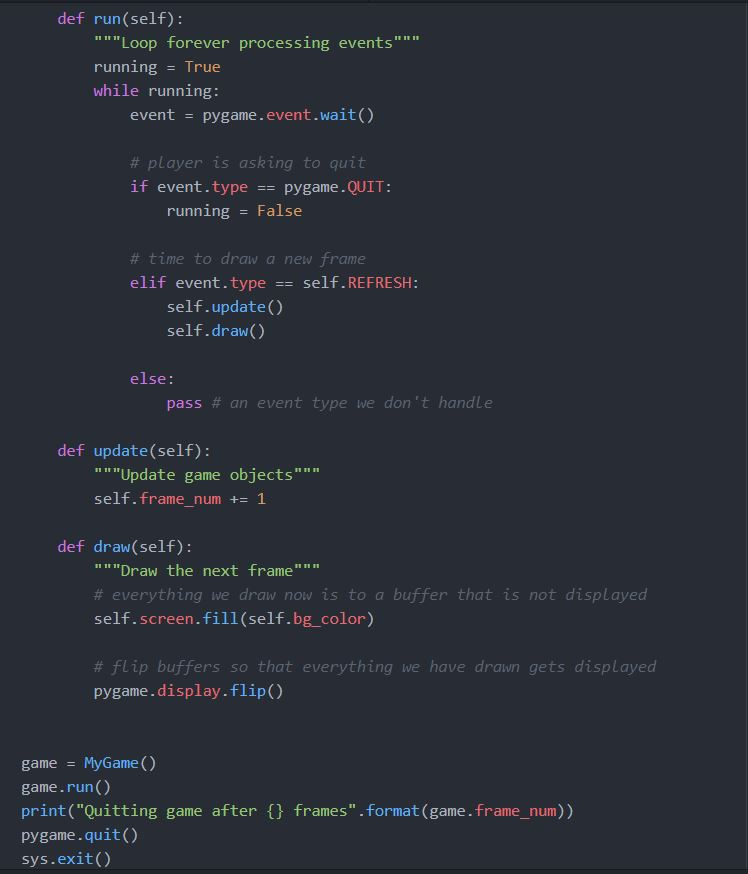
"Some simple skeleton code for a pygame game/animation This skeleton sets up a basic 800x600 window, an event loop, and a redraw timer to redraw at 30 frames per second. import math import sys import pygame class MyGame (object): def-init-(self): """Initialize a new game" pygame.mixer.init() pygame.mixer.pre init (44100,-16, 2, 2048) pygame.init() # set up a 640 x 480 window self.width 800 self.height 600 self.screen pygame.display.set mode ((self.width, self.height)) # setup any internal variables and Load any resources self.bg_color - 0, 0, 0 self. framenum 0 - # Setup a timer to refresh the display FPS times per second self. FPS = 30 self. REFRESH = pygame.USE REVENT+1 pygame.time.set_timer(self.REFRESH, 1000//self.FPS) def run (self): n"Loop forever processing events""" runningTrue while running: event pygame.event.wait() # player is asking to quit if event.typepygame.QUIT running False # time to draw a new frame elif event.typeself.REFRESH: self.update( self.draw() else: pass # an event type we don't handle def update(self): ""Update game objects" "" self.frame_num 1 def draw (self): " ""Draw the next frame"" " # everything we draw now is to a buffer that is not displayed self.screen.fill(self.bg_color) # flip buffers so that everything we have drawn gets displayed pygame.display.flip() game MyGame () game.run() print("Quitting game after pygame.quit() sys.exit() frames".format (game.frame_num)) "Some simple skeleton code for a pygame game/animation This skeleton sets up a basic 800x600 window, an event loop, and a redraw timer to redraw at 30 frames per second. import math import sys import pygame class MyGame (object): def-init-(self): """Initialize a new game" pygame.mixer.init() pygame.mixer.pre init (44100,-16, 2, 2048) pygame.init() # set up a 640 x 480 window self.width 800 self.height 600 self.screen pygame.display.set mode ((self.width, self.height)) # setup any internal variables and Load any resources self.bg_color - 0, 0, 0 self. framenum 0 - # Setup a timer to refresh the display FPS times per second self. FPS = 30 self. REFRESH = pygame.USE REVENT+1 pygame.time.set_timer(self.REFRESH, 1000//self.FPS) def run (self): n"Loop forever processing events""" runningTrue while running: event pygame.event.wait() # player is asking to quit if event.typepygame.QUIT running False # time to draw a new frame elif event.typeself.REFRESH: self.update( self.draw() else: pass # an event type we don't handle def update(self): ""Update game objects" "" self.frame_num 1 def draw (self): " ""Draw the next frame"" " # everything we draw now is to a buffer that is not displayed self.screen.fill(self.bg_color) # flip buffers so that everything we have drawn gets displayed pygame.display.flip() game MyGame () game.run() print("Quitting game after pygame.quit() sys.exit() frames".format (game.frame_num))
Step by Step Solution
There are 3 Steps involved in it

Get step-by-step solutions from verified subject matter experts
 Study Help