





Question: Write a very simple GUI web browser. Your program should have a text edit box at the top of the window for the user to
 Write a very simple GUI web browser. Your program should have

a text edit box at the top of the window for the

user to type a URL. Provide a listener that activates when the
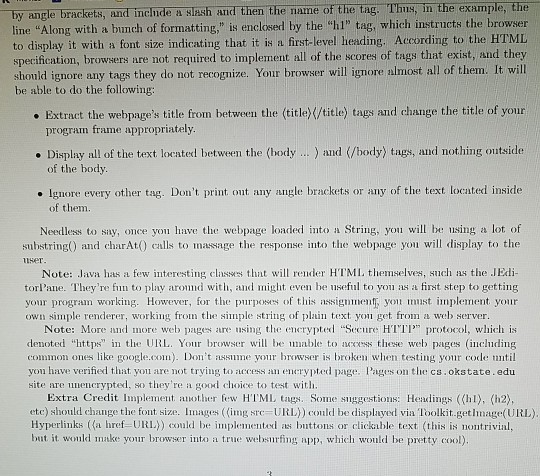
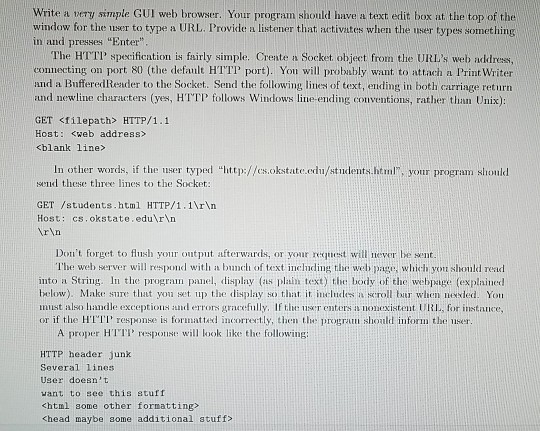
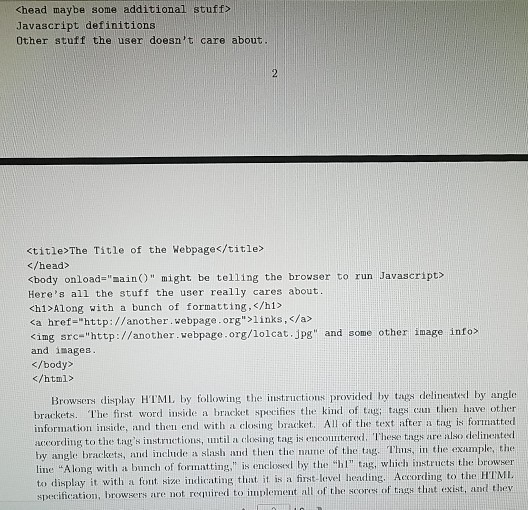
Write a very simple GUI web browser. Your program should have a text edit box at the top of the window for the user to type a URL. Provide a listener that activates when the user types something in and presses "Enter The HTTP specification is fairly simple. Crente a Socket object from the URL's web address, connecting on port 80 (the default HTTP port). You will probably want to attach a Print Writer and a BufferedReader to the Socket. Send the following lines of text, ending in both carriage return and newline characters (yes, HTTP follows Windows line-ending conventions, rather than Unix): GET Sfilepath> HTTP/1.1 Host: In other words, if the user typed "http://es.okstate.edu/students.html, your program should seud these three lines to the Socket: GET /students.html HTTP/1.1Nrhn Host: cs.okstate.edur n rn Don't forget to flush your output afterwards, or your request will never be sent. l'he web server will respond with a bunch of text including the web pace, which you should read into a String. In the progran panel, display (as plain text) the: body of the webpaige (explainedd below). Make sure tluat you set up the display so that. it ineludes a scroll bar when newded. Yo must also handle exceptions and errors gracefully, If the user enters a nonexistent URI, for instance, or if the H'TI response is formatted incorrertly, then t progral should inform the use A proper HTT respoill look like the following: HTTP header junk Several lines User doesn t vant to see this stuff Chead maybe some additional stuff>

Step by Step Solution

There are 3 Steps involved in it

1 Expert Approved Answer
Step: 1 Unlock blur-text-image
Question Has Been Solved by an Expert!

Get step-by-step solutions from verified subject matter experts

Step: 2 Unlock
Step: 3 Unlock

Students Have Also Explored These Related Databases Questions!