







Question: Write an application that displays a frame containing two panels. Each panel should contain two images (use four unique images- your choice). Fix the size
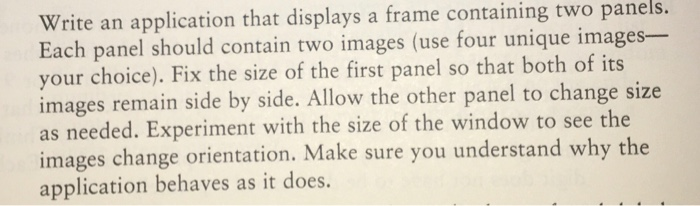

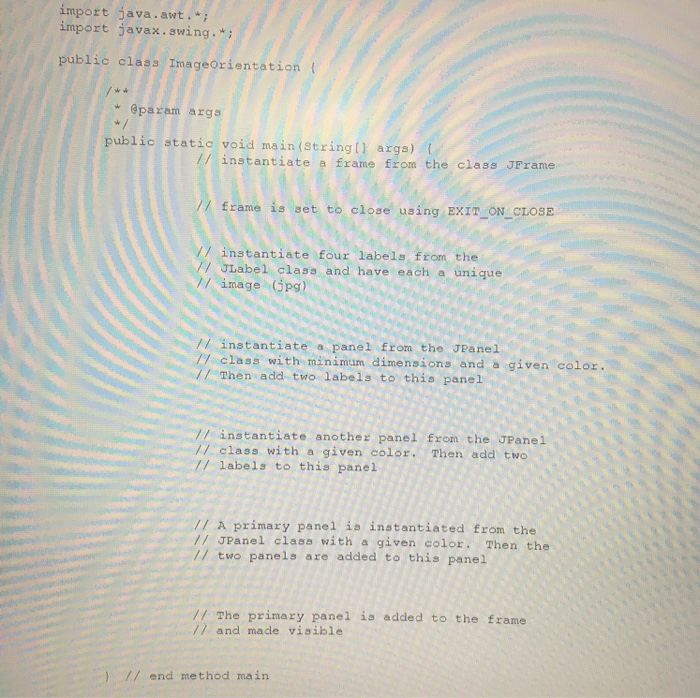



Write an application that displays a frame containing two panels. Each panel should contain two images (use four unique images- your choice). Fix the size of the first panel so that both of its images remain side by side. Allow the other panel to change size as needed. Experiment with the size of the window to see the images change orientation. Make sure you understand why the application behaves as it does. First thing you should do, open the file called ImageOrientation from Files/AssignmentDataFiles and copy it into the program you created above (i.e. you will overwrite it). Download the compressed folder called Images that contains the four images that you will need in this program. import java.awt.; import javax.swing.*; public class ImageOrientation * @param args public static void main(String[] args) instantiate a frame from the class JFrame frame is set to close using EXIT_ON_CLOSE FO3. // instantiate four labels from the 7/ JLabel class and have each a unique // image (pg) instantiate a panel from the JPanell 77 class with minimum dimensions and a given color // Then add two labels to this panel 7/ instantiate another panel from the JPanel 77 class with a given color. Then add two labels to this panel // A primary panel is instantiated from the // JPanel class with a given color. Then the two panels are added to this panel // The primary panel is added to the frame // and made visible } // end method main Write an application that displays a frame containing two panels. Each panel should contain two images (use four unique images- your choice). Fix the size of the first panel so that both of its images remain side by side. Allow the other panel to change size as needed. Experiment with the size of the window to see the images change orientation. Make sure you understand why the application behaves as it does. First thing you should do, open the file called ImageOrientation from Files/AssignmentDataFiles and copy it into the program you created above (i.e. you will overwrite it). Download the compressed folder called Images that contains the four images that you will need in this program. import java.awt.; import javax.swing.*; public class ImageOrientation * @param args public static void main(String[] args) instantiate a frame from the class JFrame frame is set to close using EXIT_ON_CLOSE FO3. // instantiate four labels from the 7/ JLabel class and have each a unique // image (pg) instantiate a panel from the JPanell 77 class with minimum dimensions and a given color // Then add two labels to this panel 7/ instantiate another panel from the JPanel 77 class with a given color. Then add two labels to this panel // A primary panel is instantiated from the // JPanel class with a given color. Then the two panels are added to this panel // The primary panel is added to the frame // and made visible } // end method main
Step by Step Solution
There are 3 Steps involved in it

Get step-by-step solutions from verified subject matter experts
 Study Help