







Question: Write an assembly program called hw3_ex1, with source in file hw3_ex1.asm, that prompts the user for one lower-case letter and one integer. Then the
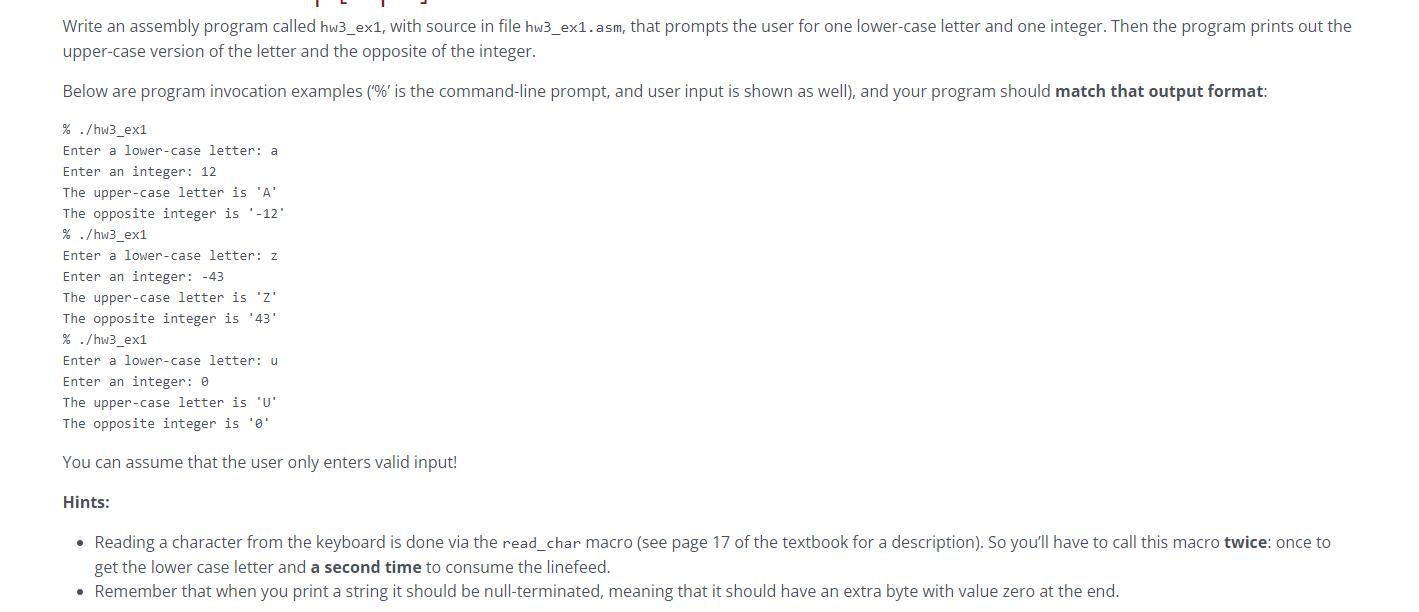
Write an assembly program called hw3_ex1, with source in file hw3_ex1.asm, that prompts the user for one lower-case letter and one integer. Then the program prints out the upper-case version of the letter and the opposite of the integer. Below are program invocation examples ('%' is the command-line prompt, and user input is shown as well), and your program should match that output format: % ./hw3_ex1 Enter a lower-case letter: a Enter an integer: 12 The upper-case letter is 'A' The opposite integer is -12' % ./hw3_ex1 Enter a lower-case letter: z Enter an integer: -43 The upper-case letter is 'Z' The opposite integer is '43' % ./hw3_ex1 Enter a lower-case letter: u Enter an integer: 0 The upper-case letter is 'U' The opposite integer is '0' You can assume that the user only enters valid input! Hints: Reading a character from the keyboard is done via the read_char macro (see page 17 of the textbook for a description). So you'll have to call this macro twice: once to get the lower case letter and a second time to consume the linefeed. Remember that when you print a string it should be null-terminated, meaning that it should have an extra byte with value zero at the end.
Step by Step Solution
There are 3 Steps involved in it

Get step-by-step solutions from verified subject matter experts
 Study Help