







Question: Write an assembly program in the HC11 to displays the result number in decimal on the LCD Texas simulator with the following conditions: LCD Display
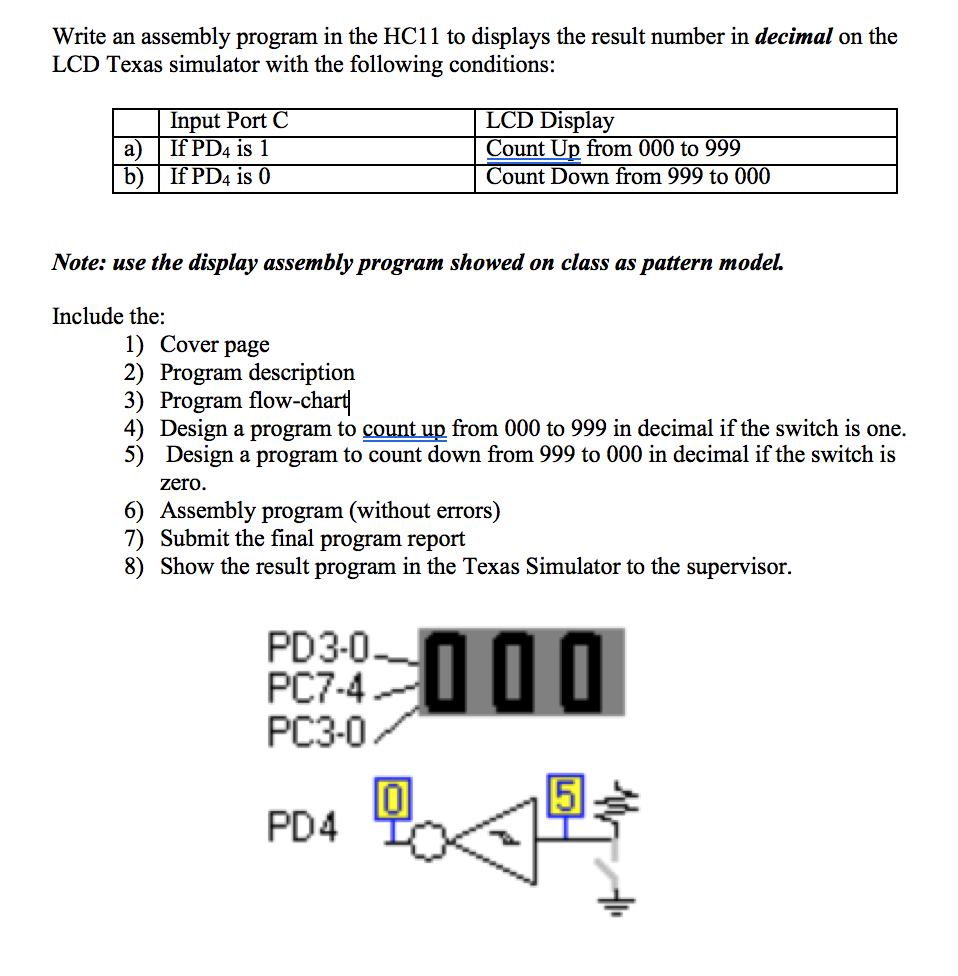
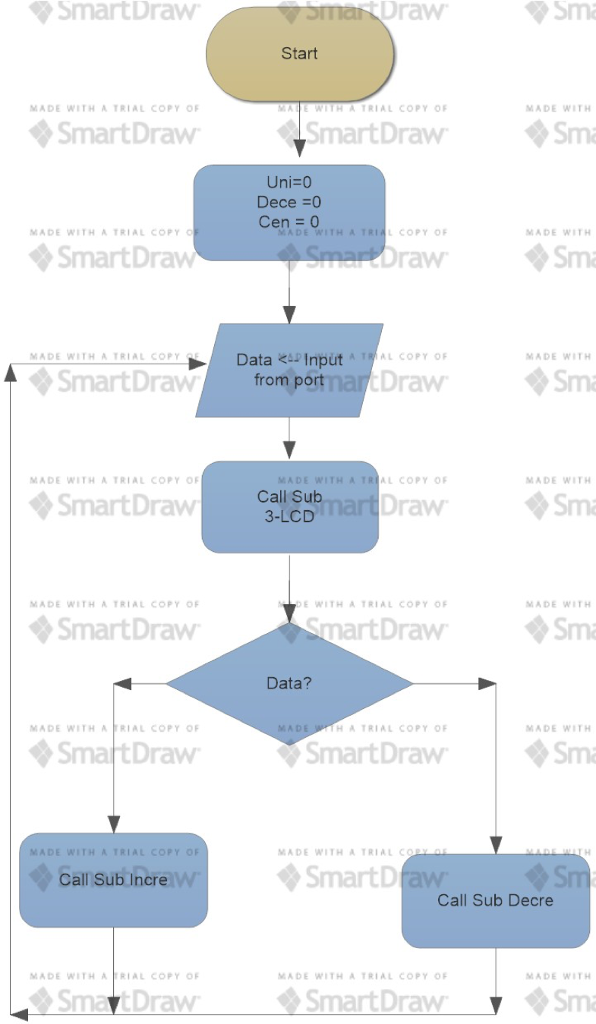
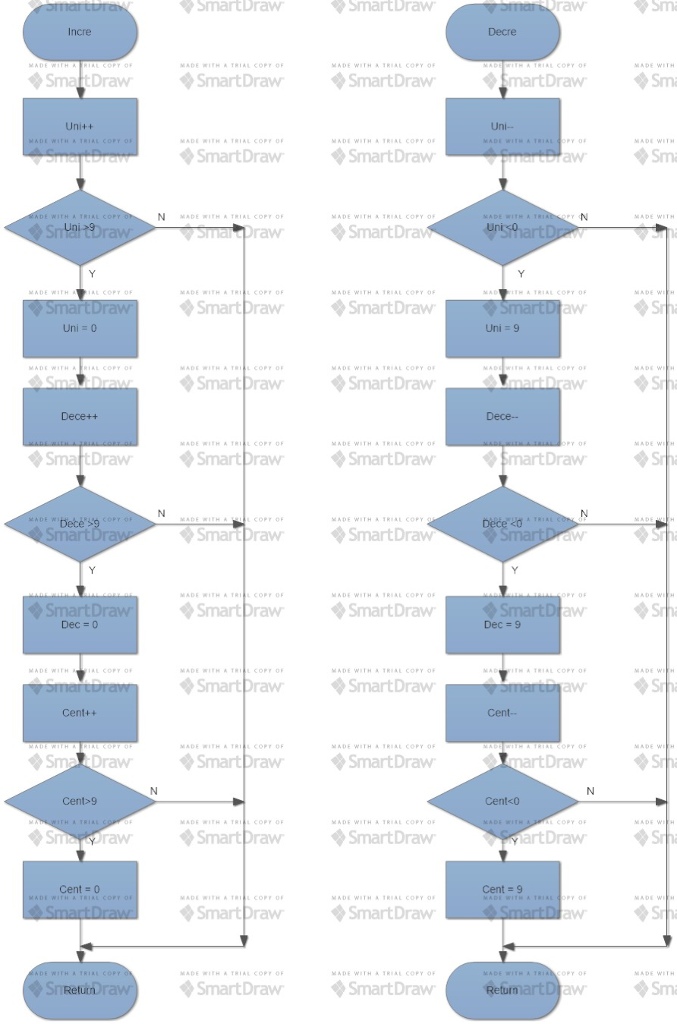

Write an assembly program in the HC11 to displays the result number in decimal on the LCD Texas simulator with the following conditions: LCD Display Input Port C If PD4 is I Count Up from 000 to 999 b) If PD4 is O Count Down from 999 to 000 Note: use the display assembly program showed on class as pattern model. Include the 1) Cover page 2) Program description 3) Program flow-chart 4) Design a program to count up from 000 to 999 in decimal if the switch is one. 5) Design a program to count down from 999 to 000 in decimal if the switch is zero. 6) Assembly program (without errors) 7) Submit the final program report 8) Show the result program in the Texas Simulator to the supervisor PD3-0 PC7.4 PC3-0 PD4 Write an assembly program in the HC11 to displays the result number in decimal on the LCD Texas simulator with the following conditions: LCD Display Input Port C If PD4 is I Count Up from 000 to 999 b) If PD4 is O Count Down from 999 to 000 Note: use the display assembly program showed on class as pattern model. Include the 1) Cover page 2) Program description 3) Program flow-chart 4) Design a program to count up from 000 to 999 in decimal if the switch is one. 5) Design a program to count down from 999 to 000 in decimal if the switch is zero. 6) Assembly program (without errors) 7) Submit the final program report 8) Show the result program in the Texas Simulator to the supervisor PD3-0 PC7.4 PC3-0 PD4
Step by Step Solution
There are 3 Steps involved in it

Get step-by-step solutions from verified subject matter experts
 Study Help