







Question: write answer in excel format with equations please SunView is a small College in Arizona. They raised 2.8 million dollars from donors and are using
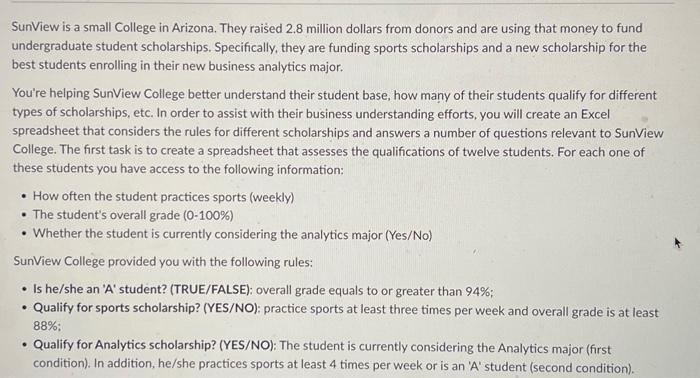
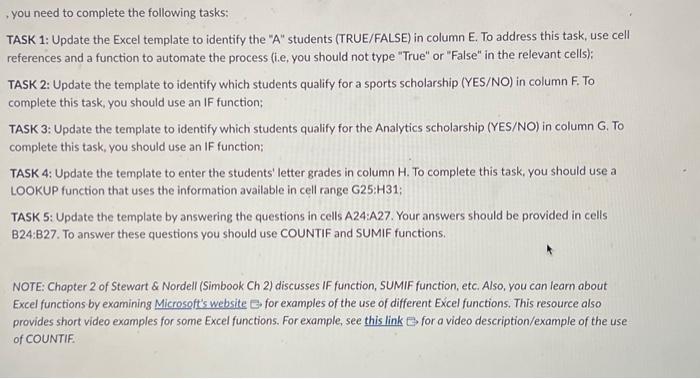
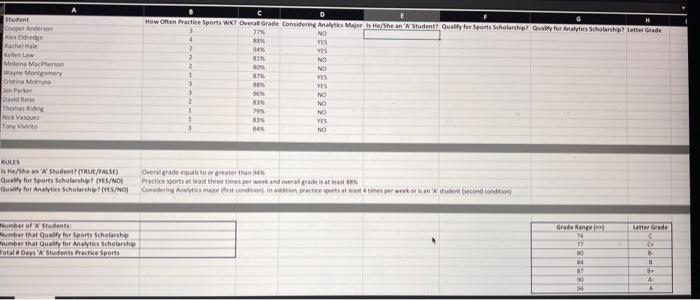
SunView is a small College in Arizona. They raised 2.8 million dollars from donors and are using that money to fund undergraduate student scholarships. Specifically, they are funding sports scholarships and a new scholarship for the best students enrolling in their new business analytics major. You're helping SunView College better understand their student base, how many of their students qualify for different types of scholarships, etc. In order to assist with their business understanding efforts, you will create an Excel spreadsheet that considers the rules for different scholarships and answers a number of questions relevant to SunView College. The first task is to create a spreadsheet that assesses the qualifications of twelve students. For each one of these students you have access to the following information: - How often the student practices sports (weekly) - The student's overall grade (0-100\%) - Whether the student is currently considering the analytics major (Yes/No) SunView College provided you with the following rules: - Is he/she an 'A' student? (TRUE/FALSE): overall grade equals to or greater than 94%; - Qualify for sports scholarship? (YES/NO): practice sports at least three times per week and overall grade is at least 88% : - Qualify for Analytics scholarship? (YES/NO): The student is currently considering the Analytics major (first condition). In addition, he/she practices sports at least 4 times per week or is an 'A' student (second condition). you need to complete the following tasks: TASK 1: Update the Excel template to identify the "A" students (TRUE/FALSE) in column E. To address this task, use cell references and a function to automate the process (i.e, you should not type "True" or "False" in the relevant cells); TASK 2: Update the template to identify which students qualify for a sports scholarship (YES/NO) in column F. To complete this task, you should use an IF function: TASK 3: Update the template to identify which students qualify for the Analytics scholarship (YES/NO) in column G. To complete this task, you should use an IF function; TASK 4: Update the template to enter the students' letter grades in column H. To complete this task, you should use a LOOKUP function that uses the information available in cell range G25: H31; TASK 5: Update the template by answering the questions in cells A24:A27. Your answers should be provided in cells B24:B27. To answer these questions you should use COUNTIF and SUMIF functions. NOTE: Chapter 2 of Stewart \& Nordell (Simbook Ch 2) discusses IF function, SUMIF function, etc. Also, you can learn about Excel functions by examining Microsoft's website C for examples of the use of different Excel functions. This resource also provides short video examples for some Excel functions. For example, see this link for a video description/example of the use of COUNTIF. SunView is a small College in Arizona. They raised 2.8 million dollars from donors and are using that money to fund undergraduate student scholarships. Specifically, they are funding sports scholarships and a new scholarship for the best students enrolling in their new business analytics major. You're helping SunView College better understand their student base, how many of their students qualify for different types of scholarships, etc. In order to assist with their business understanding efforts, you will create an Excel spreadsheet that considers the rules for different scholarships and answers a number of questions relevant to SunView College. The first task is to create a spreadsheet that assesses the qualifications of twelve students. For each one of these students you have access to the following information: - How often the student practices sports (weekly) - The student's overall grade (0-100\%) - Whether the student is currently considering the analytics major (Yes/No) SunView College provided you with the following rules: - Is he/she an 'A' student? (TRUE/FALSE): overall grade equals to or greater than 94%; - Qualify for sports scholarship? (YES/NO): practice sports at least three times per week and overall grade is at least 88% : - Qualify for Analytics scholarship? (YES/NO): The student is currently considering the Analytics major (first condition). In addition, he/she practices sports at least 4 times per week or is an 'A' student (second condition). you need to complete the following tasks: TASK 1: Update the Excel template to identify the "A" students (TRUE/FALSE) in column E. To address this task, use cell references and a function to automate the process (i.e, you should not type "True" or "False" in the relevant cells); TASK 2: Update the template to identify which students qualify for a sports scholarship (YES/NO) in column F. To complete this task, you should use an IF function: TASK 3: Update the template to identify which students qualify for the Analytics scholarship (YES/NO) in column G. To complete this task, you should use an IF function; TASK 4: Update the template to enter the students' letter grades in column H. To complete this task, you should use a LOOKUP function that uses the information available in cell range G25: H31; TASK 5: Update the template by answering the questions in cells A24:A27. Your answers should be provided in cells B24:B27. To answer these questions you should use COUNTIF and SUMIF functions. NOTE: Chapter 2 of Stewart \& Nordell (Simbook Ch 2) discusses IF function, SUMIF function, etc. Also, you can learn about Excel functions by examining Microsoft's website C for examples of the use of different Excel functions. This resource also provides short video examples for some Excel functions. For example, see this link for a video description/example of the use of COUNTIF
Step by Step Solution
There are 3 Steps involved in it

Get step-by-step solutions from verified subject matter experts
 Study Help