







Question: write matlab code, do not forget to use switch! Exercise 2.3 Write a MATLAB script m-file that reads in two numbers from the keyboard followed
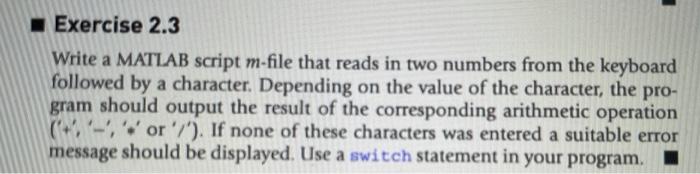
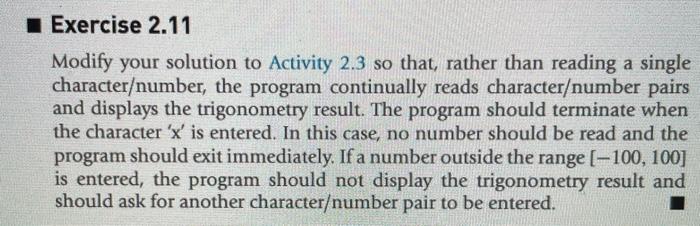
Exercise 2.3 Write a MATLAB script m-file that reads in two numbers from the keyboard followed by a character. Depending on the value of the character, the pro- gram should output the result of the corresponding arithmetic operation (+-, '*' or '/'). If none of these characters was entered a suitable error message should be displayed. Use a switch statement in your program. I Exercise 2.11 Modify your solution to Activity 2.3 so that, rather than reading a single characterumber, the program continually reads characterumber pairs and displays the trigonometry result. The program should terminate when the character 'x' is entered. In this case, no number should be read and the program should exit immediately. If a number outside the range [-100, 100] is entered, the program should not display the trigonometry result and should ask for another characterumber pair to be entered
Step by Step Solution
There are 3 Steps involved in it

Get step-by-step solutions from verified subject matter experts
 Study Help