







Question: Write one MATLAB program and make use of the MATLABs menu command that creates three (3) interactive menu buttons to solve the following 3 problems.
Write one MATLAB program and make use of the MATLABs menu command that creates three (3) interactive menu buttons to solve the following 3 problems. Label the buttons, for example, as Solution 1, Solution 2, and Solution 3. Present one solution when each menu button is clicked. Menu Example:
choice = menu('Choose a unit','in','ft','yd','m','cm','mm');
R = input('Input a value for the radius:');
result = (pi*R^2); switch choice case 1
result = pi*R^2; case 2
result = result/12; case 3
result = result/36; case 4
result = result * .0254; case 5
result = result * 2.54; case 6
result = result * 25.4; end
Problem 1:
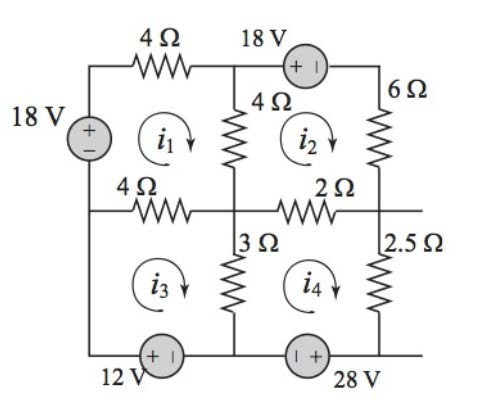
The electrical circuit shown consists of resistors and voltage sources. Determine i1, i2, i3, and i4, using the mesh current method based on Kirchhoffs voltage law. Print each current name and its answer in one line on screen.
(An example of the result shown in the command window can look like the following:) i1 = 1.131 i2 = -1.7795 i3 = 0.67249 i4 = -3.9389
Problem 2:
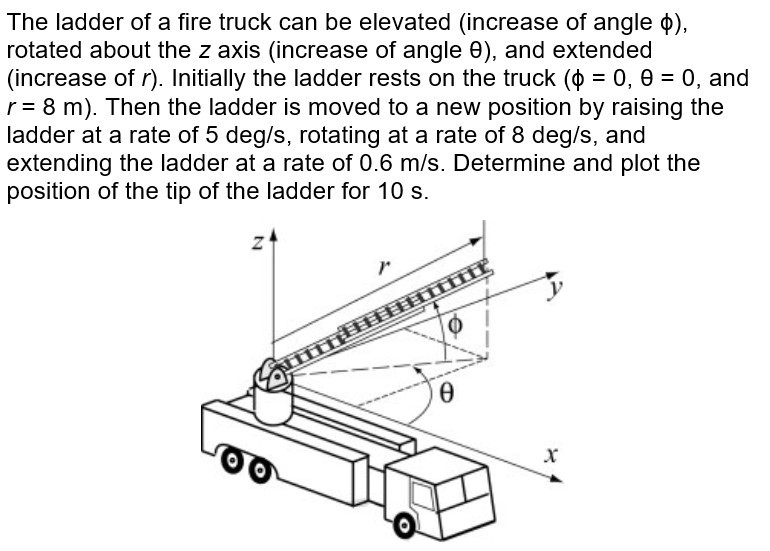
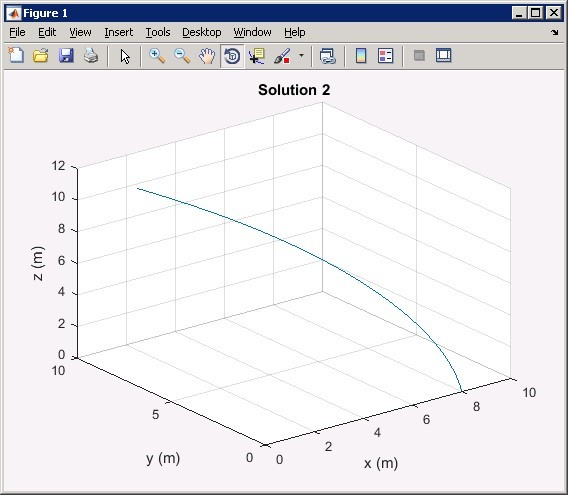
(The answer should look like the following figure.)
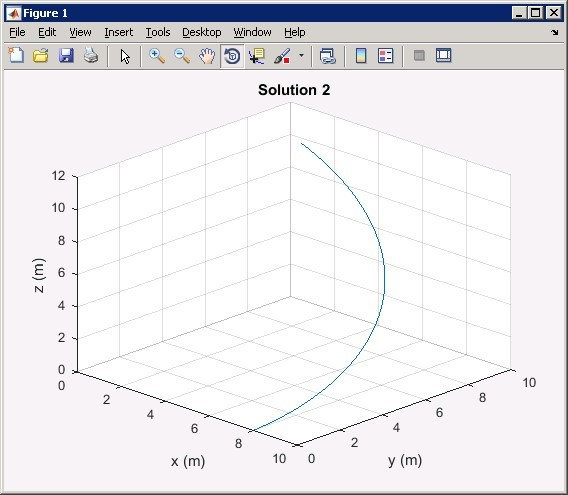
(After clicking on the Rotate 3D button and rotate the figure, the curve can look like below.)
Problem 3:
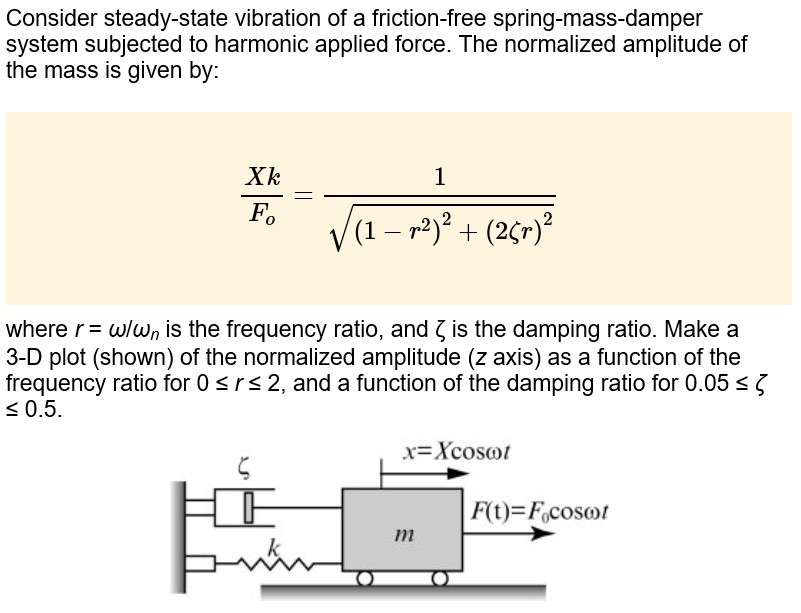
(The answer should look like the following figure.)
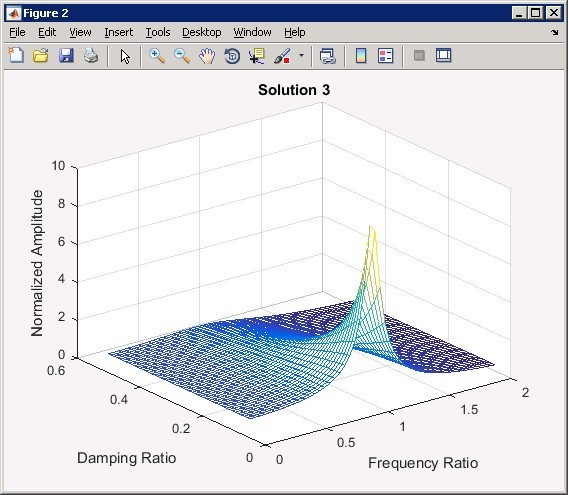
I believe I have the answer to problem one
%menuProgram.m
%get user choice
usChoice = menu('Choose the solution','Solution 1','Solution 2','Solution 3');
%switch case
switch usChoice
%case 1
case 1
%call function to solve the problem 1
Problem1Solut()
%case 2
case 2
%case 3
case 3
%end of case
end
Problem 1 Code:
%Problem1Solut.m
%function find the solution to the problem 1
function Problem1Solut( )
%declare A
A=[12 -4 -4 0;
-4 12 0 -2 ;
-4 0 7 -3;
0 -2 -3 7.5];
%declare B
B=[18;-18;12;-28];
%solve for i values
x=A\B;
%print the i values
fprintf('i1=%f i2=%f i3=%f i4=%f ', x(1),x(2),x(3),x(4));
%end of function
end
however I need help with problem two and three
4 2 18 V 6 SR 4 SQ 18 V 4 2 2 2 2.52 3 2 i4 L I I 12 28 V
Step by Step Solution
There are 3 Steps involved in it

Get step-by-step solutions from verified subject matter experts
 Study Help