







Question: Write select queries for the following questions, post your SQL codes on discussion board for credit. The E_R diagram of the database is shown
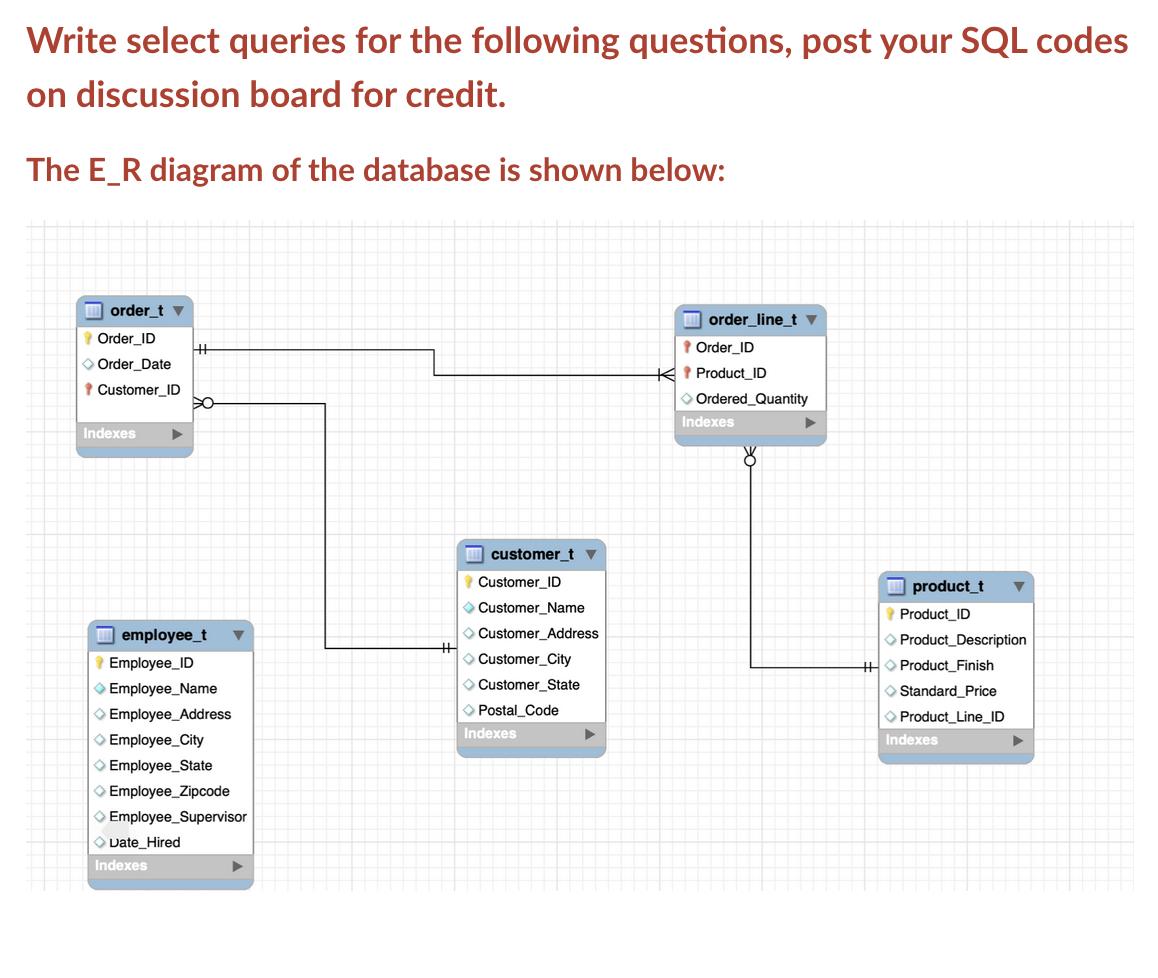
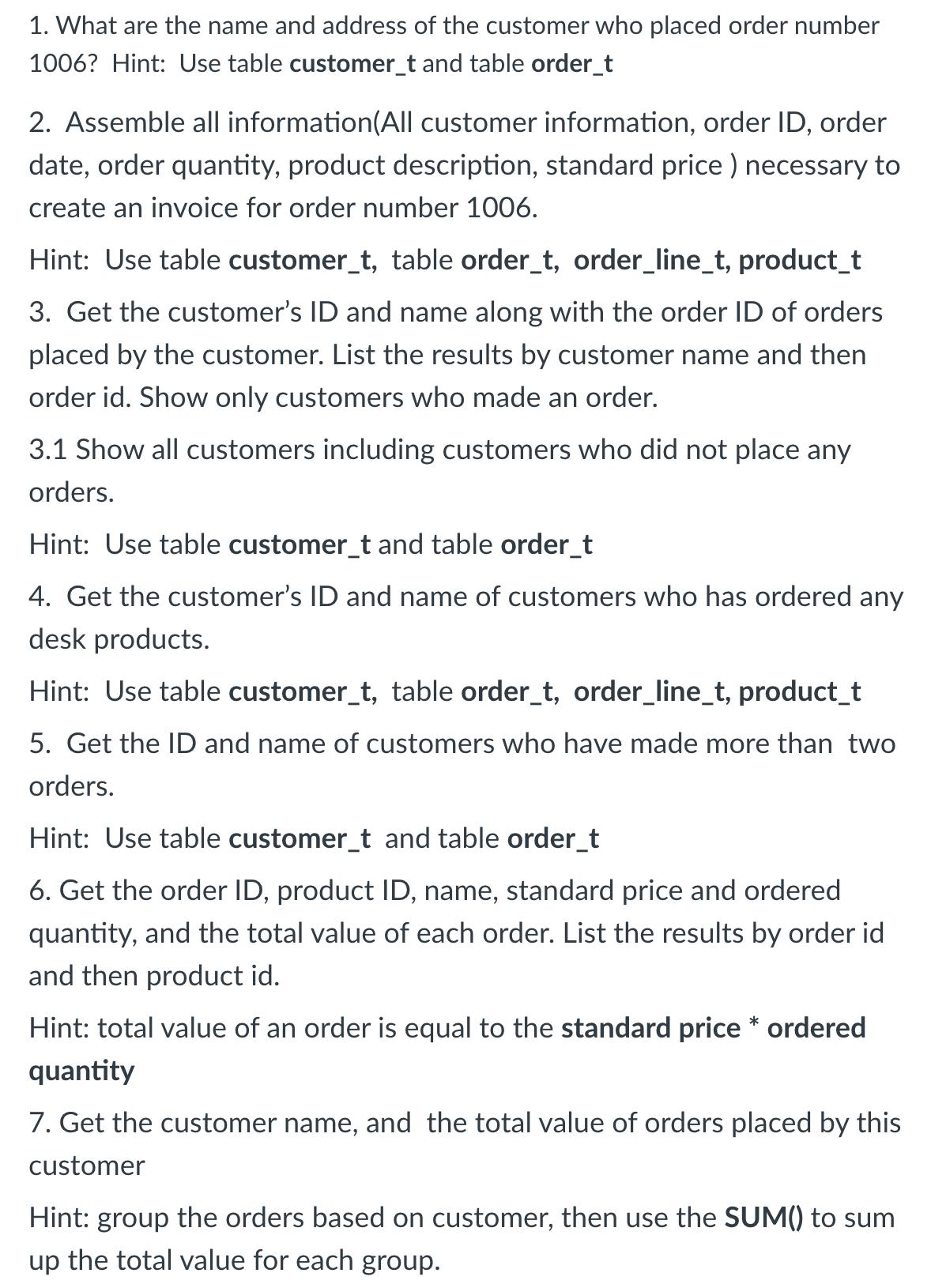
Write select queries for the following questions, post your SQL codes on discussion board for credit. The E_R diagram of the database is shown below: order_tv Order ID Order_Date Customer_ID Indexes HH employee_t Employee_ID Employee_Name Employee Address >Employee_City Employee_State Employee_Zipcode Employee Supervisor Date Hired Indexes + customer_t V Customer_ID Customer_Name Customer_Address Customer_City Customer_State Postal Code Indexes order_line_t v Order_ID KProduct_ID Ordered Quantity Indexes product_t Product ID Product Description HH Product Finish Standard Price Product Line_ID Indexes 1. What are the name and address of the customer who placed order number 1006? Hint: Use table customer_t and table order_t 2. Assemble all information(All customer information, order ID, order date, order quantity, product description, standard price ) necessary to create an invoice for order number 1006. Hint: Use table customer_t, table order_t, order_line_t, product_t 3. Get the customer's ID and name along with the order ID of orders placed by the customer. List the results by customer name and then order id. Show only customers who made an order. 3.1 Show all customers including customers who did not place any orders. Hint: Use table customer_t and table order_t 4. Get the customer's ID and name of customers who has ordered any desk products. Hint: Use tab customer_t, table order_t, order_line_t, product_t 5. Get the ID and name of customers who have made more than two orders. Hint: Use table customer_t and table order_t 6. Get the order ID, product ID, name, standard price and ordered quantity, and the total value of each order. List the results by order id and then product id. Hint: total value of an order is equal to the standard price* ordered quantity 7. Get the customer name, and the total value of orders placed by this customer Hint: group the orders based on customer, then use the SUM() to sum up the total value for each group.
Step by Step Solution
There are 3 Steps involved in it
1 What are the name and address of the customer who placed order number 1006 SELECT cCustomerName cC... View full answer

Get step-by-step solutions from verified subject matter experts
 Study Help