







Question: Write SQL for each question by using the tables below . CUSTOMERS TABLE OFFICES ORDERS PRODUCTS SALESREPS 1) List all salespeople who are under quota
Write SQL for each question by using the tables below .
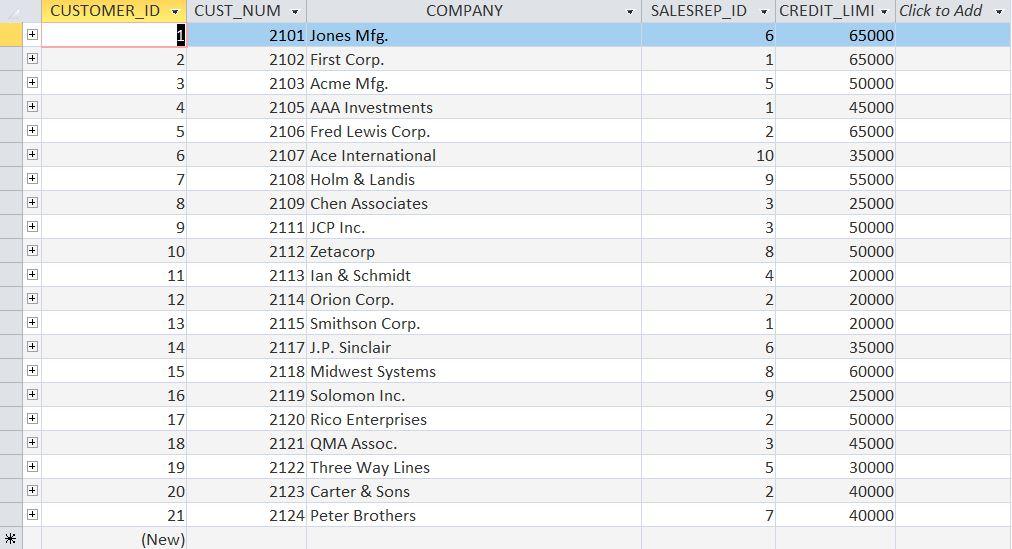
CUSTOMERS TABLE
OFFICES

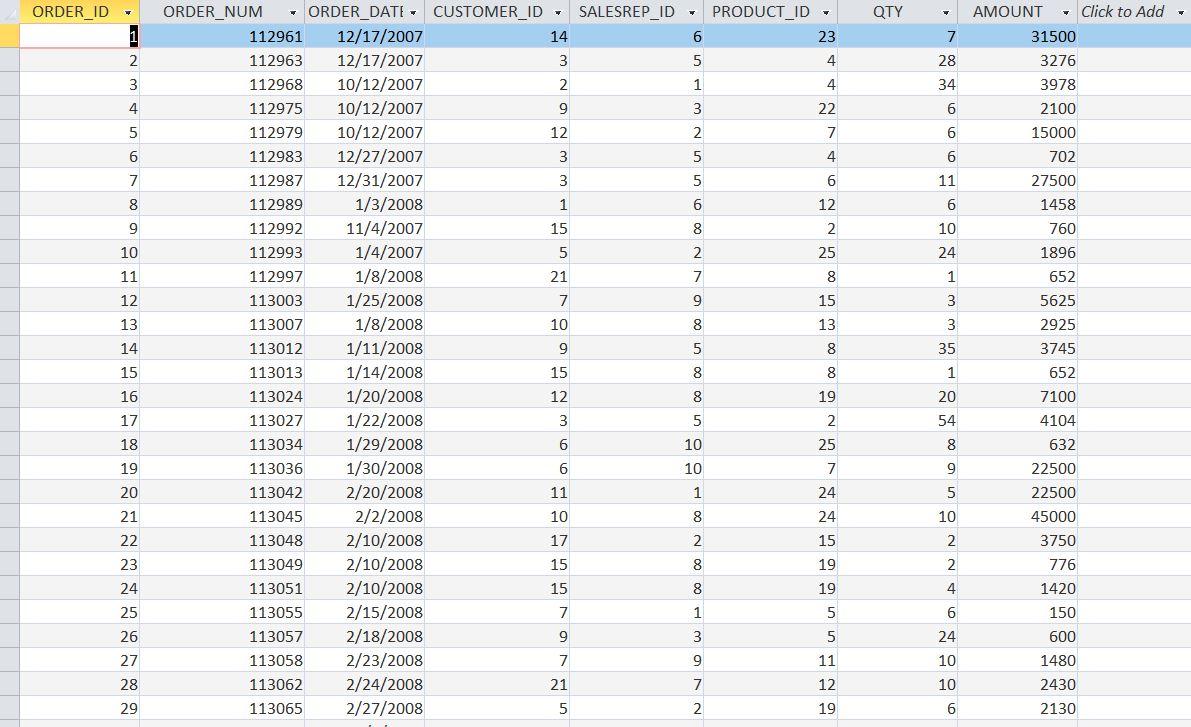
ORDERS
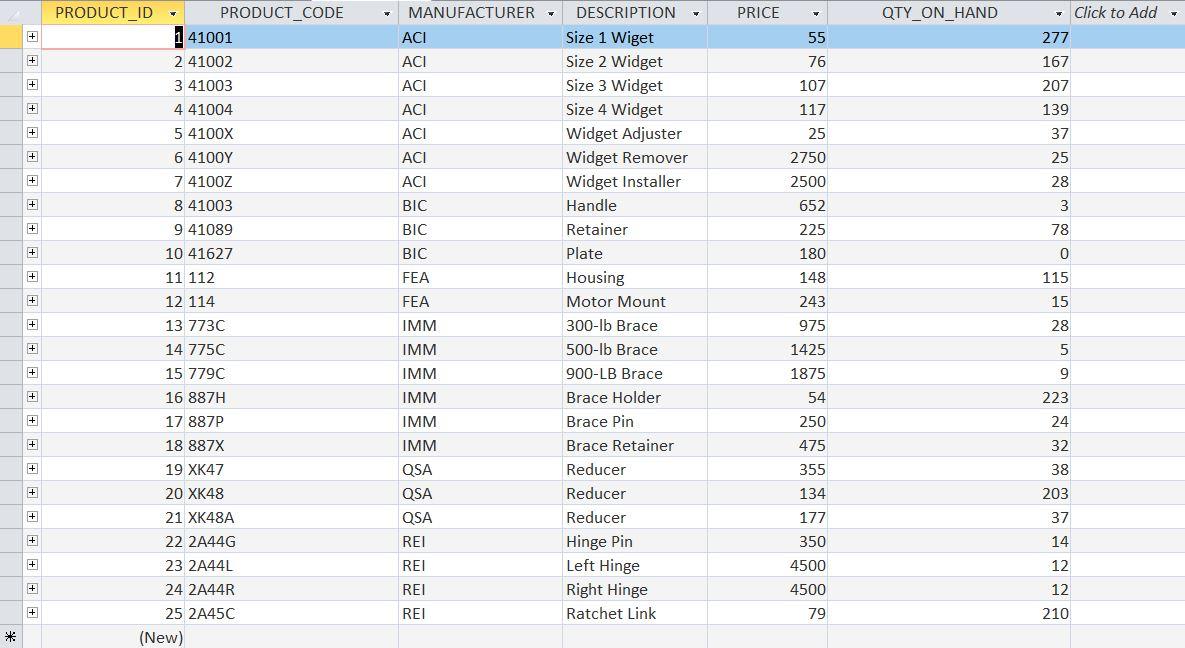
PRODUCTS
SALESREPS

1) List all salespeople who are under quota but whose sales are not less than $150,000? 35) List the sales of the offices, sorted alphabetically by region in reverse (Z-A) and alphabetically by city (A-Z) for each region?
2) Sort offices in descending order of sales so that the offices with the largest sales appear first? 37) Rank the offices in descending order of sales performance so that the offices with the best performance (by percentage of target realization) appear first?
3) List all products whose price exceeds $2000?
4) List all items ordered over $30000 in a single order?
5) List all products with the price of the product exceeding $2,000 and ordered more than $30,000 in a single order, in descending order of order amount?
6) List all products where the product price exceeds $2,000 or the product is ordered more than $30,000 in a single order, by manufacturer and product number?
7) List the offices, the names and titles of their directors?
8) List offices and executive information with targets over $600,000?
9) List all orders showing quantities and product descriptions?
10) List orders over $25,000, including the name of the salesperson who took the order and the name of the customer who placed the order?
* (New)
Step by Step Solution
There are 3 Steps involved in it

Get step-by-step solutions from verified subject matter experts
 Study Help