







Question: Write the code in C++ using visualstudio and follow the instructions carefully! CSIS 223 Object-Oriented Programming with C++ Lab01 -Sales Receipts Sales Receipts Create a
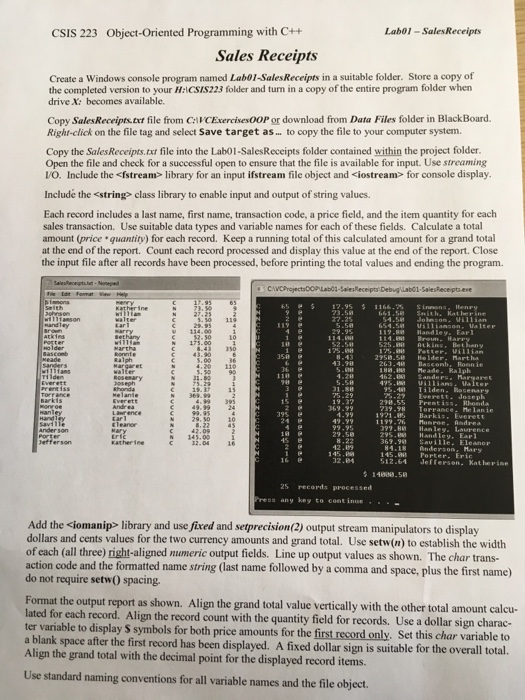
CSIS 223 Object-Oriented Programming with C++ Lab01 -Sales Receipts Sales Receipts Create a Windows console program named Labo01-SalesReceipts in a suitable folder. Store a copy of the completed version to your H:lCSIS223 folder and turn in a copy of the entire program folder when drive X: becomes available. Copy SalesReceiptstxt file from CaVCExercises00P or download from Data Files folder in BlackBoard. Right-click on the file tag and select Save target as. to copy the file to your computer system Copy the Sales Receipts.txt file into the Lab01-SalesReceipts folder contained within the project folder Open the file and check for a successful open to ensure that the file is available for input. Use streaming VO. Include the
Step by Step Solution
There are 3 Steps involved in it

Get step-by-step solutions from verified subject matter experts
 Study Help