







Question: Write the code on Python Password Checking Software to reset passwords often requires the user to enter the password twice, checking to make sure it
 Write the code on Python
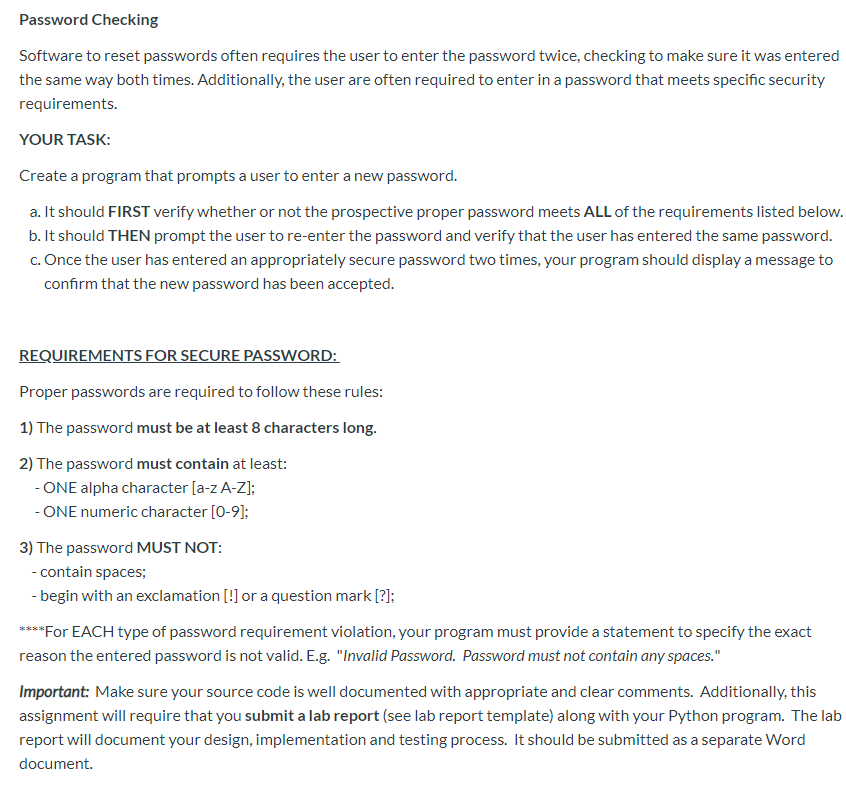
Password Checking Software to reset passwords often requires the user to enter the password twice, checking to make sure it was entered the same way both times. Additionally, the user are often required to enter in a password that meets specific security requirements. YOUR TASK: Create a program that prompts a user to enter a new password. a. It should FIRST verify whether or not the prospective proper password meets ALL of the requirements listed below. b. It should THEN prompt the user to re-enter the password and verify that the user has entered the same password. c. Once the user has entered an appropriately secure password two times, your program should display a message to confirm that the new password has been accepted. REQUIREMENTS FOR SECURE PASSWORD: Proper passwords are required to follow these rules: 1) The password must be at least 8 characters long. 2) The password must contain at least: - ONE alpha character [a-zA-Z]; - ONE numeric character [0-9]; 3) The password MUST NOT: - contain spaces; - begin with an exclamation [!] or a question mark [?]; ****For EACH type of password requirement violation, your program must provide a statement to specify the exact reason the entered password is not valid. E.g. "Invalid Password. Password must not contain any spaces." Important: Make sure your source code is well documented with appropriate and clear comments. Additionally, this assignment will require that you submit a lab report (see lab report template) along with your Python program. The lab report will document your design, implementation and testing process. It should be submitted as a separate Word document
Step by Step Solution
There are 3 Steps involved in it

Get step-by-step solutions from verified subject matter experts
 Study Help