







Question: Write the following queries in SQL These are the tables :) E- Do the following queries: 1. Display all data in all tables. 2. Display
Write the following queries in SQL
These are the tables :)
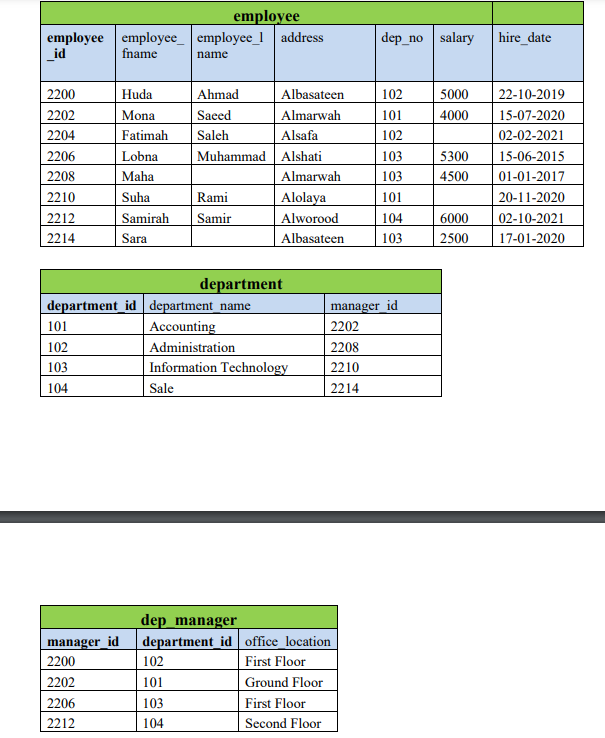
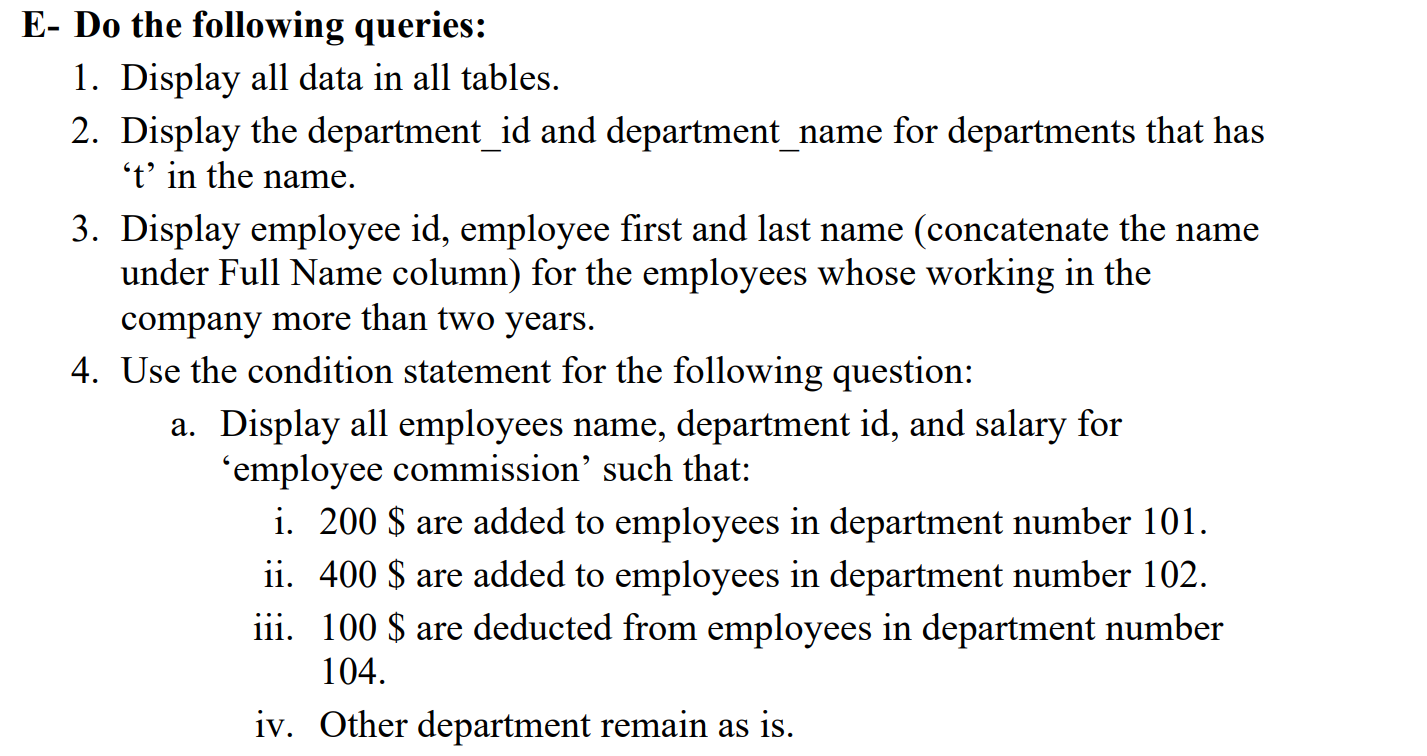
E- Do the following queries: 1. Display all data in all tables. 2. Display the department_id and department_name for departments that has ' t ' in the name. 3. Display employee id, employee first and last name (concatenate the name under Full Name column) for the employees whose working in the company more than two years. 4. Use the condition statement for the following question: a. Display all employees name, department id, and salary for 'employee commission' such that: i. 200$ are added to employees in department number 101. ii. 400$ are added to employees in department number 102 . iii. 100$ are deducted from employees in department number 104. iv. Other department remain as is. \begin{tabular}{|l|l|l|l|l|l|l|} \hline \multicolumn{6}{|c|}{ employee } & \\ \hline employeeid & \( \begin{array}{l}\text { employee_ } \\ \text { fname }\end{array} \) & \( \begin{array}{l}\text { employee_1 } \\ \text { name }\end{array} \) & address & dep_no & salary & hire_date \\ \hline 2200 & Huda & Ahmad & Albasateen & 102 & 5000 & 22102019 \\ \hline 2202 & Mona & Saeed & Almarwah & 101 & 4000 & 15072020 \\ \hline 2204 & Fatimah & Saleh & Alsafa & 102 & & 02022021 \\ \hline 2206 & Lobna & Muhammad & Alshati & 103 & 5300 & 15062015 \\ \hline 2208 & Maha & & Almarwah & 103 & 4500 & 01012017 \\ \hline 2210 & Suha & Rami & Alolaya & 101 & & 20112020 \\ \hline 2212 & Samirah & Samir & Alworood & 104 & 6000 & 02102021 \\ \hline 2214 & Sara & & Albasateen & 103 & 2500 & 17012020 \\ \hline \end{tabular} \begin{tabular}{|l|l|l|} \hline \multicolumn{3}{|c|}{ department } \\ \hline department_ id & department name & manager id \\ \hline 101 & Accounting & 2202 \\ \hline 102 & Administration & 2208 \\ \hline 103 & Information Technology & 2210 \\ \hline 104 & Sale & 2214 \\ \hline \end{tabular} \begin{tabular}{|l|l|l|} \hline \multicolumn{3}{|c|}{ dep manager } \\ \hline manager_id & department_id & office location \\ \hline 2200 & 102 & First Floor \\ \hline 2202 & 101 & Ground Floor \\ \hline 2206 & 103 & First Floor \\ \hline 2212 & 104 & Second Floor \\ \hline \end{tabular}
Step by Step Solution
There are 3 Steps involved in it

Get step-by-step solutions from verified subject matter experts
 Study Help