







Question: Write the grade calculator HTML page such that it uses objects, and persists the object state (data) using cookies. You may implement a Save button
Write the grade calculator HTML page such that it uses objects, and persists the object state (data) using cookies. You may implement a Save button to store the assignment data in the cookie. Make sure you have a way to demonstrate that the data is actually saved to the cookie. How? Can you populate the data on the HTML page from whats stored in the cookie?
this is my code:
/* function click()
{
document.getElementById("myForm").value;
} */
function listAllCookies() {
var cookies = document.cookie; //if cookies exiting
var i, cookieString = "";
if (cookies.length === 0) {
cookieString = "No cookies...";
}
else {
cookies = cookies.split(";"); // convert to an array
var count = cookies.length;
for (i = 0; i
cookieString += cookies[i] + "
";
}
}
/* var lblMessage = document.getElementById("message");
lblMessage.innerHTML = cookieString; */
var message = document.getElementById("message");
message.innerHTML = cookieString;
}
function setCookie() {
var cookieName = document.getElementById("Assmet" ).value;
var cookieValue = document.getElementById("Max").value;
var cookieesrnd = document.getElementById("Earned").value;
document.cookie = "Assessmet name = " + cookieName +
" " + "Maxpint = " + cookieValue + " "
+ "earned point = " + cookieesrnd + ";";
alert(document.cookie);
listAllCookies();
}
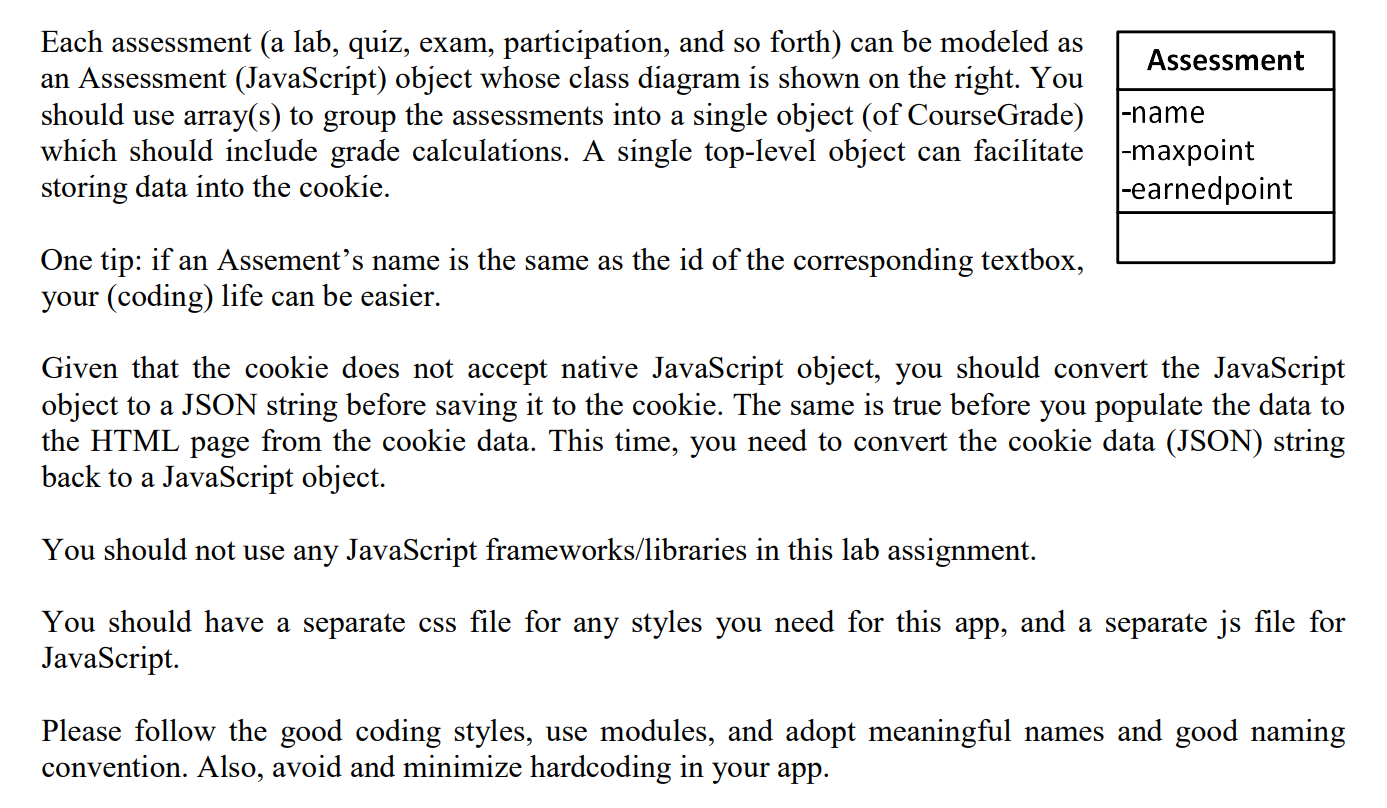
Each assessment (a lab, quiz, exam, participation, and so forth) can be modeled as Assessment an Assessment (JavaScript) object whose class diagram is shown on the right. You should use array(s) to group the assessments into a single object (of CourseGrade) which should include grade calculations. A single top-level object can facilitate maxpoint storing data into the cookie. |-earnedpoint l-name One tip: if an Assements name is the same as the id of the corresponding textbox, your (coding) life can be easier. Given that the cookie does not accept native JavaScript object, you should convert the JavaScript object to a JSON string before saving it to the cookie. The same is true before you populate the data to the HTML page from the cookie data. This time, you need to convert the cookie data (JSON) string back to a JavaScript object. You should not use any JavaScript frameworks/libraries in this lab assignment. You should have a separate css file for any styles you need for this app, and a separate js file for JavaScript. Please follow the good coding styles, use modules, and adopt meaningful names and good naming convention. Also, avoid and minimize hardcoding in your app. Each assessment (a lab, quiz, exam, participation, and so forth) can be modeled as Assessment an Assessment (JavaScript) object whose class diagram is shown on the right. You should use array(s) to group the assessments into a single object (of CourseGrade) which should include grade calculations. A single top-level object can facilitate maxpoint storing data into the cookie. |-earnedpoint l-name One tip: if an Assements name is the same as the id of the corresponding textbox, your (coding) life can be easier. Given that the cookie does not accept native JavaScript object, you should convert the JavaScript object to a JSON string before saving it to the cookie. The same is true before you populate the data to the HTML page from the cookie data. This time, you need to convert the cookie data (JSON) string back to a JavaScript object. You should not use any JavaScript frameworks/libraries in this lab assignment. You should have a separate css file for any styles you need for this app, and a separate js file for JavaScript. Please follow the good coding styles, use modules, and adopt meaningful names and good naming convention. Also, avoid and minimize hardcoding in your app
Step by Step Solution
There are 3 Steps involved in it

Get step-by-step solutions from verified subject matter experts
 Study Help