







Question: written in java If there are problems with the numbers in the text fields, throw an exception, which will write an error message in the
written in java
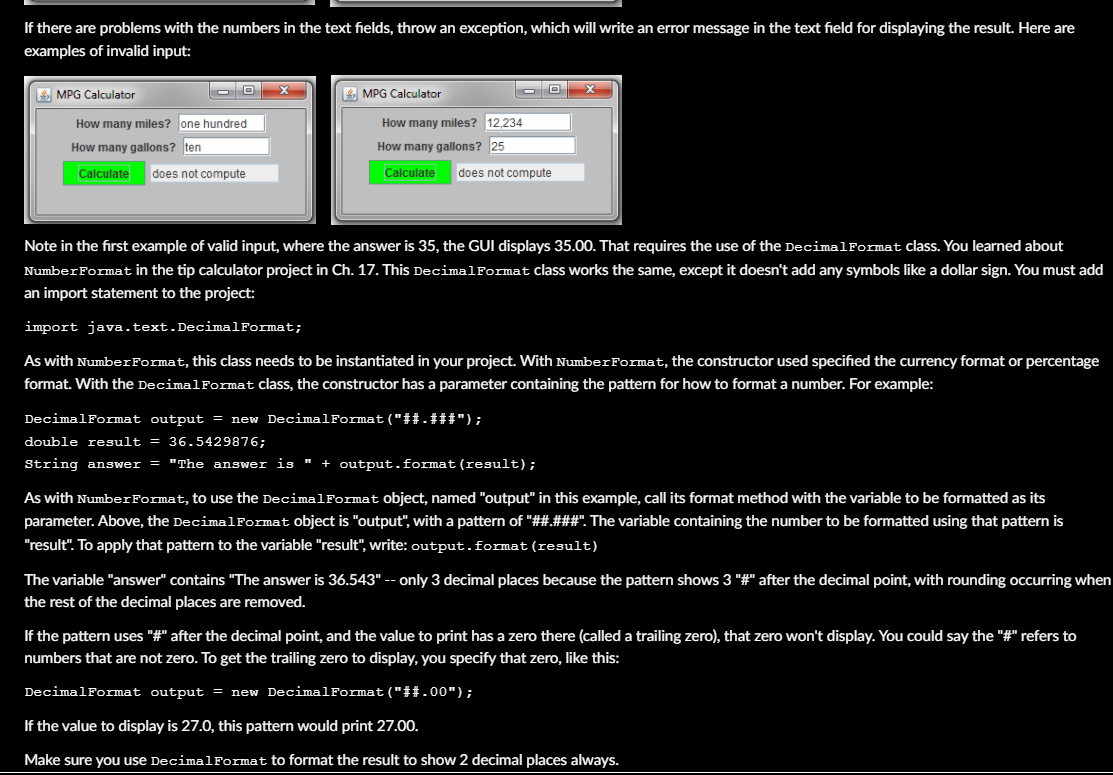
If there are problems with the numbers in the text fields, throw an exception, which will write an error message in the text field for displaying the result. Here are examples of invalid input: MPG Calculator MPG Calculator How many miles? one hundred How many gallons? ten How many miles? 12.234 How many gallons ? 25 Calculate does not compute Calculate does not compute Note in the first example of valid input, where the answer is 35, the GUI displays 35.00. That requires the use of the DecimalFormat class. You learned about Number Format in the tip calculator project in Ch. 17. This DecimalFormat class works the same, except it doesn't add any symbols like a dollar sign. You must add an import statement to the project: import java.text.DecimalFormat; As with Number Format, this class needs to be instantiated in your project. With Number Format, the constructor used specified the currency format or percentage format. With the DecimalFormat class, the constructor has a parameter containing the pattern for how to format a number. For example: DecimalFormat output = new DecimalFormat("##.###"); double result = 36.5429876; String answer = "The answer is " + output.format (result); As with Number Format, to use the DecimalFormat object, named "output" in this example, call its format method with the variable to be formatted as its parameter. Above, the DecimalFormat object is "output", with a pattern of "##.###". The variable containing the number to be formatted using that pattern is "result". To apply that pattern to the variable "result", write: output.format (result) The variable "answer" contains "The answer is 36.543" -- only 3 decimal places because the pattern shows 3 "#" after the decimal point, with rounding occurring when the rest of the decimal places are removed. If the pattern uses "#" after the decimal point, and the value to print has a zero there (called a trailing zero), that zero won't display. You could say the "#" refers to numbers that are not zero. To get the trailing zero to display, you specify that zero, like this: DecimalFormat output = new DecimalFormat("##.00"); If the value to display is 27.0, this pattern would print 27.00. Make sure you use DecimalFormat to format the result to show 2 decimal places always
Step by Step Solution
There are 3 Steps involved in it

Get step-by-step solutions from verified subject matter experts
 Study Help