







Question: yandroid programing chapter 5 Complete the Challenge assignment Using Conditional BreakpointsI am working on an Android quiz application called GeoQuiz, developed with Kotlin. The app
yandroid programing chapter Complete the Challenge assignment "Using Conditional Breakpoints"I am working on an Android quiz application called GeoQuiz, developed with Kotlin. The app presents questions to users and allows them to respond with 'True' or 'False'. I've encountered a challenge with debugging specific behavior when the quiz reaches a certain question, specifically the fifth question in the sequence quizViewModelcurrentIndex
The application's main activity MainActivitykt includes basic UI elements buttons for true, false, and next actions, and a text view for displaying questions It utilizes a ViewModel quizViewModel to manage the quiz's state, including the current question index.
Below is an outline of my current code structure:
class MainActivity : AppCompatActivity
Declarations for UI elements and ViewModel
override fun onCreatesavedInstanceState: Bundle?
super.onCreatesavedInstanceState
setContentView and findViewById implementations
nextButton.setOnClickListener
quizViewModel.moveToNext
updateQuestion
updateQuestion
private fun updateQuestion
Logic to update question view based on the current index
Given this setup, I am seeking comprehensive assistance with the following objectives:
Code Rewrite: I would appreciate a complete rewrite of the above code to ensure it adheres to best practices in Android development,specially focusing on efficiency, maintainability, and scalability. The rewrite should also enhance the way the app handles navigation between questions and state management with quizViewModel.
Debugging Guidance: Detailed instructions on setting up a conditional breakpoint in Android Studio to pause execution when quizViewModel.currentIndex equals This is crucial for me to inspect the app's state at this specific point and understand the underlying
issue.
Debugger Usage: Advice on how to inspect relevant variables in the Android Studio Debugger when the conditional breakpoint is hit and how to resume execution postinspection.
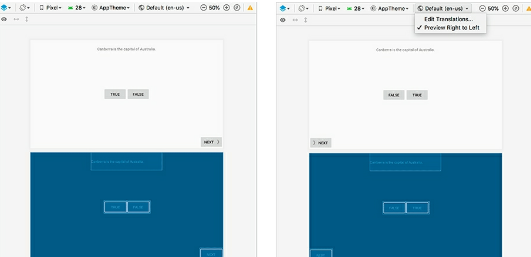
i need to look like the pic the la
Step by Step Solution
There are 3 Steps involved in it
1 Expert Approved Answer
Step: 1 Unlock

Question Has Been Solved by an Expert!
Get step-by-step solutions from verified subject matter experts
Step: 2 Unlock
Step: 3 Unlock
 Study Help