







Question: yb) Could you please write the needed SML (Standard Meta Language) code of this question? it is needed to use map function and modules in
yb) Could you please write the needed SML (Standard Meta Language) code of this question?
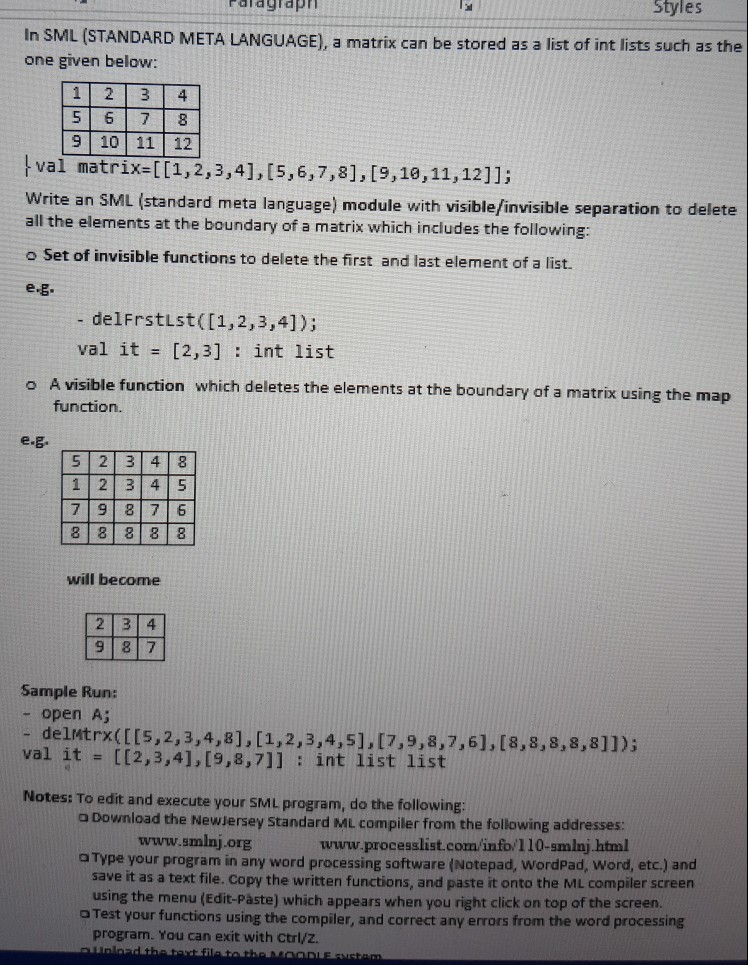
it is needed to use map function and modules in SML;
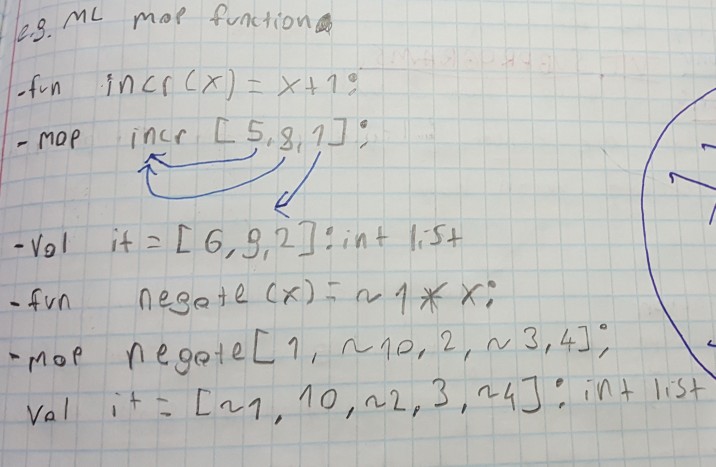
map function is a method like this in an example:
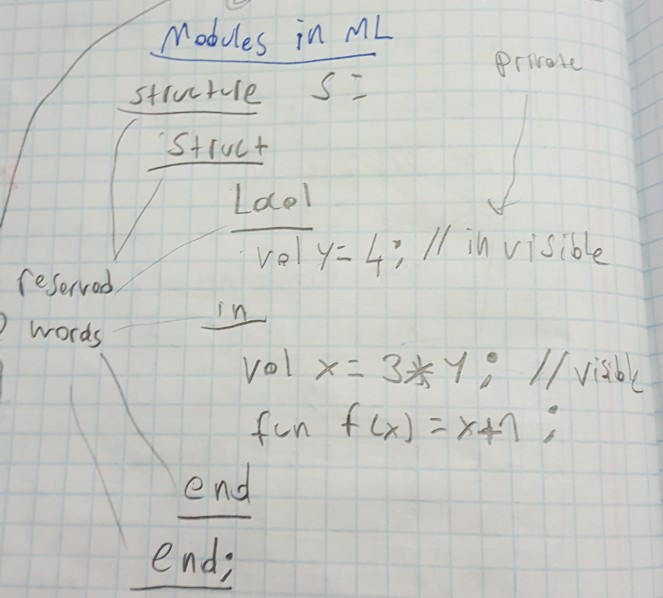
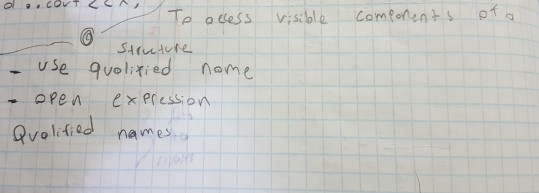
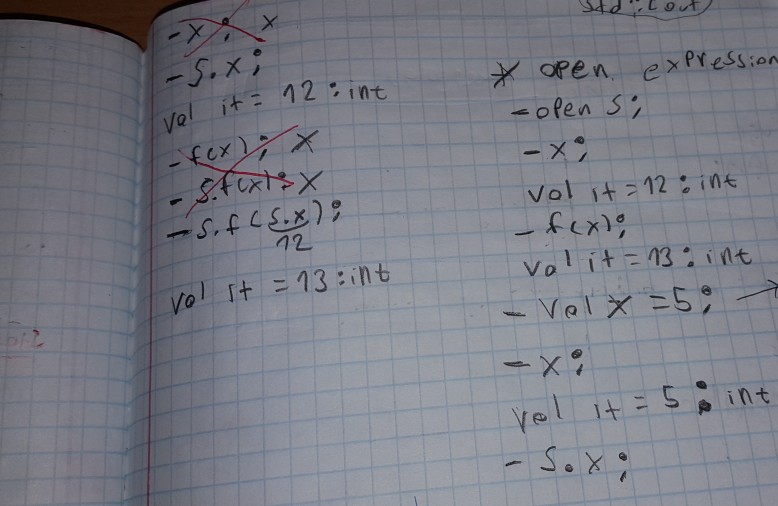
Modules in SML are like this in an example:
ralagiapn Styles In SML (STANDARD META LANGUAGE), a matrix can be stored as a list of int lists such as the one given below: 1 2 3 4 5 6 7 8 9 10 11 12 val matrix-[(,2,3,41,(5,6,7,8],[9,10,11,12]1; Write an SML (standard meta language) module with visible/invisible separation to delete all the elements at the boundary of a matrix which includes the following: o Set of invisible functions to delete the first and last element of a list. e.g - delFrstlst ([1,2,3,4]); val it = [2,3] : int list A visible function which deletes the elements at the boundary of a matrix using the map function. e.g 5 2 3 4 8 1 2 3 4 5 7 9 8 7 6 will become 2 3 4 9 8 7 Sample Run: - open A; - delutrx(IIs,2,3,4,81, [1,2,3,4,51. 17,9,8.7,61.[8,8,8,8,811) val it = [[2,3,4],[9,8,7]] : int list list Notes: To edit and execute your SML program, do the following: a Download the Newjersey Standard ML compiler from the following addresses: a Type your program in any word processing software (Notepad, wordPad, Word, etc.) and a Test your functions using the compiler, and correct any errors from the word processing www.smlnj org www.processlist.com/info/110-smlnj html save it as a text file. Copy the written functions, and paste it onto the ML compiler screen using the menu (Edit-Paste) which appears when you right click on top of the screen. program. You can exit with Ctrl/z
Step by Step Solution
There are 3 Steps involved in it

Get step-by-step solutions from verified subject matter experts
 Study Help