







Question: YO19.Excel Ch05 Assessment Music Lessons_Instructions - Protected View - Saved to this PC OB Layout References Mailings Review View Help m the Internet can contain
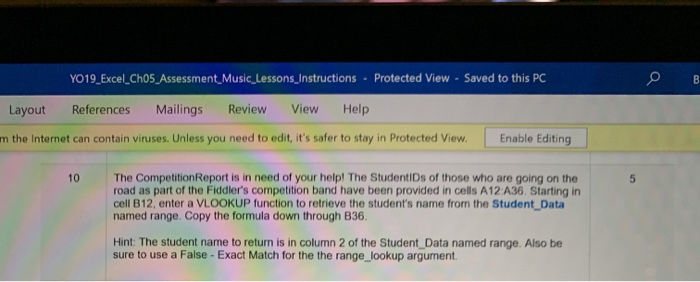
YO19.Excel Ch05 Assessment Music Lessons_Instructions - Protected View - Saved to this PC OB Layout References Mailings Review View Help m the Internet can contain viruses. Unless you need to edit, it's safer to stay in Protected View Enable Editing 10 The Competition Report is in need of your help! The StudentIDs of those who are going on the road as part of the Fiddler's competition band have been provided in cells A12 A36. Starting in cell B12, enter a VLOOKUP function to retrieve the student's name from the Student Data named range. Copy the formula down through B36. Hint: The student name to return is in column 2 of the Student Data named range. Also be sure to use a False - Exact Match for the the range_lookup argument. YO19.Excel Ch05 Assessment Music Lessons_Instructions - Protected View - Saved to this PC OB Layout References Mailings Review View Help m the Internet can contain viruses. Unless you need to edit, it's safer to stay in Protected View Enable Editing 10 The Competition Report is in need of your help! The StudentIDs of those who are going on the road as part of the Fiddler's competition band have been provided in cells A12 A36. Starting in cell B12, enter a VLOOKUP function to retrieve the student's name from the Student Data named range. Copy the formula down through B36. Hint: The student name to return is in column 2 of the Student Data named range. Also be sure to use a False - Exact Match for the the range_lookup argument
Step by Step Solution
There are 3 Steps involved in it

Get step-by-step solutions from verified subject matter experts
 Study Help