







Question: You are working as a network engineer at XYZ Sdn Bhd. Your company is located in Cyberjaya, Selangor and is going to open 2 new
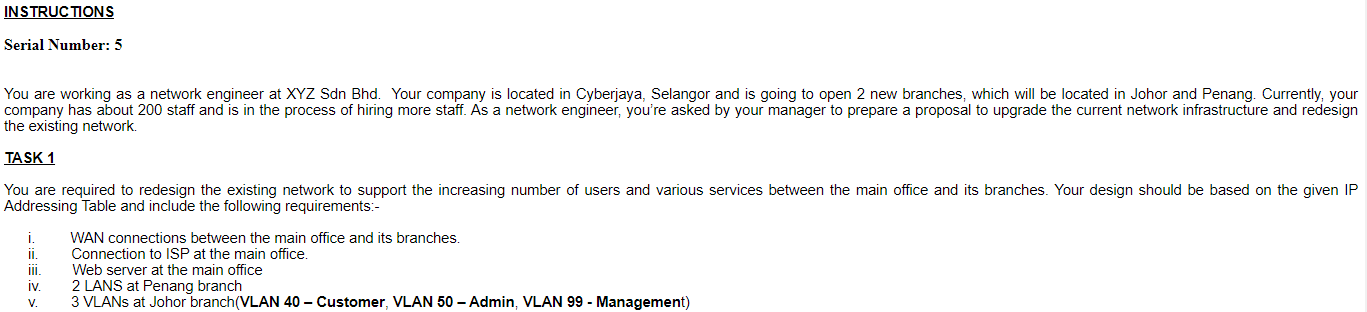
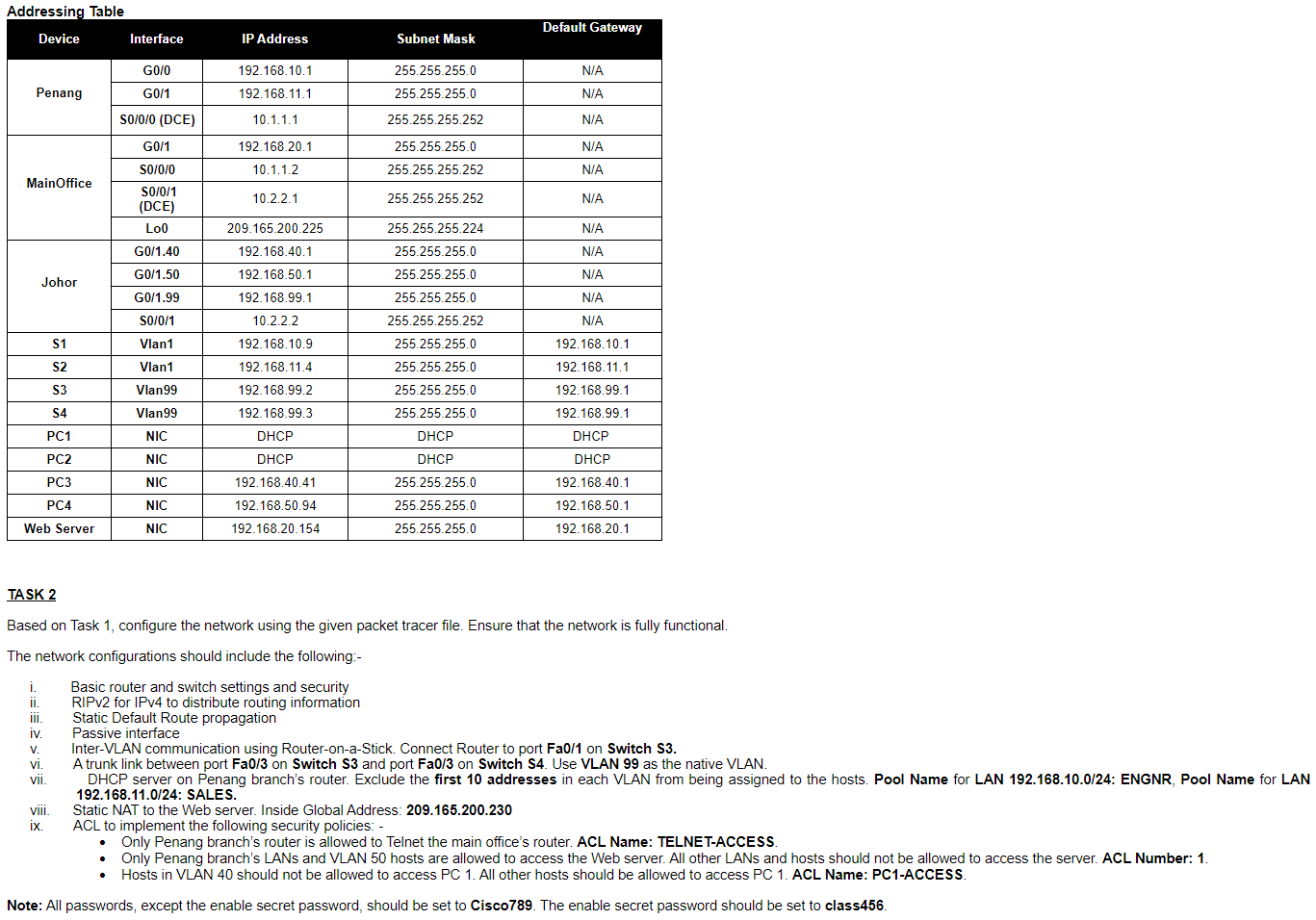
You are working as a network engineer at XYZ Sdn Bhd. Your company is located in Cyberjaya, Selangor and is going to open 2 new branches, which will be located in Johor and Penang. Currently, your company has about 200 staff and is in the process of hiring more staff. As a network engineer, you're asked by your manager to prepare a proposal to upgrade the current network infrastructure and redesign the existing network. TASK 1 You are required to redesign the existing network to support the increasing number of users and various services between the main office and its branches. Your design should be based on the given IP Addressing Table and include the following requirements:- i. WAN connections between the main office and its branches. ii. Connection to ISP at the main office. iii. Web server at the main office iv. 2 LANS at Penang branch v. 3 VLANs at Johor branch(VLAN 40 - Customer, VLAN 50 - Admin, VLAN 99 - Management) Based on Task 1, configure the network using the given packet tracer file. Ensure that the network is fully functional. The network configurations should include the following:- i. Basic router and switch settings and security ii. RIPv2 for IPv4 to distribute routing information iii. Static Default Route propagation iv. Passive interface v. Inter-VLAN communication using Router-on-a-Stick. Connect Router to port Fa0/1 on Switch S3. vi. A trunk link between port Fa0/3 on Switch S3 and port FaO/3 on Switch S4. Use VLAN 99 as the native VLAN. 192.168.11.0/24: SALES. viii. Static NAT to the Web server. Inside Global Address: 209.165.200.230 ix. ACL to implement the following security policies: - - Only Penang branch's router is allowed to Telnet the main office's router. ACL Name: TELNET-ACCESS. - Hosts in VLAN 40 should not be allowed to access PC 1. All other hosts should be allowed to access PC 1. ACL Name: PC1-ACCESS. Note: All passwords, except the enable secret password, should be set to Cisco789. The enable secret password should be set to class456
Step by Step Solution
There are 3 Steps involved in it

Get step-by-step solutions from verified subject matter experts
 Study Help