



Question: You can create a working version of the TipCalculator (Fig 12.8) program or you can create a TaxCalculator application using JavaFX. You can use the
You can create a working version of the TipCalculator (Fig 12.8) program or you can create a TaxCalculator application using JavaFX. You can use the TipCalculator program as a template. The taxes would have a default value of 6%, but you can use the slider to increase or decrease the taxes.
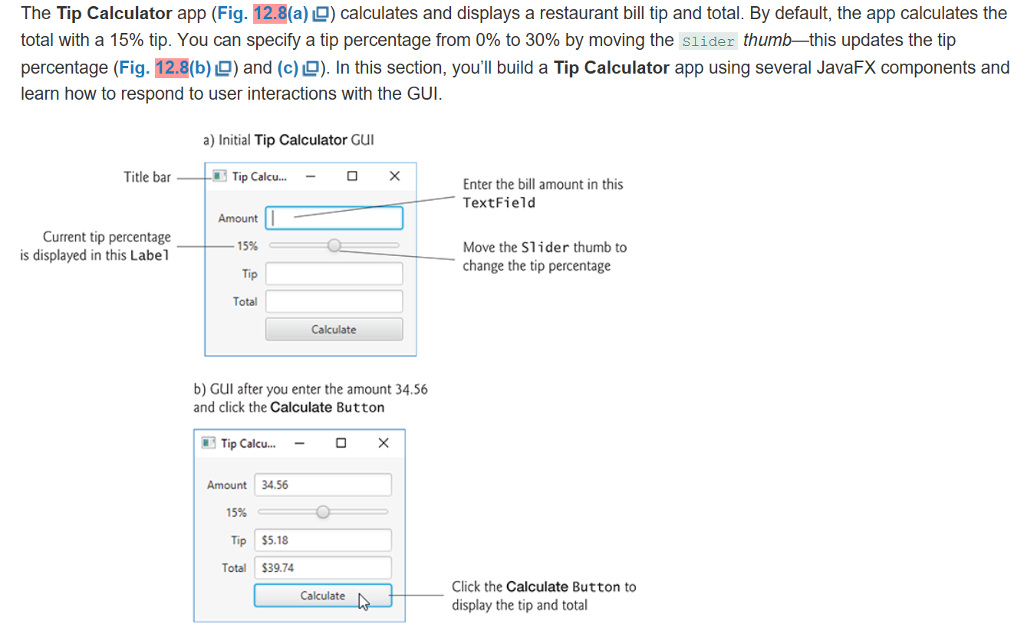
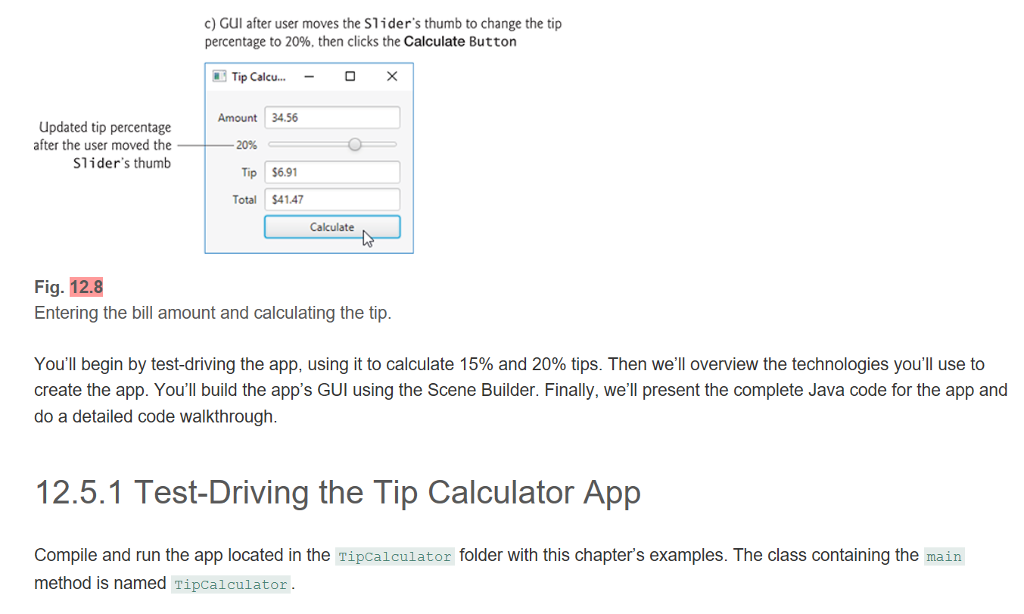
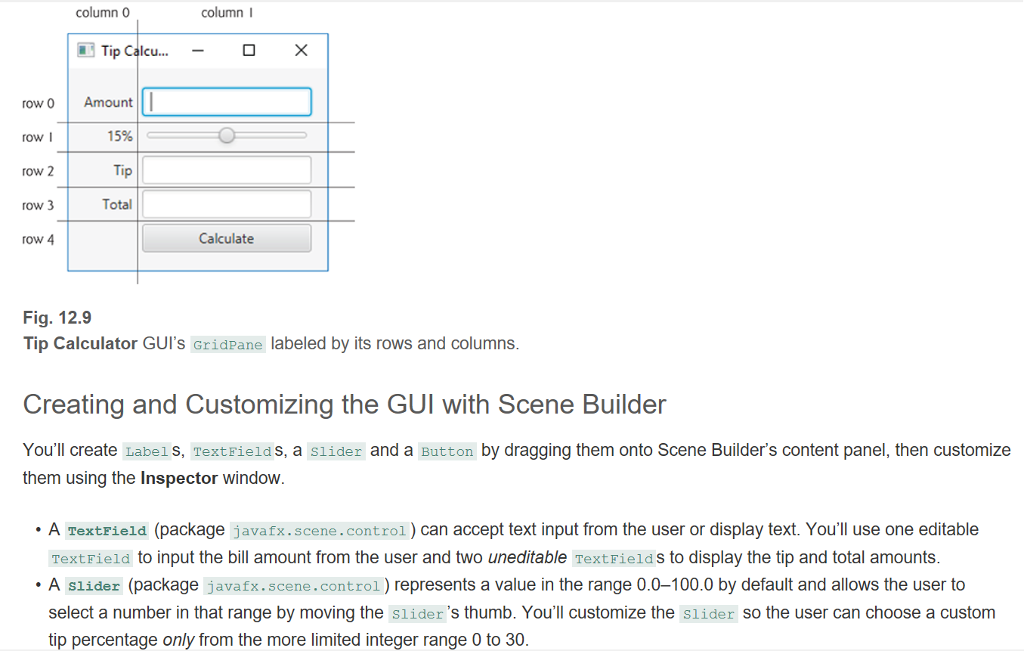
The Tip Calculator app (Fig. 12.8(a) ) calculates and displays a restaurant bill tip and total. By default, the app calculates the total with a 15% tip. You can specify a tip percentage from 0% to 30% by moving the slider thumb this updates the tip percentage (Fig. 12.8(b) ) and (c) ). In this section, you'll build a Tip Calculator app using several JavaFX components and learn how to respond to user interactions with the GUI a) Initial Tip Calculator Gul Title bar i3 Tip Calcu Enter the bill amount in this TextField Amount Current tip percentage is displayed in this Label 15% Move the Slider thumb to change the tip percentage ip Total Calculate b) GUI after you enter the amount 34.56 and click the Calculate Button Tip Calcu...- Amount34.56 15% Tip $5.18 Total $39.74 Click the Calculate Button to display the tip and total Calculate The Tip Calculator app (Fig. 12.8(a) ) calculates and displays a restaurant bill tip and total. By default, the app calculates the total with a 15% tip. You can specify a tip percentage from 0% to 30% by moving the slider thumb this updates the tip percentage (Fig. 12.8(b) ) and (c) ). In this section, you'll build a Tip Calculator app using several JavaFX components and learn how to respond to user interactions with the GUI a) Initial Tip Calculator Gul Title bar i3 Tip Calcu Enter the bill amount in this TextField Amount Current tip percentage is displayed in this Label 15% Move the Slider thumb to change the tip percentage ip Total Calculate b) GUI after you enter the amount 34.56 and click the Calculate Button Tip Calcu...- Amount34.56 15% Tip $5.18 Total $39.74 Click the Calculate Button to display the tip and total Calculate
Step by Step Solution
There are 3 Steps involved in it

Get step-by-step solutions from verified subject matter experts