







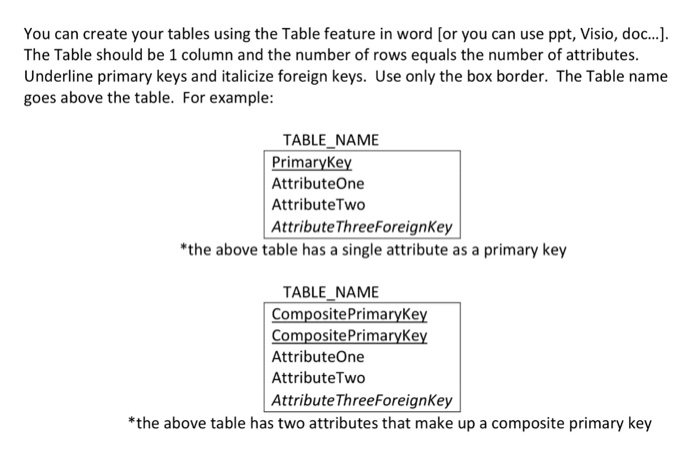
Question: You can create your tables using the Table feature in word [or you can use ppt, Visio, doc..] The Table should be 1 column and
![[or you can use ppt, Visio, doc..] The Table should be 1](https://dsd5zvtm8ll6.cloudfront.net/si.experts.images/questions/2024/09/66f008e93cbe1_95266f008e8ce40e.jpg)
You can create your tables using the Table feature in word [or you can use ppt, Visio, doc..] The Table should be 1 column and the number of rows equals the number of attributes. Underline primary keys and italicize foreign keys. Use only the box border. The Table name goes above the table. For example TABLE NAME PrimaryKey AttributeOne AttributeTwo AttributeThreeForeignKey the above table has a single attribute as a primary key TABLE NAME CompositePrimaryKey CompositePrimaryKey AttributeOne AttributeTwo Attribute ThreeForeignKey the above table has two attributes that make up a composite primary key
Step by Step Solution
There are 3 Steps involved in it
1 Expert Approved Answer
Step: 1 Unlock

Question Has Been Solved by an Expert!
Get step-by-step solutions from verified subject matter experts
Step: 2 Unlock
Step: 3 Unlock
 Study Help