Question: You can find more lat/long GPS locations here: https://www.latlong.net/category/cities-236-15.html Required Materials . Laptop with Internet Connection . AWS Account with Cloud9 instance configured Description The
You can find more lat/long GPS locations here: https://www.latlong.net/category/cities-236-15.html
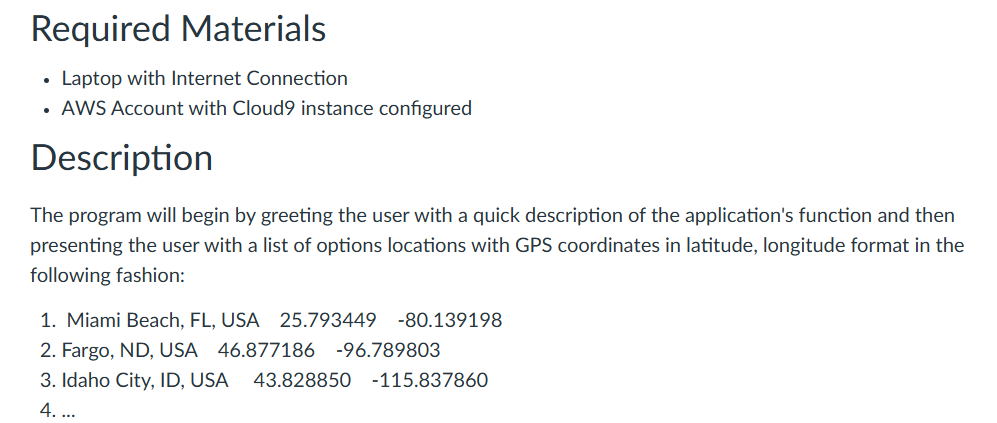
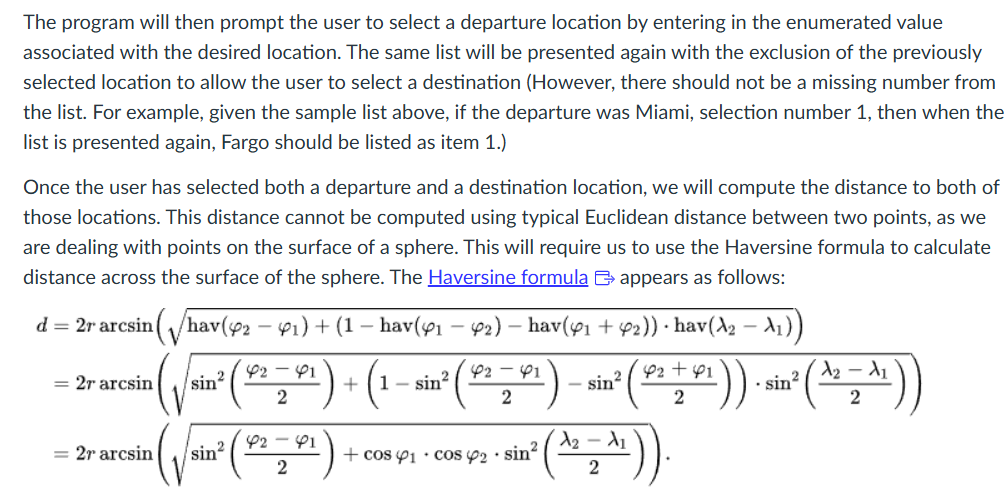
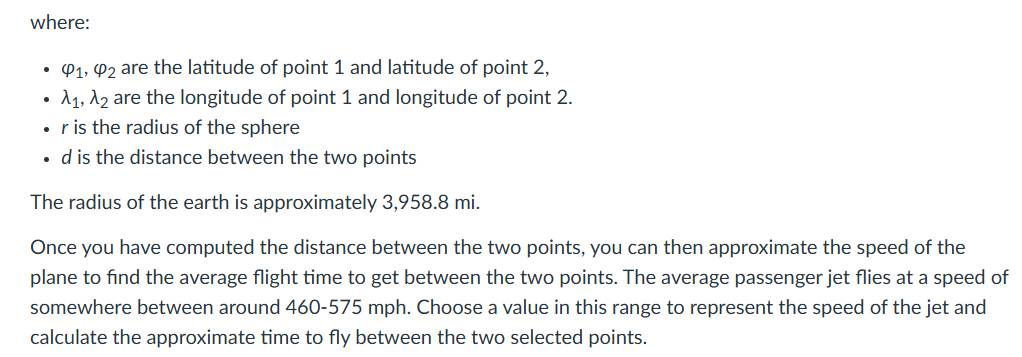
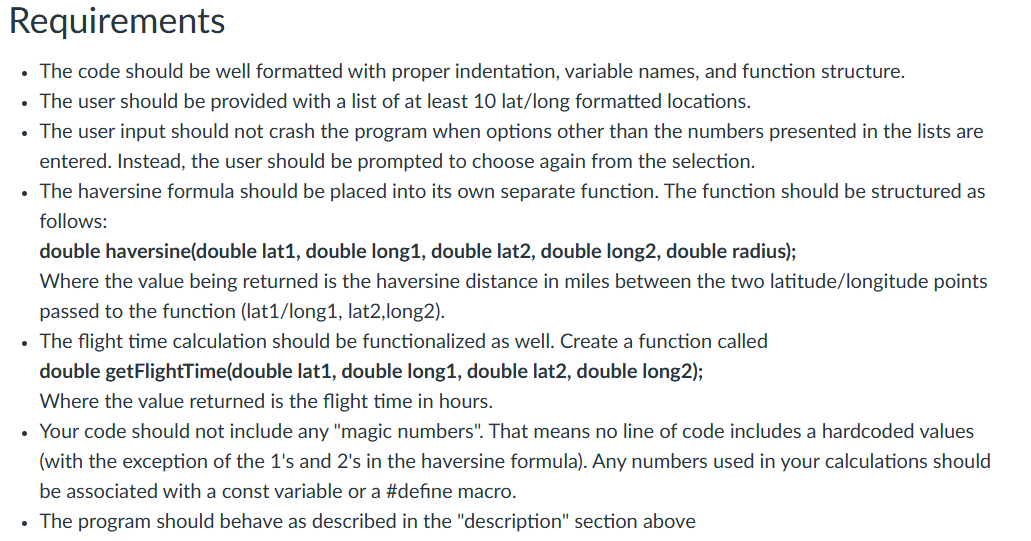
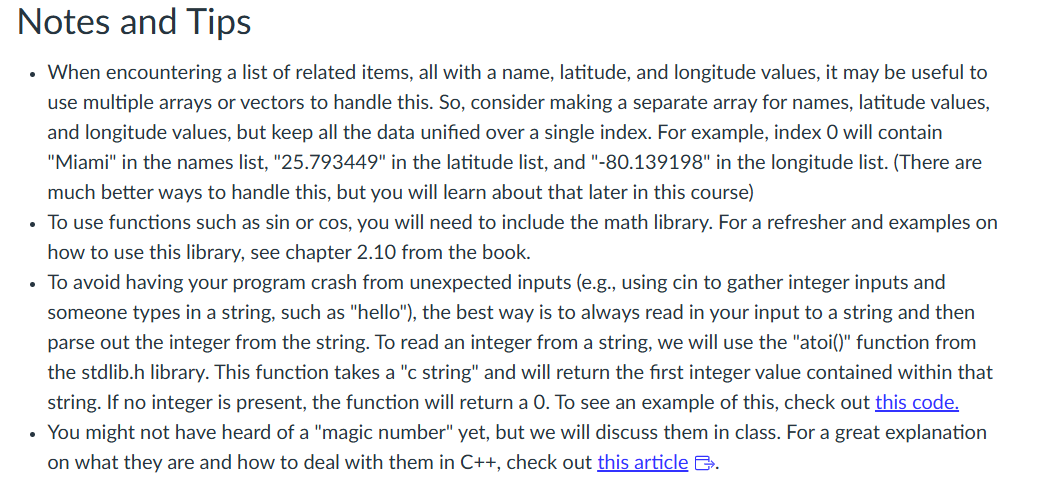
Required Materials . Laptop with Internet Connection . AWS Account with Cloud9 instance configured Description The program will begin by greeting the user with a quick description of the application's function and then presenting the user with a list of options locations with GPS coordinates in latitude, longitude format in the following fashion: 1. Miami Beach, FL, USA 25.793449 -80.139198 2. Fargo, ND, USA 46.877186 -96.789803 3. Idaho City, ID, USA 43.828850 -115.837860 4. ...The program will then prompt the user to select a departure location by entering in the enumerated value associated with the desired location. The same list will be presented again with the exclusion of the previously selected location to allow the user to select a destination (However, there should not be a missing number from the list. For example, given the sample list above, if the departure was Miami, selection number 1, then when the list is presented again, Fargo should be listed as item 1.) Once the user has selected both a departure and a destination location, we will compute the distance to both of those locations. This distance cannot be computed using typical Euclidean distance between two points, as we are dealing with points on the surface of a sphere. This will require us to use the Haversine formula to calculate distance across the surface of the sphere. The Haversine formula [2 appears as follows: d= 2r aresin(\\/hav( 2 ~,) + (1 hav(y, ye) hav(y; + y2)) + hav(A2 i)) ~1 2-1 EX. = 2rarcsin ( 3 + COS (Yj + COS Yo - SIN sin' (STF) sit (AS) p2 + 1 A2 Ad 2 V where: * (4, @2 are the latitude of point 1 and latitude of point 2, Ay, Ao are the longitude of point 1 and longitude of point 2. ris the radius of the sphere e dis the distance between the two points The radius of the earth is approximately 3,958.8 mi. Once you have computed the distance between the two points, you can then approximate the speed of the plane to find the average flight time to get between the two points. The average passenger jet flies at a speed of somewhere between around 460-575 mph. Choose a value in this range to represent the speed of the jet and calculate the approximate time to fly between the two selected points. Requirements The code should be well formatted with proper indentation, variable names, and function structure. The user should be provided with a list of at least 10 lat/long formatted locations. The user input should not crash the program when options other than the numbers presented in the lists are entered. Instead, the user should be prompted to choose again from the selection. The haversine formula should be placed into its own separate function. The function should be structured as follows: double haversine(double lat1, double long1, double lat2, double long2, double radius); Where the value being returned is the haversine distance in miles between the two latitude/longitude points passed to the function (lat1/long1, lat2,long2). - The flight time calculation should be functionalized as well. Create a function called double getFlightTime(double lati, double long1, double lat2, double long2); Where the value returned is the flight time in hours. Your code should not include any "magic numbers". That means no line of code includes a hardcoded values (with the exception of the 1's and 2's in the haversine formula). Any numbers used in your calculations should be associated with a const variable or a #define macro. The program should behave as described in the "description" section above Notes and Tips When encountering a list of related items, all with a name, latitude, and longitude values, it may be useful to use multiple arrays or vectors to handle this. So, consider making a separate array for names, latitude values, and longitude values, but keep all the data unified over a single index. For example, index O will contain "Miami" in the names list, "25.793449" in the latitude list, and "-80.139198" in the longitude list. (There are much better ways to handle this, but you will learn about that later in this course) To use functions such as sin or cos, you will need to include the math library. For a refresher and examples on how to use this library, see chapter 2.10 from the book. To avoid having your program crash from unexpected inputs (e.g., using cin to gather integer inputs and someone types in a string, such as "hello"), the best way is to always read in your input to a string and then parse out the integer from the string. To read an integer from a string, we will use the "atoi()" function from the stdlib.h library. This function takes a ''c string" and will return the first integer value contained within that string. If no integer is present, the function will return a 0. To see an example of this, check out this code. You might not have heard of a "magic number" yet, but we will discuss them in class. For a great explanation on what they are and how to deal with them in C++, check out this article &
Step by Step Solution
There are 3 Steps involved in it
1 Expert Approved Answer
Step: 1 Unlock
Question Has Been Solved by an Expert!
Get step-by-step solutions from verified subject matter experts
Step: 2 Unlock
Step: 3 Unlock
Students Have Also Explored These Related Accounting Questions!









 Study Help