







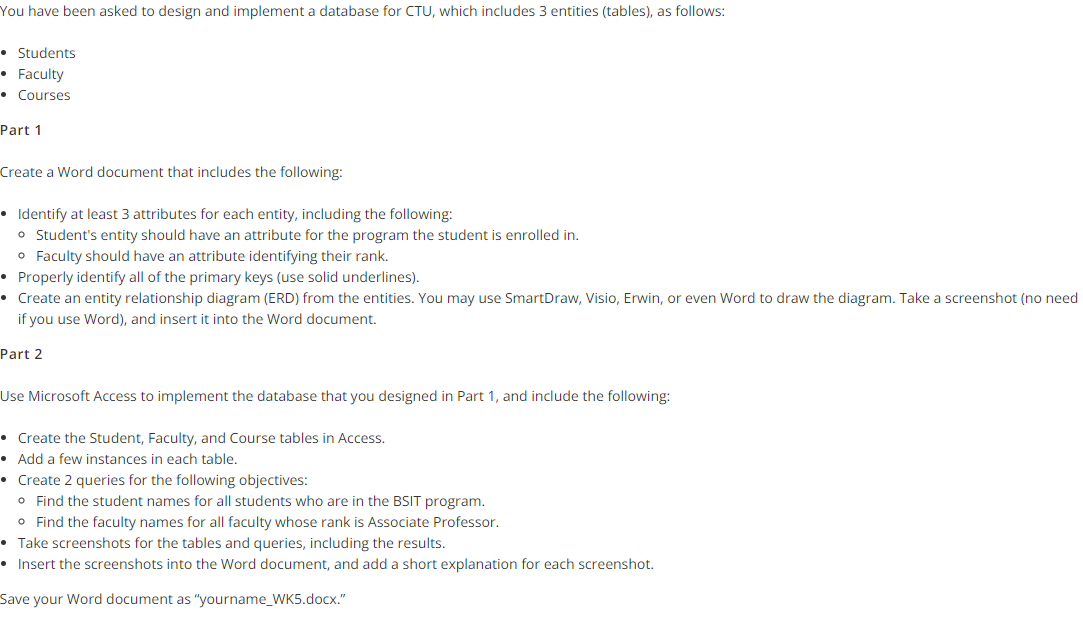
Question: You have been asked to design and implement a database for CTU, which includes 3 entities ( tables ) , as follows: Students Faculty Courses
You have been asked to design and implement a database for CTU, which includes entities tables as follows:
Students
Faculty
Courses
Part
Create a Word document that includes the following:
Identify at least attributes for each entity, including the following:
Student's entity should have an attribute for the program the student is enrolled in
Faculty should have an attribute identifying their rank.
Properly identify all of the primary keys use solid underlines
Create an entity relationship diagram ERD from the entities. You may use SmartDraw, Visio, Erwin, or even Word to draw the diagram. Take a screenshot no need if you use Word and insert it into the Word document.
Part
Use Microsoft Access to implement the database that you designed in Part and include the following:
Create the Student, Faculty, and Course tables in Access.
Add a few instances in each table.
Create queries for the following objectives:
Find the student names for all students who are in the BSIT program.
Find the faculty names for all faculty whose rank is Associate Professor.
Take screenshots for the tables and queries, including the results.
Insert the screenshots into the Word document, and add a short explanation for each screenshot.You have been asked to design and implement a database for CTU, which includes entities tables as follows:
Students
Faculty
Courses
Part
Create a Word document that includes the following:
Identify at least attributes for each entity, including the following:
Student's entity should have an attribute for the program the student is enrolled in
Faculty should have an attribute identifying their rank.
Properly identify all of the primary keys use solid underlines
Create an entity relationship diagram ERD from the entities. You may use SmartDraw, Visio, Erwin, or even Word to draw the diagram. Take a screenshot no need
if you use Word and insert it into the Word document.
Part
Use Microsoft Access to implement the database that you designed in Part and include the following:
Create the Student, Faculty, and Course tables in Access.
Add a few instances in each table.
Create queries for the following objectives:
Find the student names for all students who are in the BSIT program.
Find the faculty names for all faculty whose rank is Associate Professor.
Take screenshots for the tables and queries, including the results.
Insert the screenshots into the Word document, and add a short explanation for each screenshot.
Save your Word document as "yournameWKdocx."
Step by Step Solution
There are 3 Steps involved in it
1 Expert Approved Answer
Step: 1 Unlock

Question Has Been Solved by an Expert!
Get step-by-step solutions from verified subject matter experts
Step: 2 Unlock
Step: 3 Unlock
 Study Help