



Question: You have learned how to assign a value to a variable in Python: For example, total = 0 It is easy to modify the value
You have learned how to assign a value to a variable in Python:
For example, total = 0
It is easy to modify the value stored in a variable:
total = total + value -> now the value stored in total is if the variable 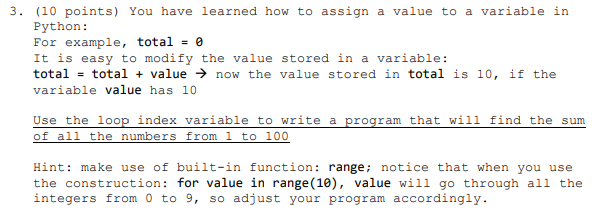 value has 10 Use the loop index variable to write a program that will find the sum of all the numbers from 1 to 100
Hint: make use of built-in function: range; notice that when you use the construction: for value in range(10), value will go through all the integers from 0 to 9, so adjust your program accordingly.
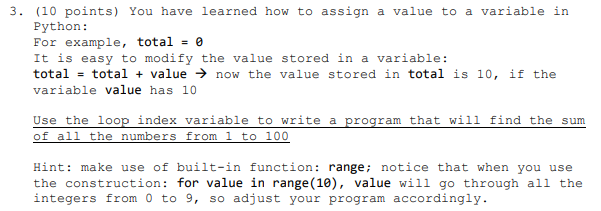
3 (10 points) You have learned how to assign a value to a variable in Python: For example, total It is easy to modify the value stored in a variable: total total valuenow the value stored in total is 10, if the le value has 10 Use the loop index variable to write a program that will find the sum f all the numbers from 1 to 100 Hint: make use of built-in function: range: notice that when you use the construction: for value in range (10), value will go through al1 the integers from 0 to 9, so adjust your program accordingly
Step by Step Solution
There are 3 Steps involved in it

Get step-by-step solutions from verified subject matter experts