







Question: You must use the Access database and create queries that will answer the requests below. You may use Query by Example (QBE) or direct SQL
You must use the Access database and create queries that will answer the requests below. You may use Query by Example (QBE) or direct SQL to create the queries. Store them using the number of the question (Q1, Q2, etc.).
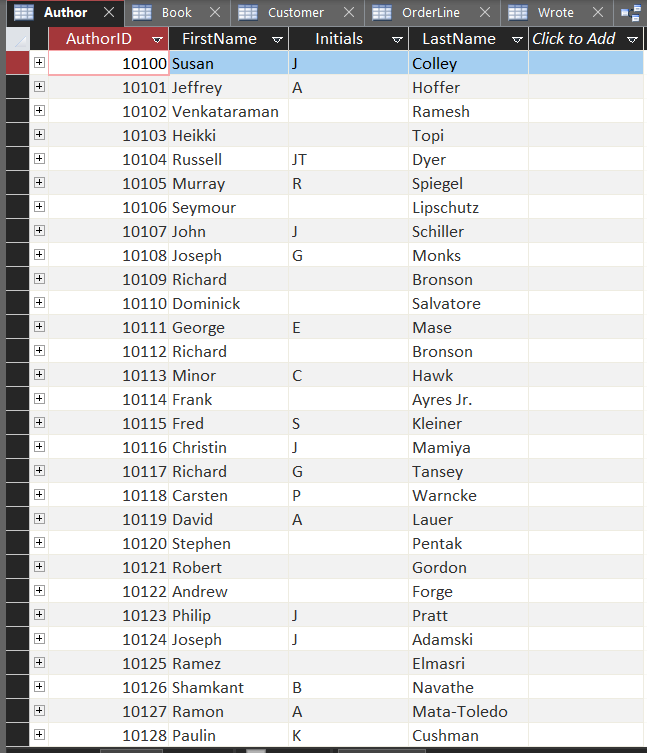
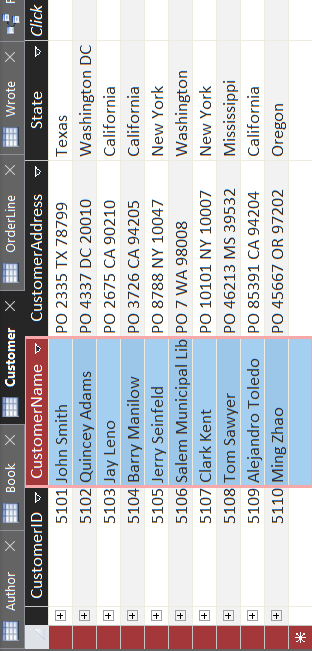
Q1. Obtain the names and addresses of all customers who ordered a book by Susan Colley. Avoid repetitions.
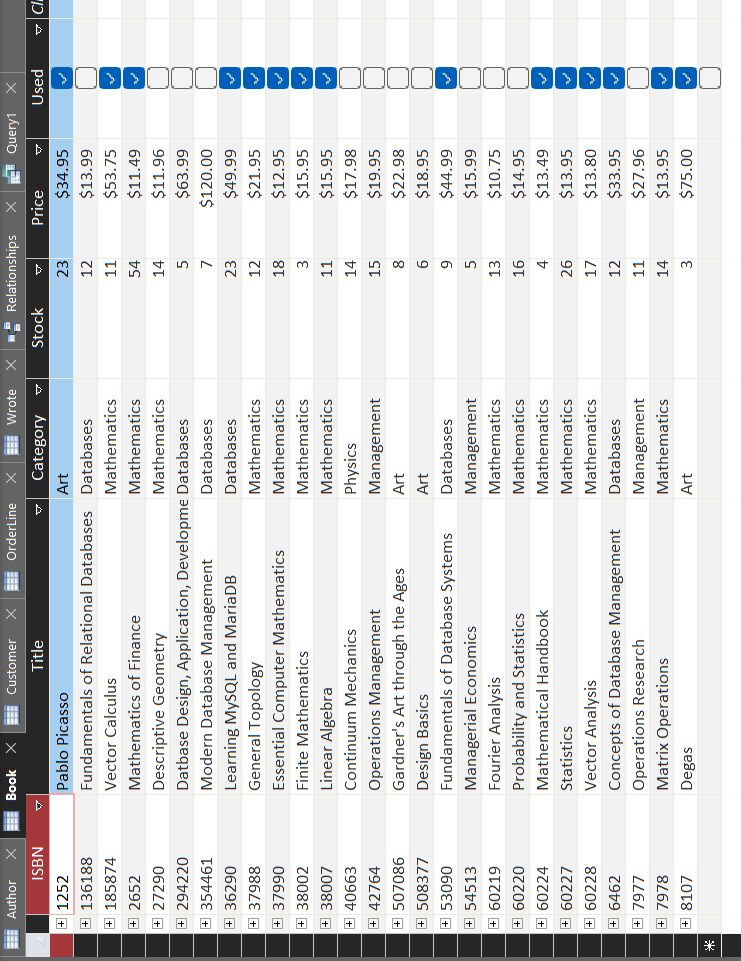
Q2. Obtain the average, minimum and maximum prices of all Mathematics books that were ordered
Q3. Obtain the Last and First Names of all second authors whose books were ordered. Print these names next to their book titles. Show also the total amount sold of each of these titles. The total amount sold is the quantity of books in a orderline multiplied by their price and added for all orders of the same author. Order the results in descending order of the total amount sold (Hint: Use the SUM function to add the multiplications and GROUP BY to make these additions per author and title).
Q4. Obtain the CustomerIDs and the names of the customers that have made more than one order (actually orderlines) of any given title. List next to the customer name also the title of a book and the number of all orders made of that title by the customer. Order the results in descending order of the number of orders.
Q5. Obtain the average price before discount of all books that were delivered after May 5, 2016.
Q6. Obtain the minimum, maximum and average price of all ordered books per category. Use prices before discounts. Sort the list in descending order of average price. Do not include average prices smaller than S20.00.
Q7. Obtain the names of all customers that bought the most expensive book(s). Sort the names alphabetically. Hint: Use subqueries to find the ISBN(s) of the most expensive book(s).
Q8. Obtain the total of all discounted prices of all books ordered by the Customer Jerry Seinfeld. The discounted price is calculated by multiplying the Quantity sold of a title by its Price and by (1-PercentageDiscount/100).
Q9. Obtain the book titles, the last name of their first authors, and the sum of all copies of the book sold. Include only the titles with more than 5 copies ordered by customers in total. Sort the list in descending number of books sold.
Q10. Obtain the ISBN, title and author last names of all books that were not ordered ever. Hint: Use a subquery to find a list with the ISBNs of all ordered books. The ones that were not ordered should not be in that list.
Microsoft Access Relationship Map:
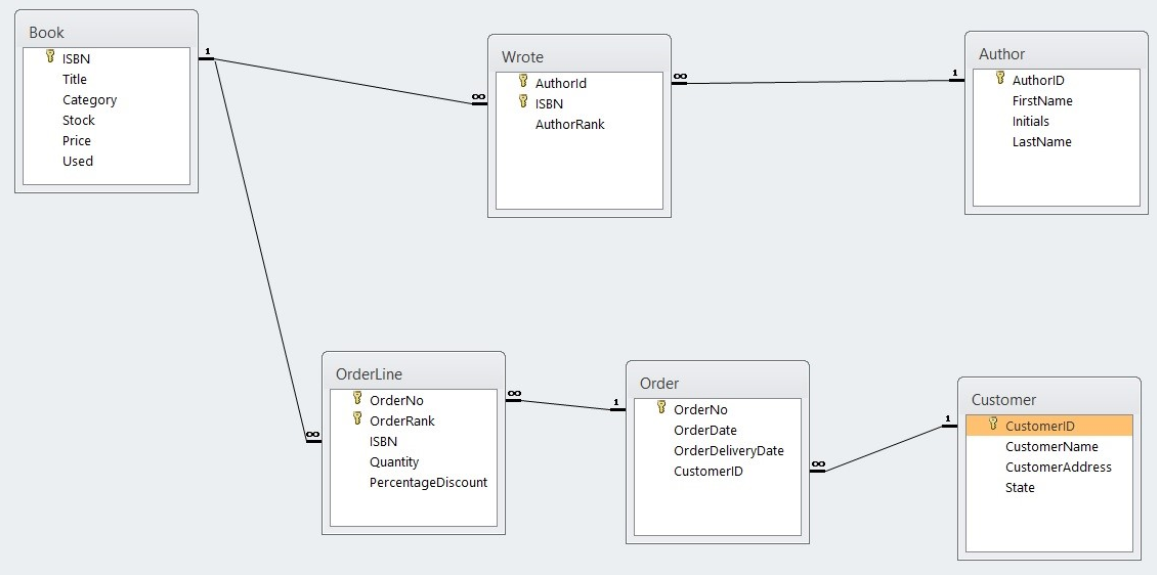
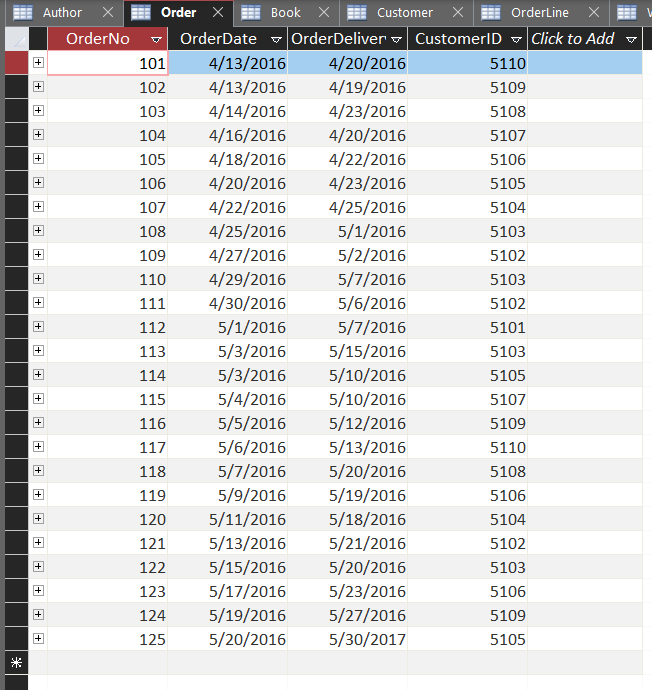
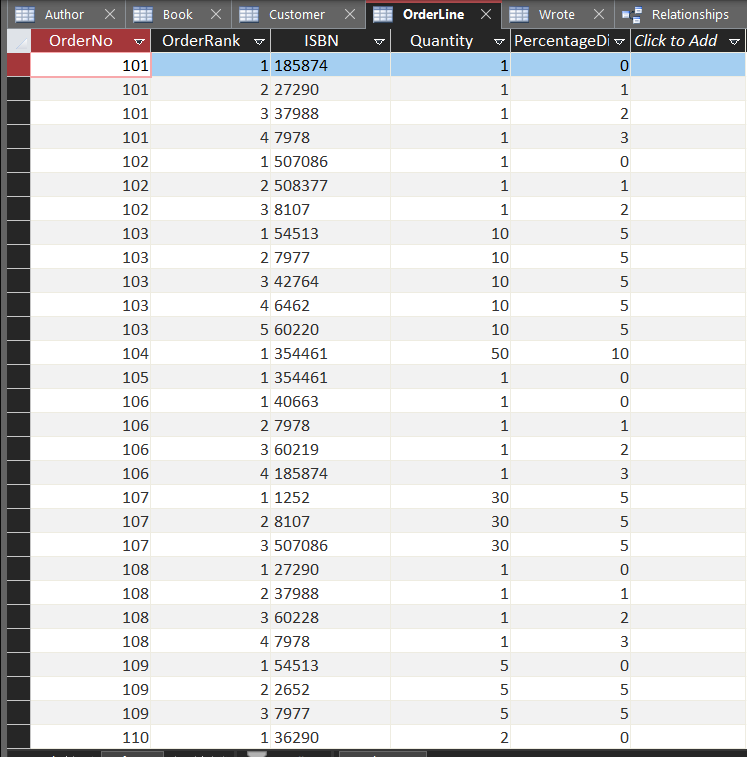
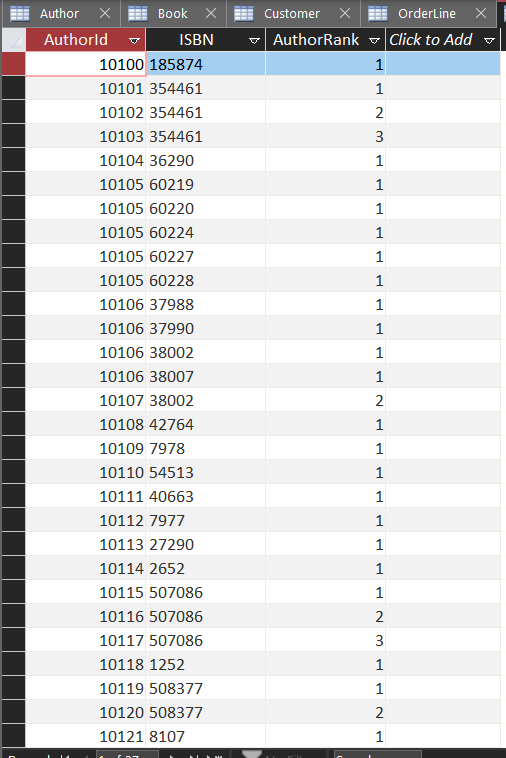
\begin{tabular}{l} Book \\ \hline ISBN \\ Title \\ Category \\ Stock \\ Price \\ Used \\ \hline \end{tabular} OrderLine \begin{tabular}{l} 8 OrderNo \\ 8 OrderRank \\ ISBN \\ Quantity \\ PercentageDiscount \\ \hline \end{tabular} Customer 1 OrderDate OrderDeliveryDate CustomeriD CustomerAddress State
Step by Step Solution
There are 3 Steps involved in it

Get step-by-step solutions from verified subject matter experts
 Study Help