







Question: You need to create a program to calculate the total amount due for ordering any quantity of the three items you sell in your store
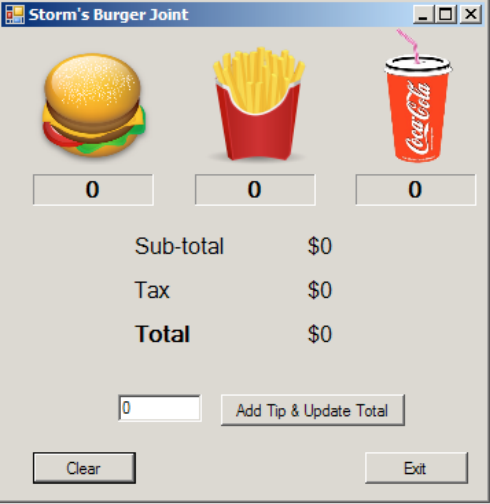
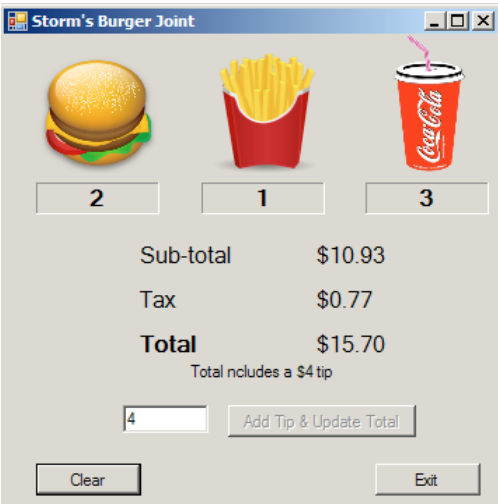
You need to create a program to calculate the total amount due for ordering any quantity of the three items you sell in your store (you can sell any items you want). Form layout and how the user selects the items is up to you but the program must be robust updating the individual item count, subtotal, tax, and total as each item is added. There will also be a box for entering a tip (tips are not taxed). When a tip is added, a message box will appear if the value entered is not a number, otherwise a label will appear indicating that the total includes a tip (label includes the tips value). The form will have a Clear button to clear everything and an Exit button to terminate the program.
Getting Started:
1. Create the form Identifying each control used
2. Add each control setting the name and text property
3. Declare variables for (pay attention to variable scope):
a. item counters - Keeps track of how many times an item was clicked) Example: Dim intCokeCount As Integer = 0
b. Item price - A constant for each item holding the price of the item Example: Const dblBURGER_COST As Double = 3.27
c. Tax Rate - A constant containing the tax rate d. Total, Tip, and Tax These will be used in the form labels
4. Code the image click event. Each image click does essentially the same thing so once you have one working, the rest will fall into place
a. Update the counter for that image Example: lblCokeCount = intCokeCount + 1
b. Calculate the Subtotal Subtotal is Subtotal + item cost
c. Calculate Tax Tax is Subtotal * tax rate
d. Calculate Total Total is Subtotal + Tax
e. Update form labels using ToString currency format Example: lblTotal.Text = dblTotal.ToString(c)
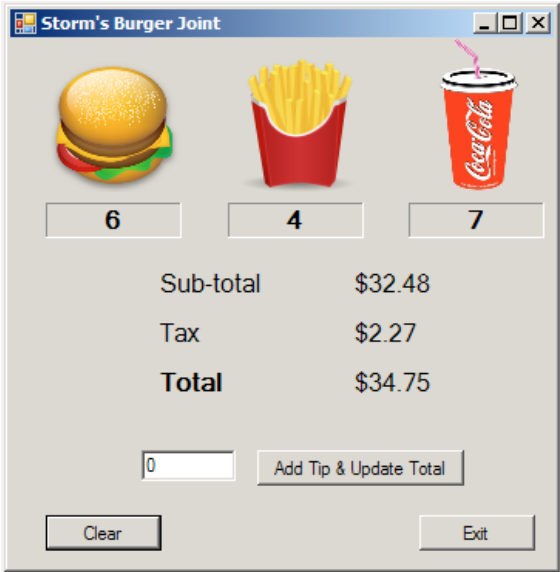
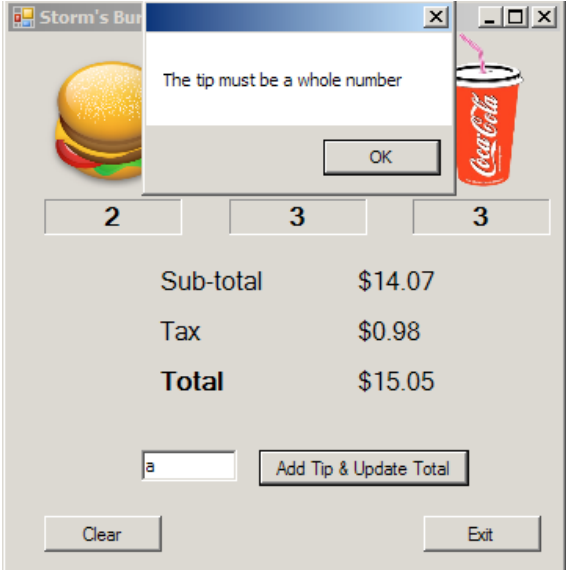
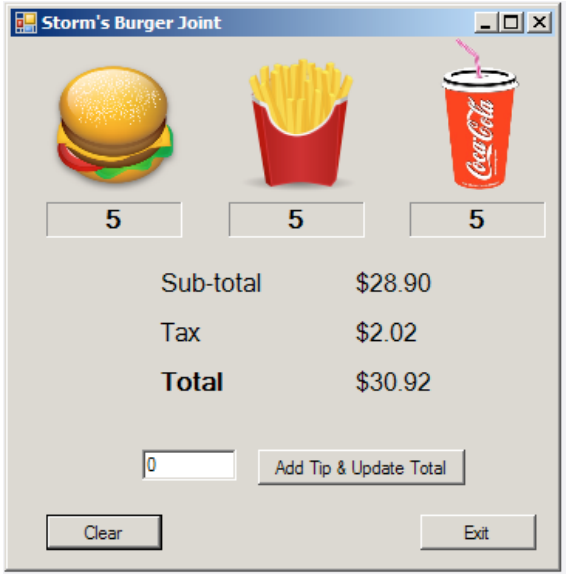
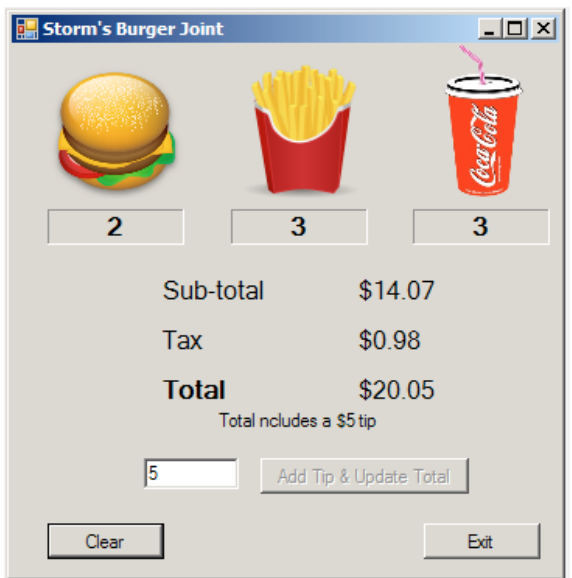
Requirements Comment your code!!! Updating the individual item count, subtotal, tax, and total is robust and occurs as each item is clicked Regardless of the items you sell, the values must be (left to right): 3.27, 1.57, and .94 with a .07 tax rate Tips label will include the amount of tip entered but is only displayed if there is a tip Tips are not taxed After clicking the add tip button, it becomes disabled Declare TaxRate and item costs as Constants Subtotal, Tax and Total must have a currency format Handle exception if a number is not entered for a tip Clear is the forms AcceptButton & Exit is the forms CancelButton Set Tab Order to: Clear button, tip textbox, tip button, then exit button Have keyboard access to Tip, Clear and Exit buttons
Storm's Burger Joint 0 0 0 Sub-total Tax Total $0 $0 $0 Add Tip & Update Total Clear Exit
Step by Step Solution
There are 3 Steps involved in it

Get step-by-step solutions from verified subject matter experts
 Study Help