







Question: You should now be familiar with MATLAB's built-in max function. Without using the built-in max(), min() and sort() functions, write a function that takes vector
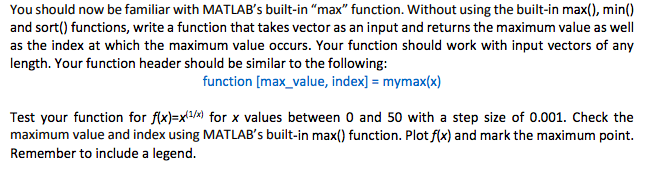
You should now be familiar with MATLAB's built-in "max" function. Without using the built-in max(), min() and sort() functions, write a function that takes vector as an input and returns the maximum value as well as the index at which the maximum value occurs. Your function should work with input vectors of any length. Your function header should be similar to the following function [max_value, index] mymax(x) Test your function for f(x)-x*) for x values between 0 and 50 with a step size of 0.001. Check the maximum value and index using MATLAB's built-in max() function. Plot f(x) and mark the maximum point. Remember to include a legend
Step by Step Solution
There are 3 Steps involved in it

Get step-by-step solutions from verified subject matter experts
 Study Help