







Question: You will be working extensively with a two dimensional character array in this assignment to simulate a robot navigating a series of rooms to an
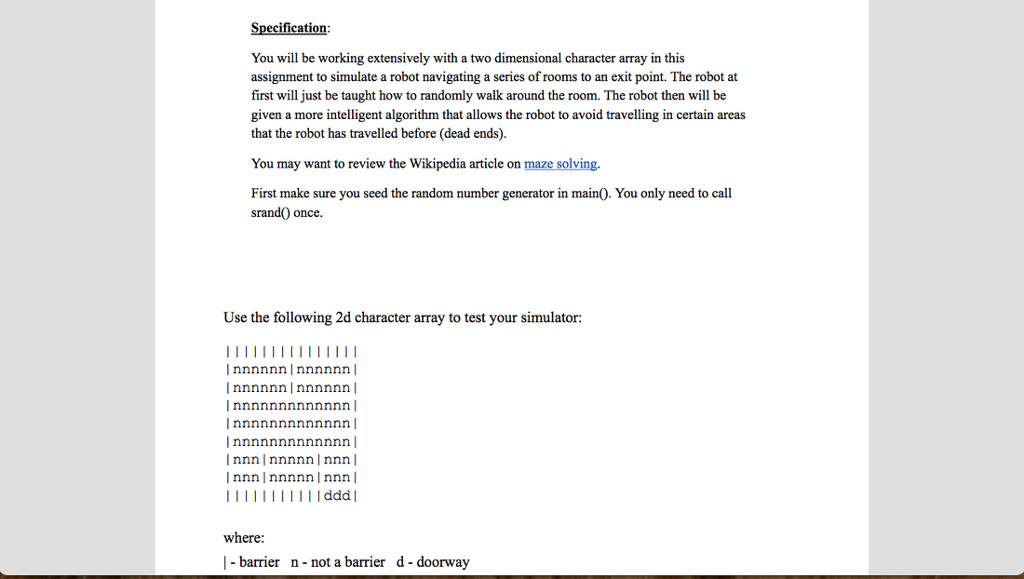
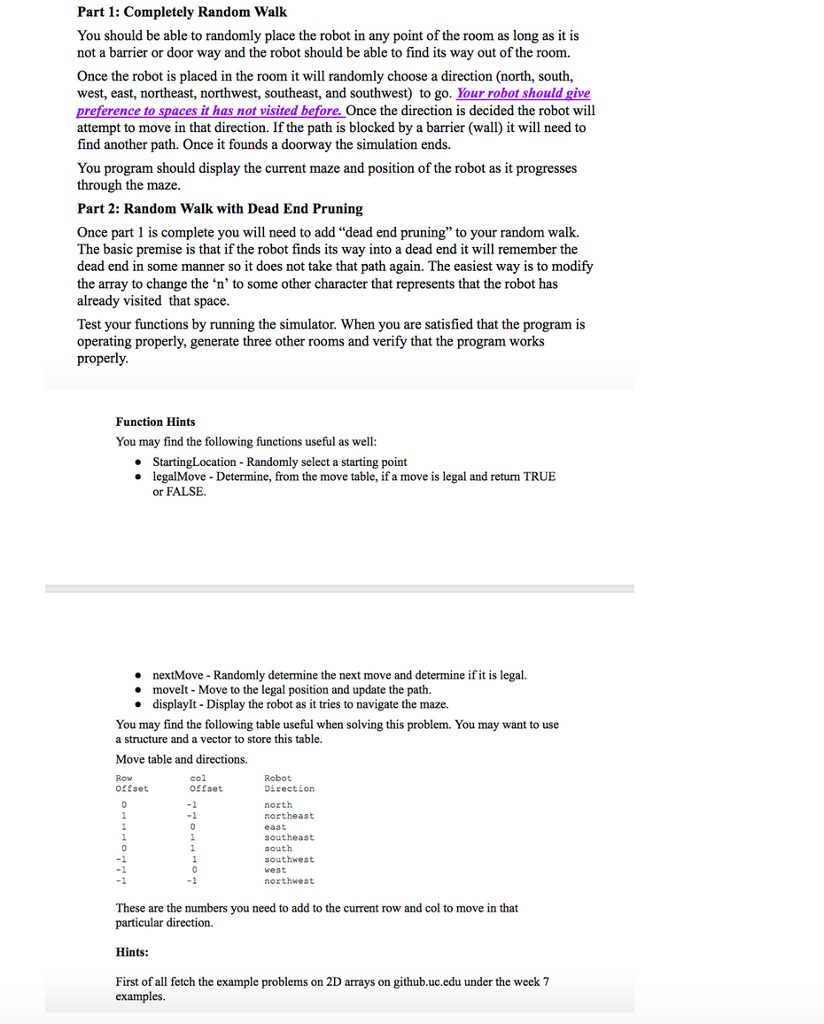
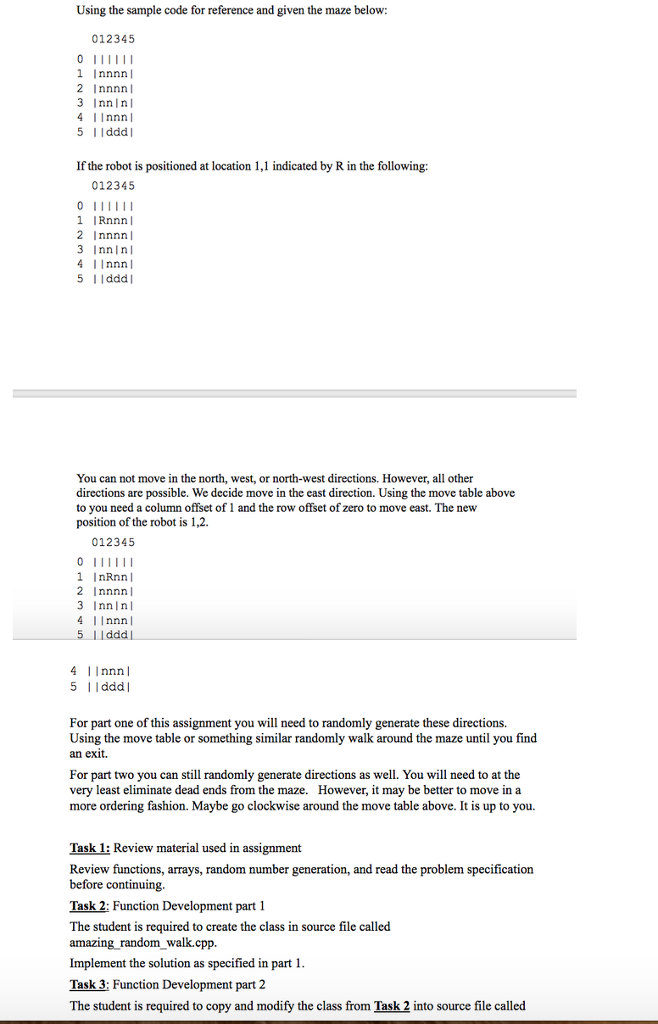


You will be working extensively with a two dimensional character array in this assignment to simulate a robot navigating a series of rooms to an exit point. The robot at first will just be taught how to randomly walk around the room. The robot then will be given a more intelligent algorithm that allows the robot to avoid travelling in certain areas that the robot has travelled before (dead ends). You may want to review the Wikipedia article on maze solving. First make sure you seed the random number generator in main(). You only need to call srand() once. Use the following 2d character array to test your simulator: where: | - barrier n - not a barrier d - doorway You should be able to randomly place the robot in any point of the room as long as it is not a barrier or door way and the robot should be able to find its way out of the room. Once the robot is placed in the room it will randomly choose a direction (north, south, west, east, northeast, northwest, southeast, and southwest) to go. Your robot should give preference to spaces it has not visited before. Once the direction is decided the robot will attempt to move in that direction. If the path is blocked by a barrier (wall) it will need to find another path. Once it founds a doorway the simulation ends. You program should display the current maze and position of the robot as it progresses through the maze. Once part 1 is complete you will need to add "dead end pruning" to your random walk. The basic premise is that if the robot finds its way into a dead end it will remember the dead end in some manner so it does not take that path again. The easiest way is to modify the array to change the 'n' to some other character that represents that the robot has already visited that space. Test your functions by running the simulator. When you are satisfied that the program is operating properly, generate three other rooms and verify that the program works properly. You may find the following functions useful as well: StartingLocation - Randomly select a starting point legalMove - Determine, from the move table, if a move is legal and return TRUE or FALSE. nextMove - Randomly determine the next move and determine if it is legal. moveIt - Move to the legal position and update the path. displayIt - Display the robot as it tries to navigate the maze. You may find the following table useful when solving this problem. You may want to use a structure and a vector to store this table. Move table and directions. These are the numbers you need to add to the current row and col to move in that particular direction. Using the sample code for reference and given the maze below: If the robot is positioned at location 1, 1 indicated by R in the following: You can not move in the north, west, or north-west directions. However, all other directions are possible. We decide move in the cast direction. Using the move table above to you need a column offset of 1 and the row offset of zero to move east. The new position of the robot is 1, 2. For part one of this assignment you will need to randomly generate these directions. Using the move table or something similar randomly walk around the maze until you find an exit. For part two you can still randomly generate directions as well. You will need to at the very least eliminate dead ends from the maze. However, it may be better to move in a more ordering fashion. Maybe go clockwise around the move table above. It is up to you. Task 1: Review material used in assignment Review functions, arrays, random number generation, and read the problem specification before continuing. Task 2: Function Development part 1 The student is required to create the class in source file called amazing_random_walk.cpp. Implement the solution as specified in part 1. Task 3: Function Development part 2 The student is required to copy and modify the class from Task 2 into source file called Complete function please: heater and main function included. Complete function please: heater and main function included
Step by Step Solution
There are 3 Steps involved in it

Get step-by-step solutions from verified subject matter experts
 Study Help