







Question: You will now implement the behaviour for a !divide chatbot command. For this command, you may assume that the user always provides two numbers,
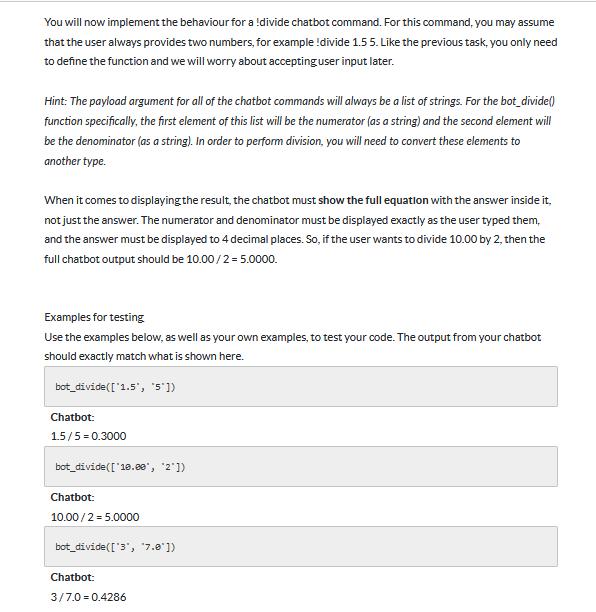
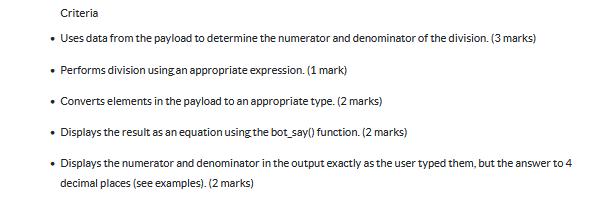
You will now implement the behaviour for a !divide chatbot command. For this command, you may assume that the user always provides two numbers, for example !divide 1.5 5. Like the previous task, you only need to define the function and we will worry about accepting user input later. Hint: The payload argument for all of the chatbot commands will always be a list of strings. For the bot_divide() function specifically, the first element of this list will be the numerator (as a string) and the second element will be the denominator (as a string). In order to perform division, you will need to convert these elements to another type. When it comes to displaying the result, the chatbot must show the full equation with the answer inside it. not just the answer. The numerator and denominator must be displayed exactly as the user typed them, and the answer must be displayed to 4 decimal places. So, if the user wants to divide 10.00 by 2, then the full chatbot output should be 10.00/2 = 5.0000. Examples for testing Use the examples below, as well as your own examples, to test your code. The output from your chatbot should exactly match what is shown here. bot divide(['1.5', '5']) Chatbot: 1.5/5 = 0.3000 bot divide(['10.00', '2']) Chatbot: 10.00/2 5.0000 bot divide(['3', '7.0']) Chatbot: 3/7.0 0.4286 Criteria Uses data from the payload to determine the numerator and denominator of the division. (3 marks) Performs division using an appropriate expression. (1 mark) Converts elements in the payload to an appropriate type. (2 marks) Displays the result as an equation using the bot say() function. (2 marks) Displays the numerator and denominator in the output exactly as the user typed them, but the answer to 4 decimal places (see examples). (2 marks)
Step by Step Solution
There are 3 Steps involved in it
Certainly Heres how the botdivide function ... View full answer

Get step-by-step solutions from verified subject matter experts
 Study Help