







Question: You'll work with a .csv file named Ecommerce Customers. It has Customer info, such as Email, Address, and their color Avatar. Then it also has
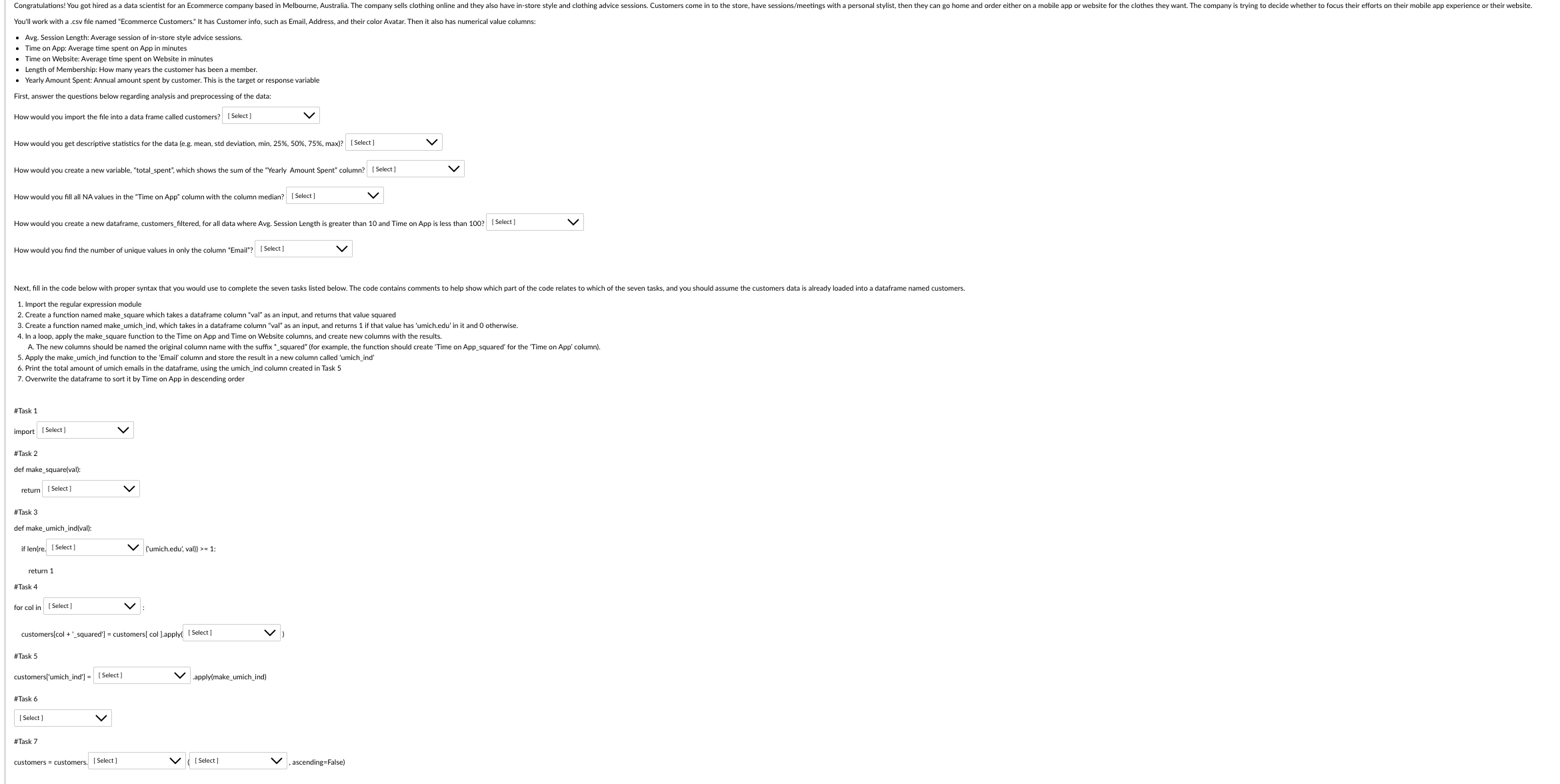
You'll work with a .csv file named "Ecommerce Customers." It has Customer info, such as Email, Address, and their color Avatar. Then it also has numerical value columns - Avg. Session Length: Average session of in-store style advice sessions. - Time on App: Average time spent on App in minutes - Length of Membership: How many years the customer has been a member. First, answer the questions below regarding analysis and preprocessing of the data: How would you import the file into a data frame called customers? [Select] 1. Import the regular expression module 2. Create a function named make_square which takes a dataframe column "val" as an input, and returms that value squared 3. Create a function named make_umich_ind, which takes in a dataframe column "val" as an input, and returns 1 if that value has 'umich.ed ' In 4. In a loop, apply the make_square function to the Time on App and Time on Website columns, and create new columns with the results. 4. In a loop, apply the make_-square function to the Time on App and Time on Website columns, and create new columns with the results. A. The new columns should be named the original column name with the suffix -squared' (for example, the function should create 'Time on App_squared' for the 'Time on App' column). 5. Apply the make_umich_ind function to the 'Email' column and store the result in a new column called 'U 6. Print the total amount of umich emails in the dataframe, using the umich_ind column created in Task 5 7. Overwrite the dataframe to sort it by Time on App in descending order
Step by Step Solution
There are 3 Steps involved in it

Get step-by-step solutions from verified subject matter experts
 Study Help