





Question: Your goal is to reduce the processing time by dividing the workload among several threads (e.g., 4 threads) using OpenMP (but don't use the parallel

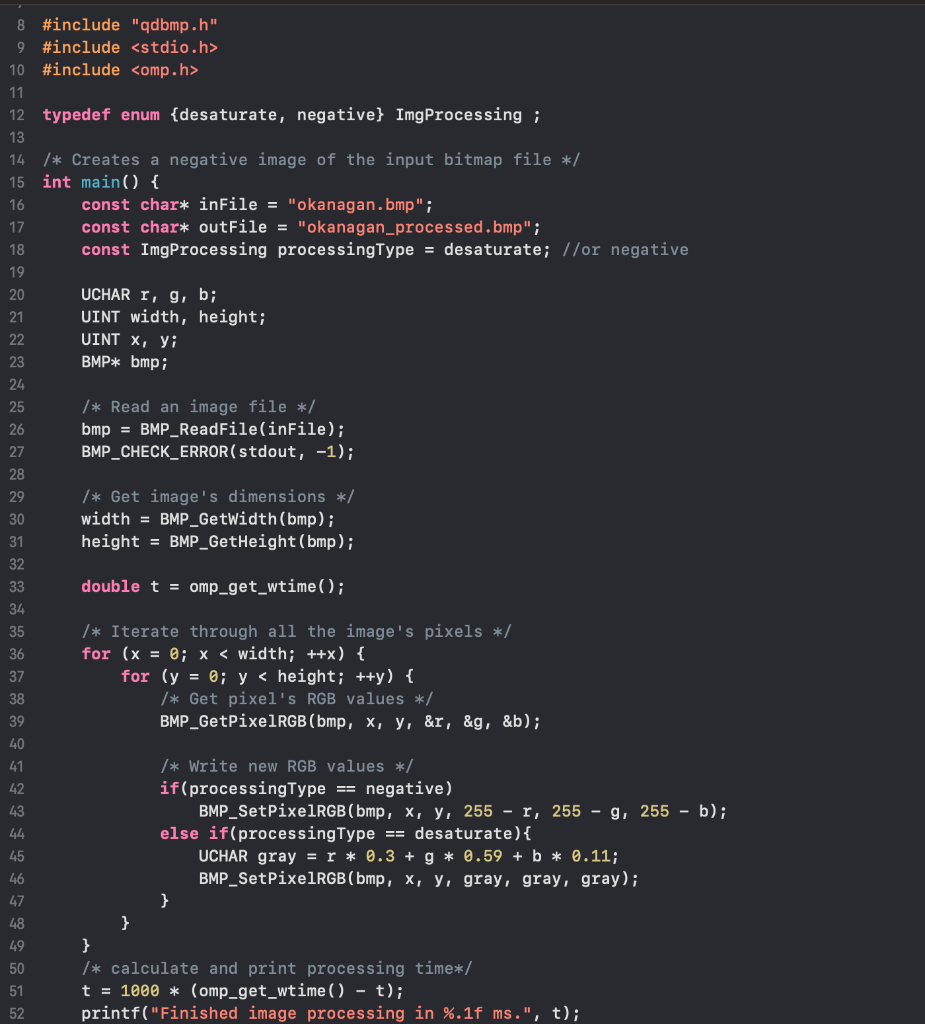
 Your goal is to reduce the processing time by dividing theworkload among several threads (e.g., 4 threads) using OpenMP (but don't use

the parallel for directive). To verify the correctness of your code, check

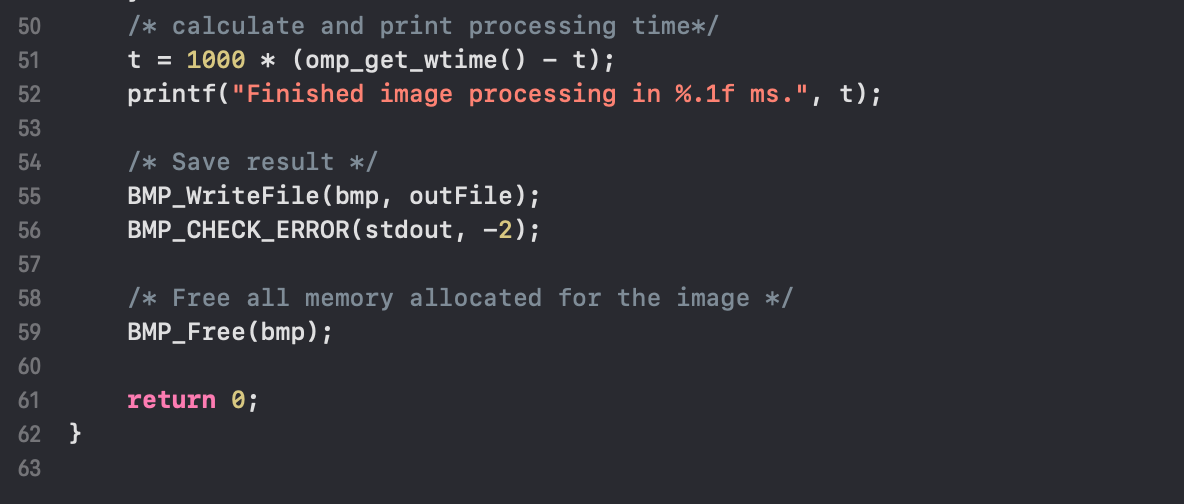
Your goal is to reduce the processing time by dividing the workload among several threads (e.g., 4 threads) using OpenMP (but don't use the parallel for directive). To verify the correctness of your code, check the output image as well as the processing time (printed out in the console). Report the processing times for 2, 4, 8, 16 threads as a comment in your code. 8 #include "qdbmp.h" 9 #include 10 #include 12 typedef enum {desaturate, negative} ImgProcessing ; 14 /* Creates a negative image of the input bitmap file */ 15 int main() { 16 const char* inFile = "okanagan.bmp"; const char* outFile = "okanagan_processed.bmp"; const ImgProcessing processingType = desaturate; //or negative 17 UCHAR r, g, b; UINT width, height; UINT X, Yi BMP* bmp; 26 /* Read an image file */ bmp = BMP_ReadFile(inFile); BMP_CHECK_ERROR(stdout, -1); 28 /* Get image's dimensions */ width = BMP_GetWidth(bmp); height = BMP_GetHeight (bmp); 31 32 double t = omp_get_wtime(); 33 34 35 36 /* Iterate through all the image's pixels */ for (x = 0; x 10 #include 12 typedef enum {desaturate, negative} ImgProcessing ; 14 /* Creates a negative image of the input bitmap file */ 15 int main() { 16 const char* inFile = "okanagan.bmp"; const char* outFile = "okanagan_processed.bmp"; const ImgProcessing processingType = desaturate; //or negative 17 UCHAR r, g, b; UINT width, height; UINT X, Yi BMP* bmp; 26 /* Read an image file */ bmp = BMP_ReadFile(inFile); BMP_CHECK_ERROR(stdout, -1); 28 /* Get image's dimensions */ width = BMP_GetWidth(bmp); height = BMP_GetHeight (bmp); 31 32 double t = omp_get_wtime(); 33 34 35 36 /* Iterate through all the image's pixels */ for (x = 0; x
Step by Step Solution

There are 3 Steps involved in it

1 Expert Approved Answer
Step: 1 Unlock blur-text-image
Question Has Been Solved by an Expert!

Get step-by-step solutions from verified subject matter experts

Step: 2 Unlock
Step: 3 Unlock

Students Have Also Explored These Related Databases Questions!