







Question: your tables, especially to test your queries. 1) Tables: Fields (keys in yellow, foreign keys in blue) - Project: id (number), client (number), start (short
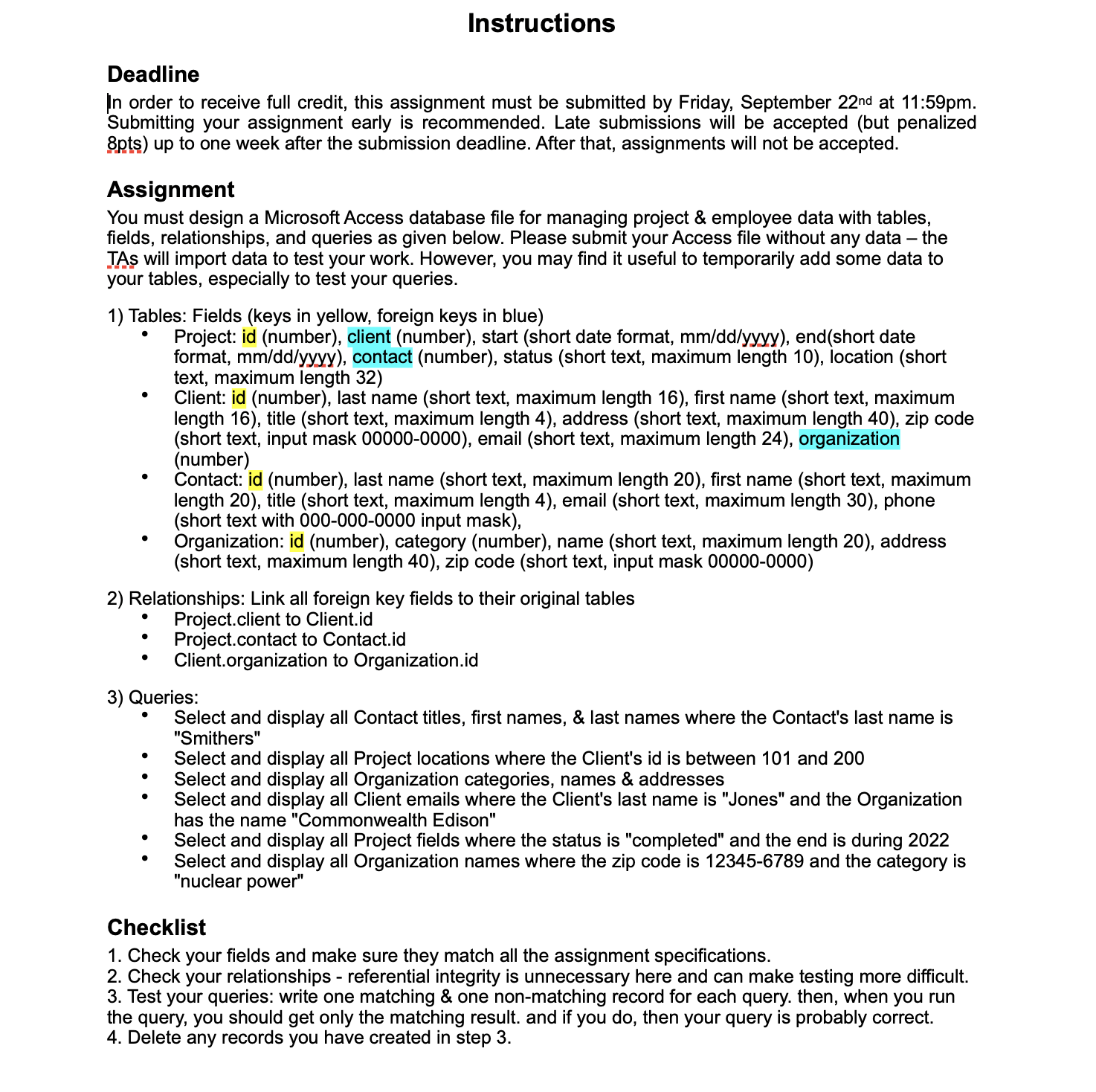
your tables, especially to test your queries. 1) Tables: Fields (keys in yellow, foreign keys in blue) - Project: id (number), client (number), start (short date format, mm/dd/yyyy ), end(short date format, mm/dd/yyyy ), contact (number), status (short text, maximum length 10), location (short text, maximum length 32 ) - Client: id (number), last name (short text, maximum length 16), first name (short text, maximum length 16), title (short text, maximum length 4), address (short text, maximum length 40 ), zip code (short text, input mask 00000-0000), email (short text, maximum length 24), organization (number) - Contact: id (number), last name (short text, maximum length 20), first name (short text, maximum length 20), title (short text, maximum length 4), email (short text, maximum length 30 ), phone (short text with 000-000-0000 input mask), - Organization: id (number), category (number), name (short text, maximum length 20), address (short text, maximum length 40), zip code (short text, input mask 00000-0000) 2) Relationships: Link all foreign key fields to their original tables - Project.client to Client.id - Project.contact to Contact.id - Client.organization to Organization.id 3) Queries: - Select and display all Contact titles, first names, \& last names where the Contact's last name is "Smithers" - Select and display all Project locations where the Client's id is between 101 and 200 - Select and display all Organization categories, names \& addresses - Select and display all Client emails where the Client's last name is "Jones" and the Organization has the name "Commonwealth Edison" - Select and display all Project fields where the status is "completed" and the end is during 2022 - Select and display all Organization names where the zip code is 123456789 and the category is "nuclear power" Checklist 1. Check your fields and make sure they match all the assignment specifications. 2. Check your relationships - referential integrity is unnecessary here and can make testing more difficult. 3. Test your queries: write one matching \& one non-matching record for each query. then, when you run the query, you should get only the matching result. and if you do, then your query is probably correct. 4. Delete any records you have created in step 3
Step by Step Solution
There are 3 Steps involved in it

Get step-by-step solutions from verified subject matter experts
 Study Help