







Question: Your Task Clearly, using the Midpoint Method with more than a few rectangles is difficult due to the large number of calculations involved. However, MATLAB
Your Task
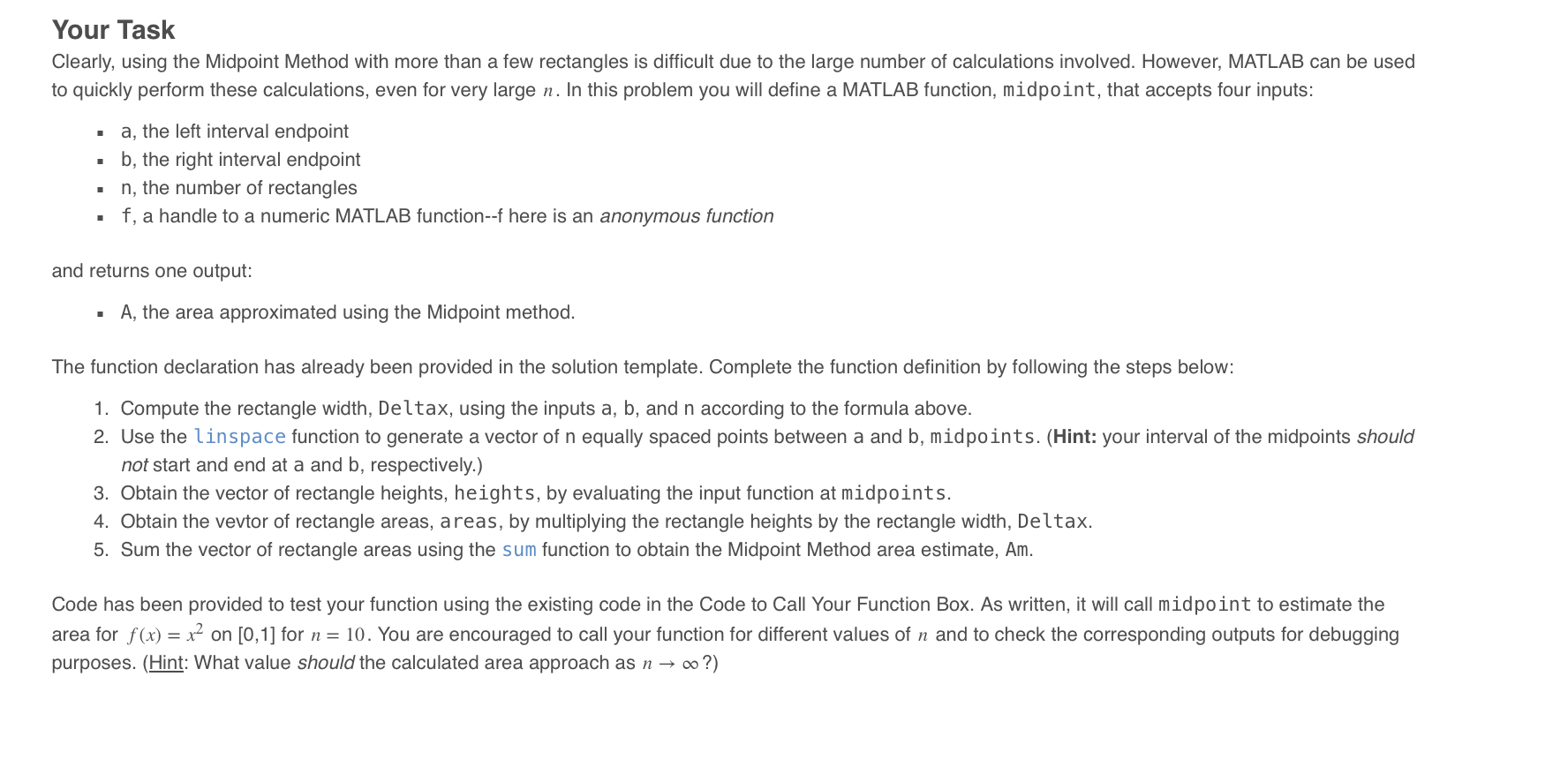
Clearly, using the Midpoint Method with more than a few rectangles is difficult due to the large number of calculations involved. However, MATLAB can be used
to quickly perform these calculations, even for very large In this problem you will define a MATLAB function, midpoint, that accepts four inputs:
a the left interval endpoint
b the right interval endpoint
the number of rectangles
a handle to a numeric MATLAB function here is an anonymous function
and returns one output:
A the area approximated using the Midpoint method.
The function declaration has already been provided in the solution template. Complete the function definition by following the steps below:
Compute the rectangle width, Deltax, using the inputs and according to the formula above.
Use the linspace function to generate a vector of equally spaced points between a and b midpoints. Hint: your interval of the midpoints should
not start and end at a and b respectively.
Obtain the vector of rectangle heights, heights, by evaluating the input function at midpoints.
Obtain the vevtor of rectangle areas, a reas, by multiplying the rectangle heights by the rectangle width, Deltax.
Sum the vector of rectangle areas using the sum function to obtain the Midpoint Method area estimate, Am
Code has been provided to test your function using the existing code in the Code to Call Your Function Box. As written, it will call midpoint to estimate the
area for on for You are encouraged to call your function for different values of and to check the corresponding outputs for debugging
purposes. Hint: What value should the calculated area approach as
Step by Step Solution
There are 3 Steps involved in it
1 Expert Approved Answer
Step: 1 Unlock

Question Has Been Solved by an Expert!
Get step-by-step solutions from verified subject matter experts
Step: 2 Unlock
Step: 3 Unlock
 Study Help