







Question: Your task is to write a subroutine that lets users input a string one character at a time, using the Input instruction. The subroutine should
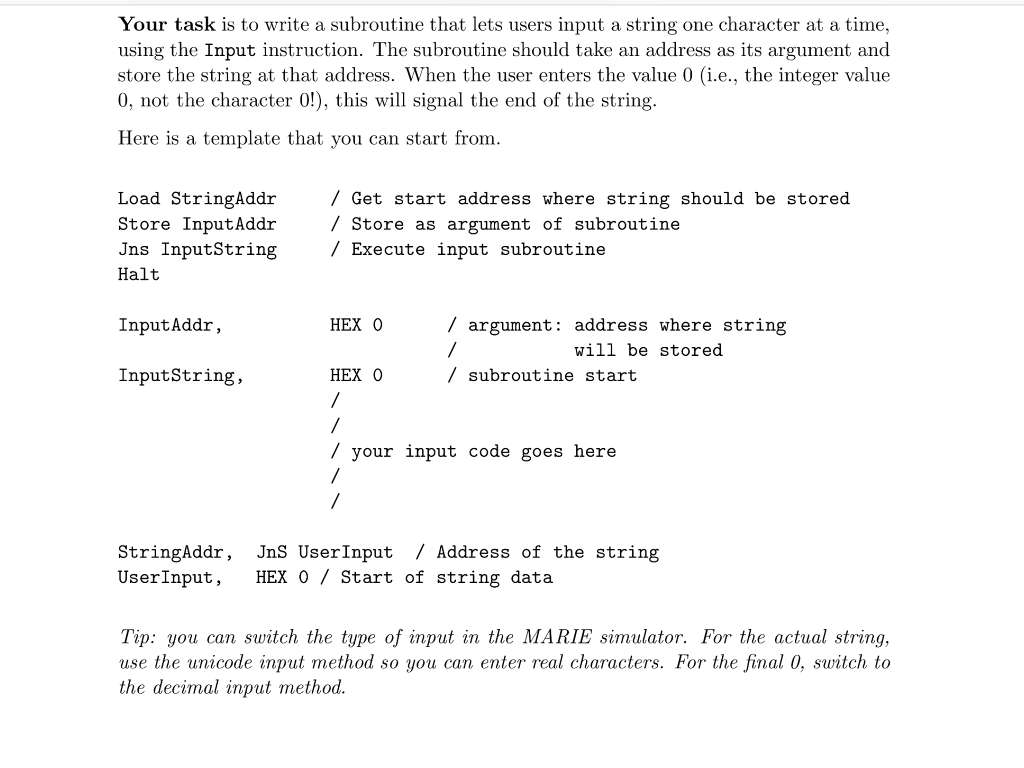
Your task is to write a subroutine that lets users input a string one character at a time, using the Input instruction. The subroutine should take an address as its argument and store the string at that address. When the user enters the value 0 (i.e., the integer value 0, not the character 0!), this will signal the end of the string Here is a template that you can start from Load StringAddir Store InputAddr Jns InputString Halt / Get start address where string should be stored / Store as argument of subroutine / Execute input subroutine InputAddr, HEX O / argument: address where string will be stored InputString, HEX 0 / subroutine start / your input code goes here StringAddr, JnS UserInput / Address of the string UserInput, HEX 0 / Start of string data Tip: you can switch the type of input in the MARIE simulator. For the actual string, use the unicode input method so you can enter real characters. For the final 0, switch to the decimal input method Your task is to write a subroutine that lets users input a string one character at a time, using the Input instruction. The subroutine should take an address as its argument and store the string at that address. When the user enters the value 0 (i.e., the integer value 0, not the character 0!), this will signal the end of the string Here is a template that you can start from Load StringAddir Store InputAddr Jns InputString Halt / Get start address where string should be stored / Store as argument of subroutine / Execute input subroutine InputAddr, HEX O / argument: address where string will be stored InputString, HEX 0 / subroutine start / your input code goes here StringAddr, JnS UserInput / Address of the string UserInput, HEX 0 / Start of string data Tip: you can switch the type of input in the MARIE simulator. For the actual string, use the unicode input method so you can enter real characters. For the final 0, switch to the decimal input method
Step by Step Solution
There are 3 Steps involved in it

Get step-by-step solutions from verified subject matter experts
 Study Help