







Question: Your Tasks in this Assignment 1. Create a new database and name it SealSwimClub-Firstnamelastname.accdb. Save it onto your computer. (2 pts) 2. In this database,
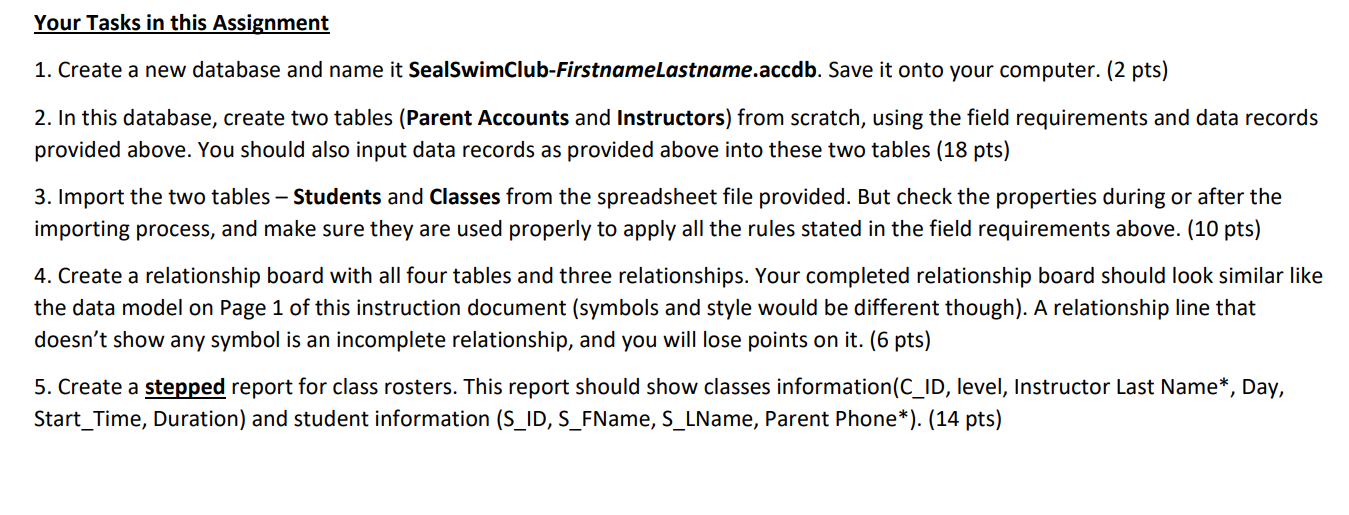
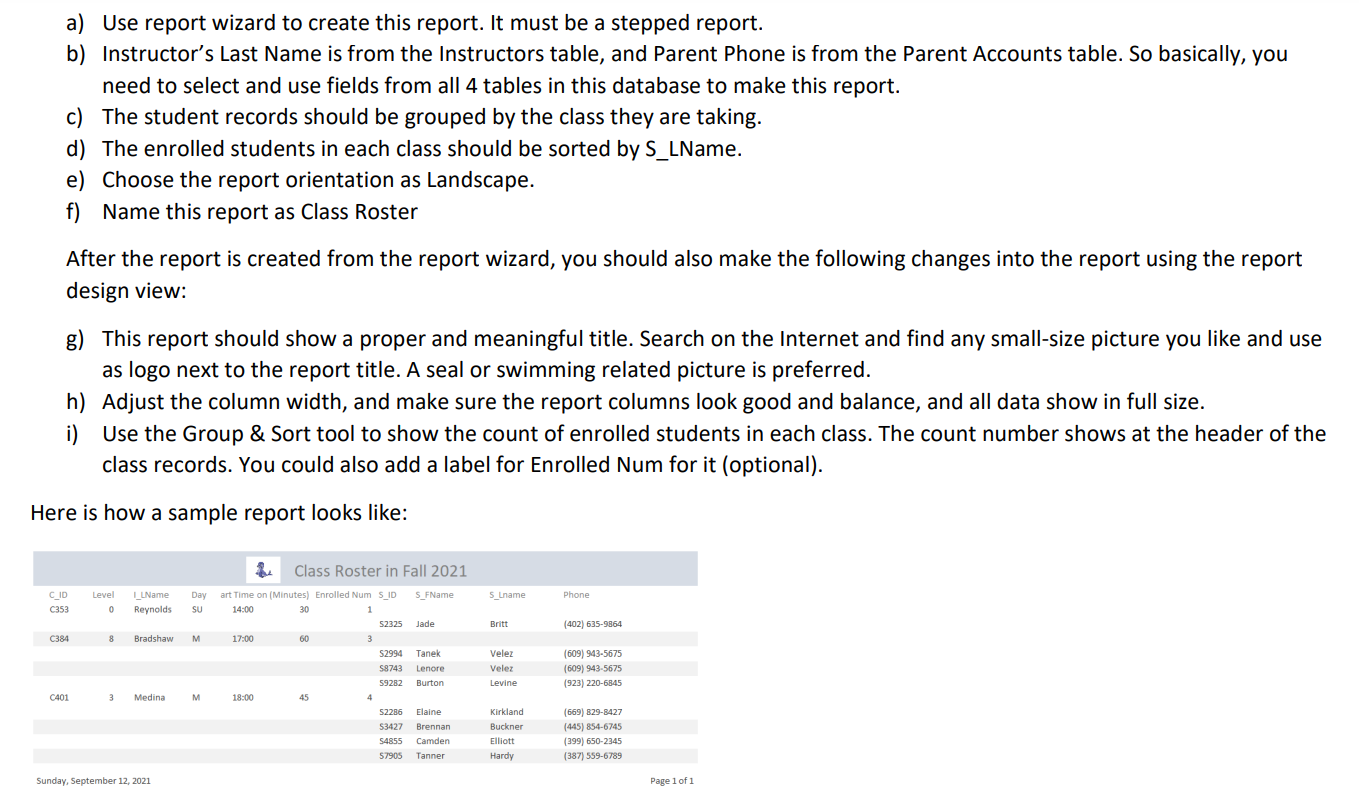
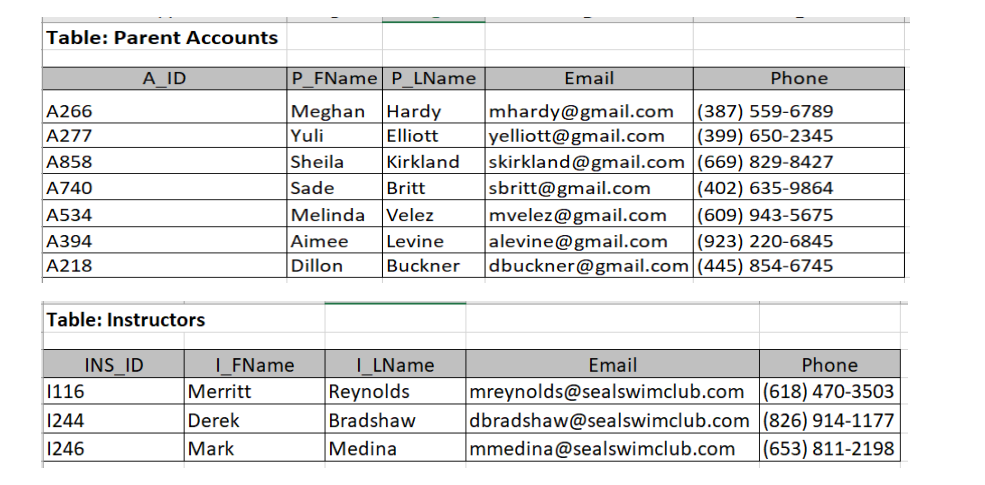
Your Tasks in this Assignment 1. Create a new database and name it SealSwimClub-Firstnamelastname.accdb. Save it onto your computer. (2 pts) 2. In this database, create two tables (Parent Accounts and Instructors) from scratch, using the field requirements and data records provided above. You should also input data records as provided above into these two tables (18 pts) 3. Import the two tables - Students and Classes from the spreadsheet file provided. But check the properties during or after the importing process, and make sure they are used properly to apply all the rules stated in the field requirements above. (10 pts) 4. Create a relationship board with all four tables and three relationships. Your completed relationship board should look similar like the data model on Page 1 of this instruction document (symbols and style would be different though). A relationship line that doesn't show any symbol is an incomplete relationship, and you will lose points on it. (6 pts) 5. Create a stepped report for class rosters. This report should show classes information(C_ID, level, Instructor Last Name*, Day, Start_Time, Duration) and student information (S_ID, S_FName, S_LName, Parent Phone*). (14 pts) a) Use report wizard to create this report. It must be a stepped report. b) Instructor's Last Name is from the Instructors table, and Parent Phone is from the Parent Accounts table. So basically, you need to select and use fields from all 4 tables in this database to make this report. c) The student records should be grouped by the class they are taking. d) The enrolled students in each class should be sorted by S_LName. e) Choose the report orientation as Landscape. f) Name this report as Class Roster After the report is created from the report wizard, you should also make the following changes into the report using the report design view: g) This report should show a proper and meaningful title. Search on the Internet and find any small-size picture you like and use as logo next to the report title. A seal or swimming related picture is preferred. h) Adjust the column width, and make sure the report columns look good and balance, and all data show in full size. i) Use the Group \& Sort tool to show the count of enrolled students in each class. The count number shows at the header of the class records. You could also add a label for Enrolled Num for it (optional). tere is how a sample report looks like: Table: Parent Accounts \begin{tabular}{|l|l|l|l|l|} \hline \multicolumn{1}{|c|}{ A_ID } & P_FName & P_LName & \multicolumn{1}{|c|}{ Email } & \multicolumn{1}{c|}{ Phone } \\ \hline A266 & Meghan & Hardy & mhardy@gmail.com & (387) 559-6789 \\ \hline A277 & Yuli & Elliott & yelliott@gmail.com & (399)6502345 \\ \hline A858 & Sheila & Kirkland & skirkland@gmail.com & (669) 829-8427 \\ \hline A740 & Sade & Britt & sbritt@gmail.com & (402) 635-9864 \\ \hline A534 & Melinda & Velez & mvelez@gmail.com & (609) 943-5675 \\ \hline A394 & Aimee & Levine & alevine@gmail.com & (923) 220-6845 \\ \hline A218 & Dillon & Buckner & dbuckner@gmail.com & (445) 854-6745 \\ \hline \end{tabular} Table: Instructors \begin{tabular}{|l|l|l|l|c|} \hline \multicolumn{1}{|c|}{ INS_ID } & \multicolumn{1}{|c|}{ I_FName } & \multicolumn{1}{|c|}{ I_LName } & \multicolumn{1}{|c|}{ Email } & Phone \\ \hline I116 & Merritt & Reynolds & mreynolds@sealswimclub.com & (618)4703503 \\ \hline I244 & Derek & Bradshaw & dbradshaw@sealswimclub.com & (826)9141177 \\ \hline I246 & Mark & Medina & mmedina@sealswimclub.com & (653)8112198 \\ \hline \end{tabular}
Step by Step Solution
There are 3 Steps involved in it
1 Expert Approved Answer
Step: 1 Unlock

Question Has Been Solved by an Expert!
Get step-by-step solutions from verified subject matter experts
Step: 2 Unlock
Step: 3 Unlock
 Study Help