







Question: Run the following program: Modify the program as follows: Double the frame size. Change the greeting to Hello, your name!. Change the
Run the following program:
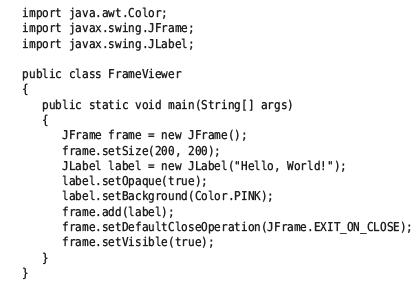
Modify the program as follows:
• Double the frame size.
• Change the greeting to “Hello, your name!”.
• Change the background color to pale green (see Exercise •• Graphics E2.11).
• For extra credit, add an image of yourself. (Construct an Image Icon.)
Data from graphics E2.11
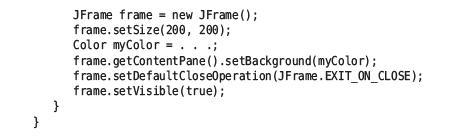
Repeat Exercise •• E2.10 but place your code into the following class. Then the
color will be displayed.
![static void main(String[] args) { JFrame frame = new JFrame(); frame.setSize(200, 200);](https://dsd5zvtm8ll6.cloudfront.net/images/question_images/1706/5/9/4/11665b88f44356871706594116184.jpg)
import java.awt.Color; import javax.swing.JFrame; import javax.swing.JLabel; public class FrameViewer { } public static void main(String[] args) { JFrame frame = new JFrame(); frame.setSize(200, 200); JLabel label= new JLabel("Hello, World!"); label.setOpaque(true); label.setBackground (Color.PINK); frame.add(label); frame.setDefaultCloseOperation (JFrame.EXIT_ON_CLOSE); frame.setVisible(true);
Step by Step Solution
3.44 Rating (151 Votes )
There are 3 Steps involved in it
Based on the instructions and the code provided in the images I will guide you through modifying the code according to the specified changes 1 Double ... View full answer

Get step-by-step solutions from verified subject matter experts
 Study Help