







Question: Modify Program 9.3 so that the object in the scene blends environment mapping with a texture. Use a weighted sum in the fragment shader, as
Modify Program 9.3 so that the object in the scene blends environment mapping with a texture. Use a weighted sum in the fragment shader, as described in Chapter 7.
Program 9.3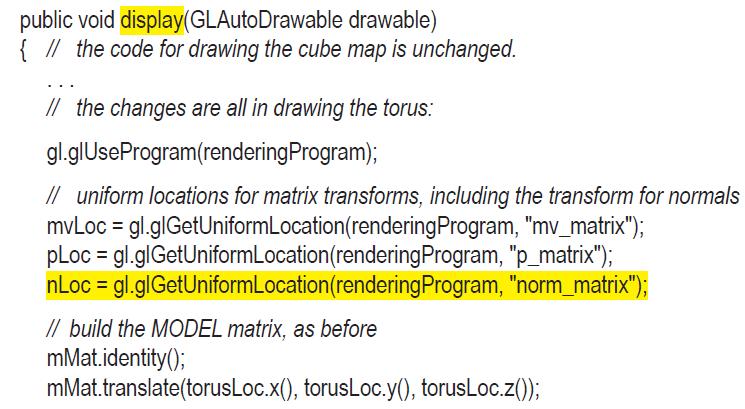
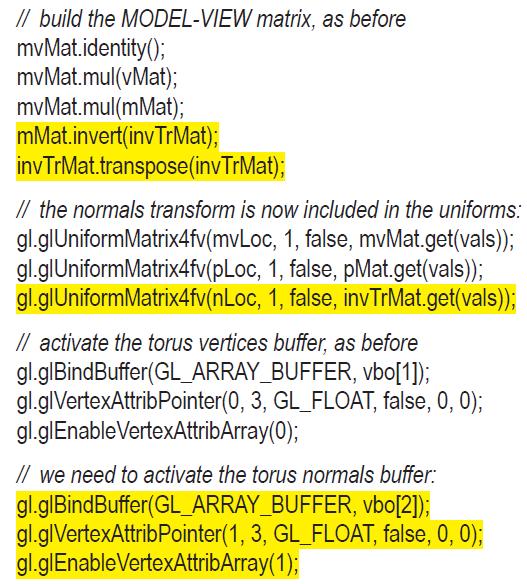
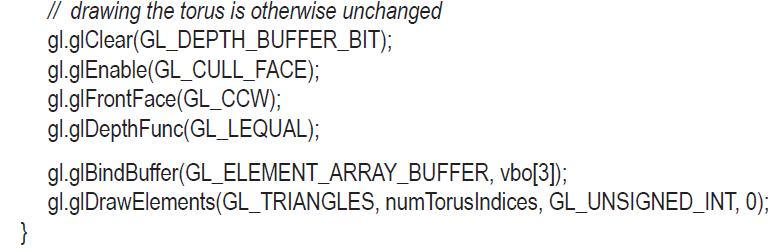
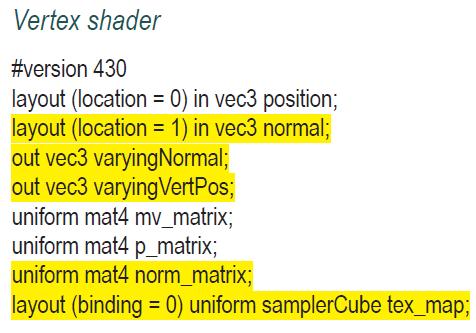
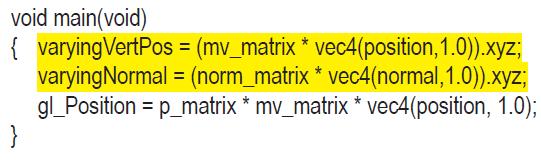
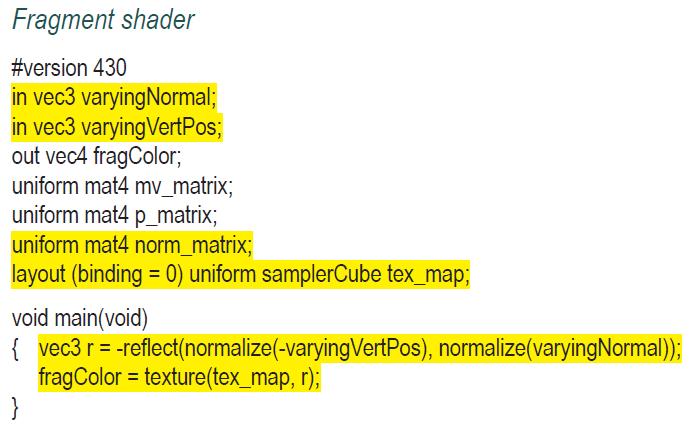
public void display(GLAutoDrawable drawable) { // the code for drawing the cube map is unchanged. // the changes are all in drawing the torus: gl.glUse Program (rendering Program); // uniform locations for matrix transforms, including the transform for normals mvLoc = gl.glGetUniform Location (rendering Program, "mv_matrix"); pLoc = gl.glGetUniform Location (rendering Program, "p_matrix"); nLoc - gl.gl GetUniform Location (rendering Program, "norm_matrix"); // build the MODEL matrix, as before mMat.identity(); mMat.translate(torusLoc.x(), torusLoc.y(), torusLoc.z());
Step by Step Solution
3.46 Rating (153 Votes )
There are 3 Steps involved in it

Get step-by-step solutions from verified subject matter experts
 Study Help