







Question: For this project, you will use the bag of integers from Section 4.4. The bag includes the grab method from Figure 4.16 on page 229.
For this project, you will use the bag of integers from Section 4.4. The bag includes the grab method from Figure 4.16 on page 229. Use this class in an applet that has three components:
1. A button
2. A small text field
3. A large text area
Each time the button is clicked, the applet should read an integer from the text field and put this integer in a bag. Then a random integer is grabbed from the bag, and a message is printed in the text area—something like “My favorite number is now ... .”
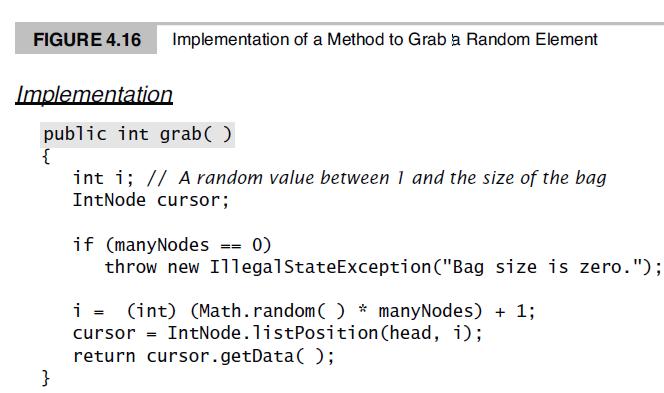
FIGURE 4.16 Implementation of a Method to Grab a Random Element Implementation public int grab( ) int i; // A random value between 1 and the size of the bag IntNode cursor; if (manyNodes =- 0) throw new IllegalStateException("Bag size is zero."); 3%%3D (int) (Math.random( ) * manyNodes) + 1; cursor = IntNode.listPosition (head, i); return cursor.getData( ); }
Step by Step Solution
3.34 Rating (160 Votes )
There are 3 Steps involved in it
Here is a sample implementation of the applet in Java import javaawtFlowLayout import javaawteventAc... View full answer

Get step-by-step solutions from verified subject matter experts
 Study Help