







Question: The Tip Calculator app does not need a Button to perform its calculations. Reimplement this app to use property listeners to perform the calculations whenever
The Tip Calculator app does not need a Button to perform its calculations. Reimplement this app to use property listeners to perform the calculations whenever the user modifies the bill amount or changes the custom tip percentage. Also use a property binding to update the Label that displays the tip percentage.
Tip Calculator app
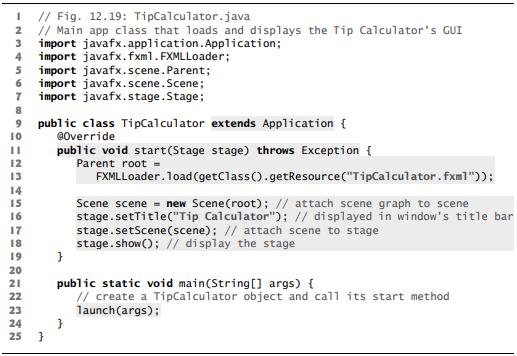
I // Fig. 12.19: TipCalculator.java 2 // Main app class that loads and displays the Tip Calculator's GUI import javafx.application. Application; 3 4 import javafx.fxml.FXMLLoader; 5 import javafx.scene. Parent; 6 import javafx.scene.Scene; 7 import javafx.stage.Stage; 8 9 public class TipCalculator extends Application { 10 11 12 13 14 15 16 17 18 @Override public void start(Stage stage) throws Exception { Parent root = FXMLLoader.load(getClass().getResource("TipCalculator.fxml")); Scene scene = new Scene(root); // attach scene graph to scene stage.setTitle("Tip Calculator"); // displayed in window's title bar stage.setScene(scene); // attach scene to stage stage.show(); // display the stage public static void main(String[] args) { 19 } 20 21 22 23 24 25 } } // create a TipCalculator object and call its start method launch(args);
Step by Step Solution
3.42 Rating (161 Votes )
There are 3 Steps involved in it
Below is the final complete implementation of the Tip Calculator app using JavaFX incorporating property listeners to perform calculations whenever the user modifies the bill amount or changes the cus... View full answer

Get step-by-step solutions from verified subject matter experts
 Study Help