







Question: Modify Listing 14.21, ClockPane.java, to add the animation into this class and add two methods start() and stop() to start and stop the clock. Write
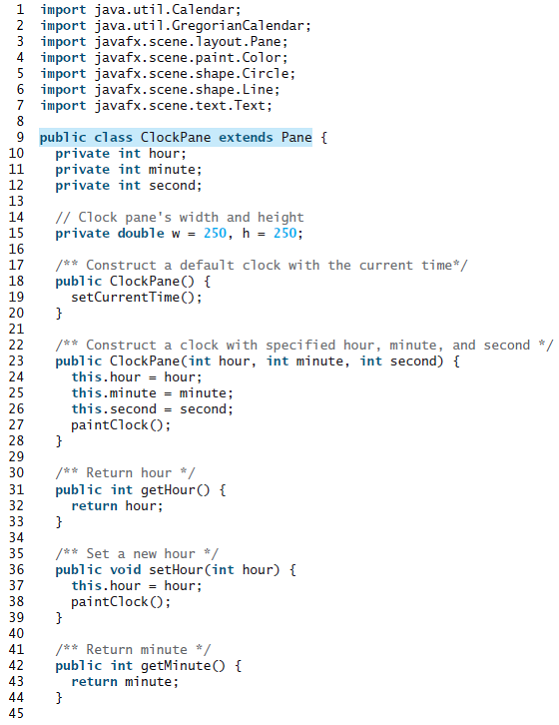
Modify Listing 14.21, ClockPane.java, to add the animation into this class and add two methods start() and stop() to start and stop the clock. Write a program that lets the user control the clock with the Start and Stop buttons, as shown in Figure 15.36a.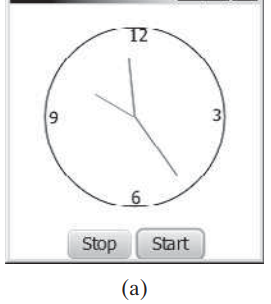
Listing
12 3 6. Stop Start (a) 1 import java.util.Calendar; 2 import java.util.GregorianCalendar; 3 import javafx.scene.layout.Pane; 4 import javafx.scene.paint.Color; 5 import javafx.scene.shape.Circle; 6 import javafx.scene.shape.Line; 7 import javafx.scene.text.Text; 8 9 public class ClockPane extends Pane { private int hour; private int minute; private int second; 10 11 12 13 // Clock pane's width and height private double w = 250, h = 250; 14 15 16 17 18 19 20 21 22 23 24 25 26 27 28 29 30 /** Construct a default clock wi th the current time*/ public ClockPane() { setCurrentTime(); /** Construct a clock with specified hour, minute, and second */ public ClockPane(int hour, int minute, int second) { this.hour - hour; this.minute - minute; this.second = second; paintClock (); /** Return hour */ public int getHour() { return hour; 31 32 33 34 35 36 37 /** Set a new hour */ public void setHour(int hour) { this.hour = hour; paintClock (); 38 39 40 { 41 /** Return minute */ public int getMinute() { return minute; 42 43 44 45
Step by Step Solution
3.40 Rating (162 Votes )
There are 3 Steps involved in it
Program Plan Create a class called ClockAnimation that extends JFrame class Instantiate StillClock o... View full answer

Get step-by-step solutions from verified subject matter experts
 Study Help